Emails go to the person whose action they follow
Whoever uploaded a file is told when it is ready or cannot be read, and whoever pressed Publish is told when it finished. Nobody else is copied.
Emails about your filesFor agencies and freelancers with client sites
Connect each client’s site once and map its sheet once. After that an update is a file dropped by whoever you allow, a review before anything is published, and a record of what was sent.
Harbourline Digital · workspace
3 sitesAurelius & Vogt
WooCommerceaurelius-vogt.exampleAlpine Keys
WordPressalpinekeys.exampleThe Lindgren Opera House
Joomlalindgren-opera.examplePeople, and the sites they were given
An illustration: the workspace of a fictional agency, Harbourline Digital, with three of its clients.
What it does for an agency
Content Uploader is a web service that publishes spreadsheets to WordPress, WooCommerce and Joomla sites. An agency connects its clients’ sites to one workspace and sets up how each client’s sheet becomes content. From then on an update is a file, a review and a click.
Each site is connected once, with an approval on the site itself and no password handed over. The plan decides how many sites a workspace holds.
Managing your connected sitesInvite colleagues, and clients too, and give each person only the sites they work on. They see those sites and what belongs to them, and nothing else.
Team members and their sitesA configuration remembers how one client’s sheet becomes content. The next file is dropped on the same card, and the same mapping reads it.
Create a configurationEvery file is checked first, and what would change is listed. Nothing is written to the site until someone approves it.
How the review worksOne site at a time
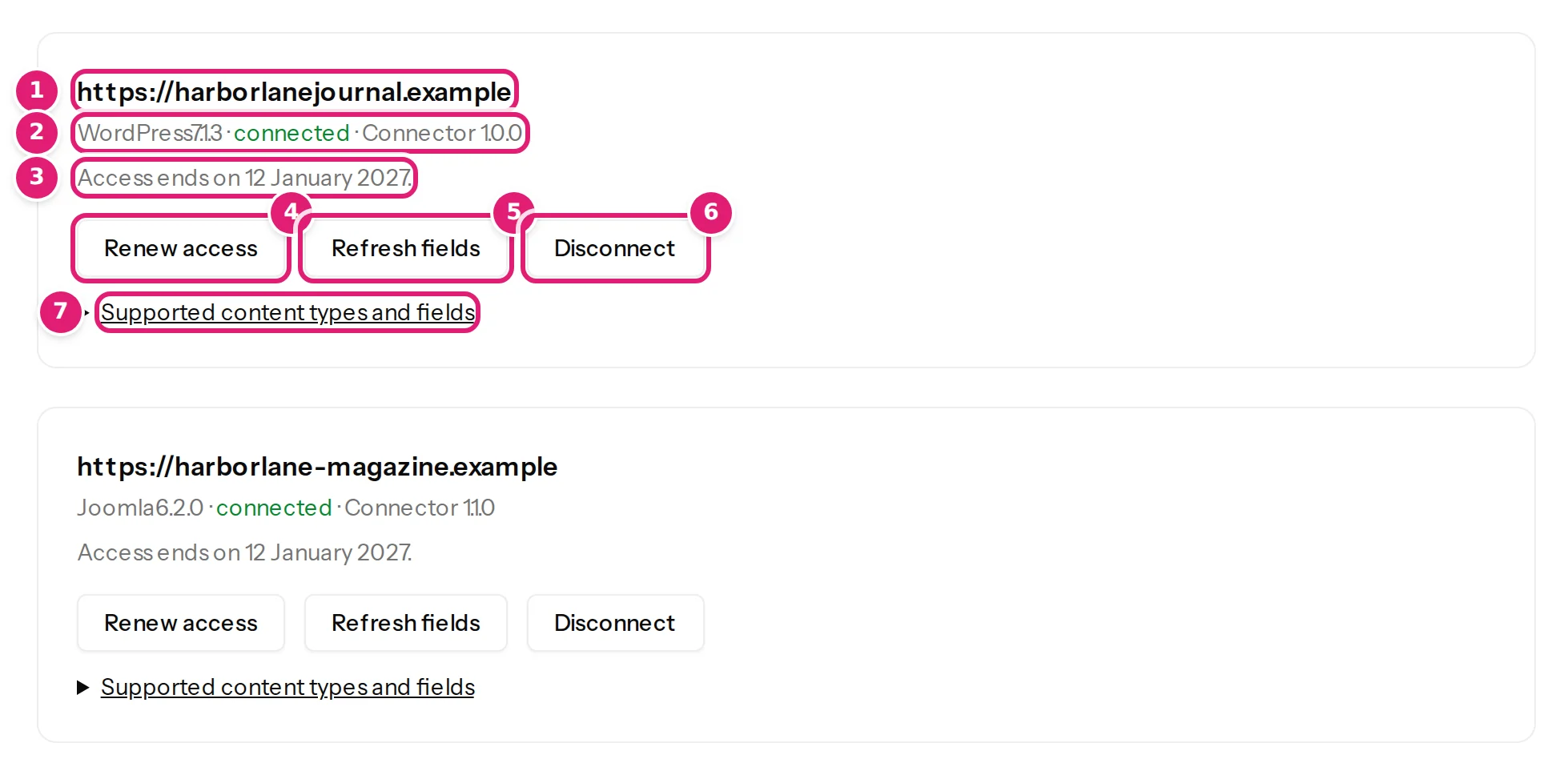
The Sites page lists every site in the workspace with its status and when its access ends. A configuration publishes to one site and one content type, so a client with a blog and a shop has two. Saving a changed mapping makes a new version, and a file keeps the version it was checked with.
The pictures are the Help Center’s, from an example workspace. How versions work
People and sites
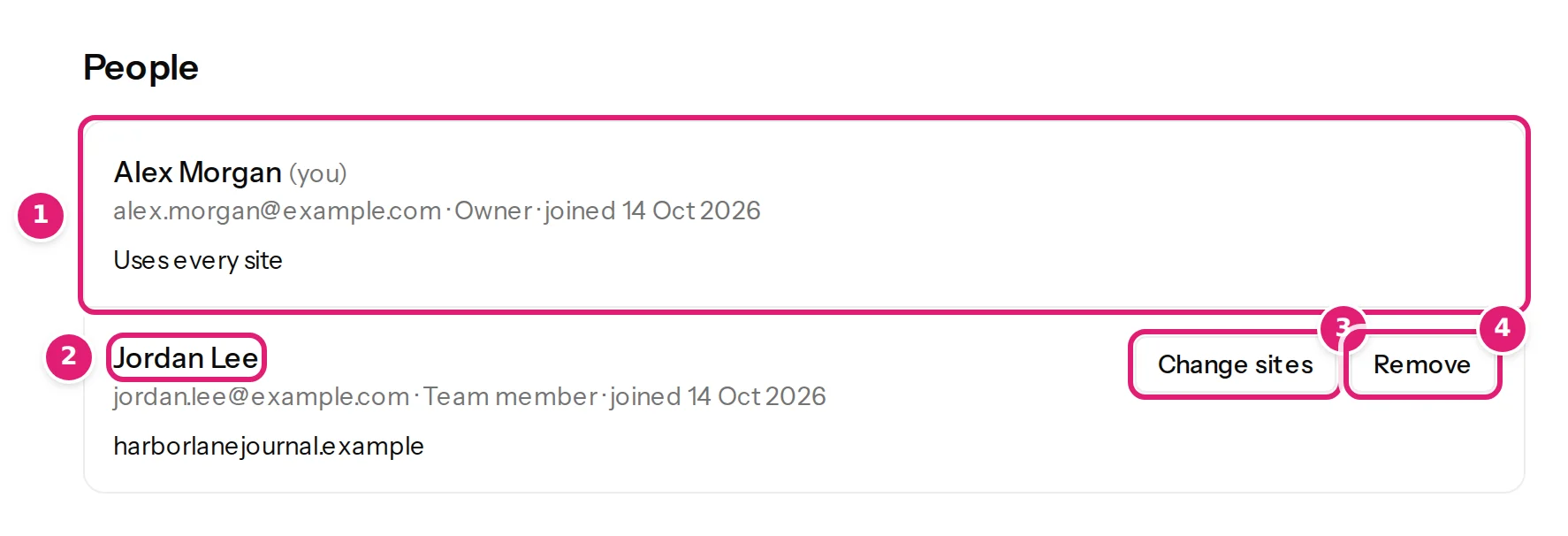
The owner invites people by email and ticks the sites each of them may use. A team member sees those sites, their configurations, uploads and results, and can create a configuration, upload, review and publish for them. A person who joins sees nothing until they are given a site, and a site connected later is not shared automatically.
Connecting and disconnecting sites, the plan and billing, and inviting people stay with the owner, and a change to someone’s access takes effect at once. What each role can do
The record
When a client asks what happened to their file, the answer is in the workspace.
Whoever uploaded a file is told when it is ready or cannot be read, and whoever pressed Publish is told when it finished. Nobody else is copied.
Emails about your filesThe Uploads list keeps each file, its status, its counts and its date, and a file’s page says which version of the configuration it was checked with.
The Uploads pagePublishing results list each item with the ID it got on the site, how many attempts it took and, when it failed, why. A failed item is retried safely.
Publishing resultsSites and people
The number of sites and of people belongs to the workspace’s plan. People are counted with the owner and the invitations that are still open.
| Plan | Sites | People |
|---|---|---|
| Free | 1 | 1 |
| Small | 1 | 3 |
| Medium | 5 | 10 |
| Large | 20 | 30 |
What each plan includes, with its price: Pricing. How a limit works: plans and allowances.
Said plainly
So that you can tell what to promise your clients.
A client who is invited works in Content Uploader like any other team member. There are no custom roles: a workspace has owners and team members.
The same file for two sites is two configurations, and each site keeps its own items. A client with a blog and a shop has two.
The record writes and the images a plan includes are one pool, shared by all of the workspace’s sites. A staging copy of a site counts as a site.
Someone who may install the plugin or the extension on the client’s site approves the connection there. In the workspace, only an owner connects or disconnects a site.
A team member sees the plan and its usage. The plan, the billing details, the invoices and the data export are the owner’s.
Nothing is fetched from a client’s system or on a schedule. Whoever you allow drops the file, and a clean one can publish itself after the first review.
Every known limitation, for any platform.
FAQ
Short answers about sites, people and who sees what.
Yes. Invite the person by email and give them that client’s site only. They can create a configuration, upload, review and publish for it, and they see nothing of your other clients. They need an account with the address the invitation was sent to, and they count as one of the people the plan allows.
Yes. An owner changes what a person may use, or removes them, on the Team page. The change takes effect at once: access is checked on every page, in every email and in everything that runs in the background.
The workspace’s owner. The plan, the billing details, the invoices and the data export are the owner’s. A team member can see the plan and its usage and can change none of it.
It depends on the plan: Free: 1 site, Small: 1 site, Medium: 5 sites, Large: 20 sites. A staging copy of a site counts as a site. A workspace that is over its limit, after moving to a smaller plan, keeps all its sites, and the extra ones are paused until an owner chooses which stay active.
A person who accepts an invitation needs an account with the address it was sent to, and the invitation page offers to sign in or to create one. The account is the person’s own, and a person can belong to more than one workspace: a switcher at the top of the sidebar moves between them.
Create a workspace, connect your first client’s site and drop their next sheet. Add the people who work on it when you are ready.
What a client’s site gets, by platform: WordPress, WooCommerce and Joomla.