Your account settings
Where to change your name and email address, your password and sign-in methods, the look of the app and your cookie choices, and where to delete your account.
- 4 min read
- Updated October 14, 2026
Settings is at the bottom of the sidebar, always in view. It has four pages: Profile, Security, Appearance and Cookies. Settings belong to you as a person; they are the same in every workspace you belong to. The workspace's own pages (its plan, its team and its sites) are in the main part of the sidebar and are described in workspaces.
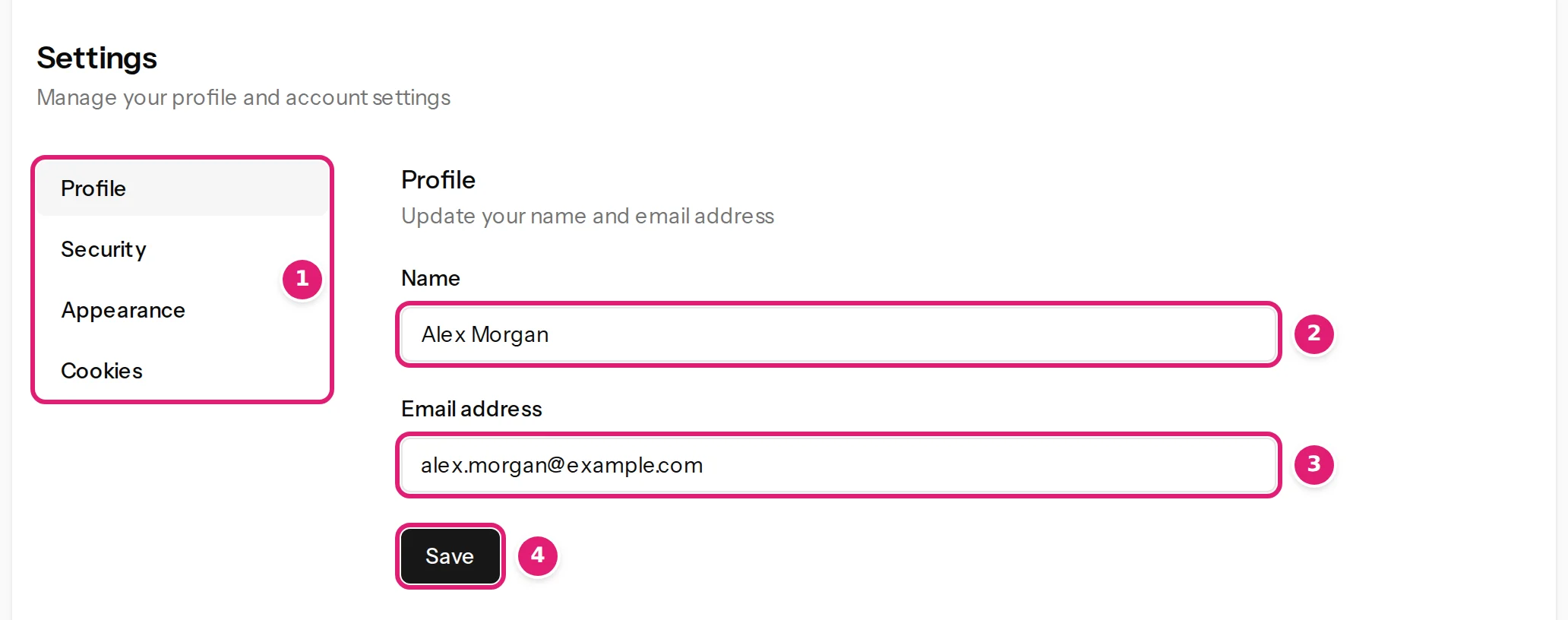
Profile: your name and email address#
- Open Settings → Profile.
- Change the Name (1) or the Email address (2).
- Select Save.
Your name is what teammates see in the team list and on invitations. Your email address is where Content Uploader writes to you: run results, invitations, reminders that a site's access is about to end, and replies from support.
Security#
Settings → Security holds your password, two-factor authentication, passkeys, connected sign-in accounts and a list of recent sign-ins. Because it changes how you get into your account, the app asks you to confirm your password before it opens the page, and asks again after three hours. Password and sign-in explains each part.
Appearance#
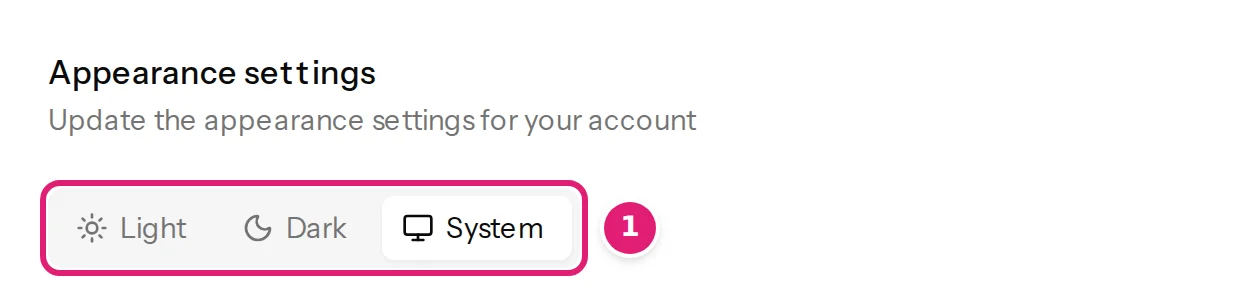
Settings → Appearance offers Light, Dark and System. System follows your device. The choice is kept in your browser, so it applies on that browser only. The sun or moon button at the top right of every page, labelled Change theme, changes the same setting.
Cookies#
Settings → Cookies is where you decide whether Content Uploader may measure how its website is used.
- Essential cookies keep you signed in, remember your settings and protect the service from abuse. They are always on.
- Analytics cookies are off until you allow them. When you allow them, Matomo (hosted in the EU) and Google Analytics measure how the website is used so the service can be improved. Google Analytics runs on the public pages and the sign-in pages only. Saying no changes nothing else about the service.
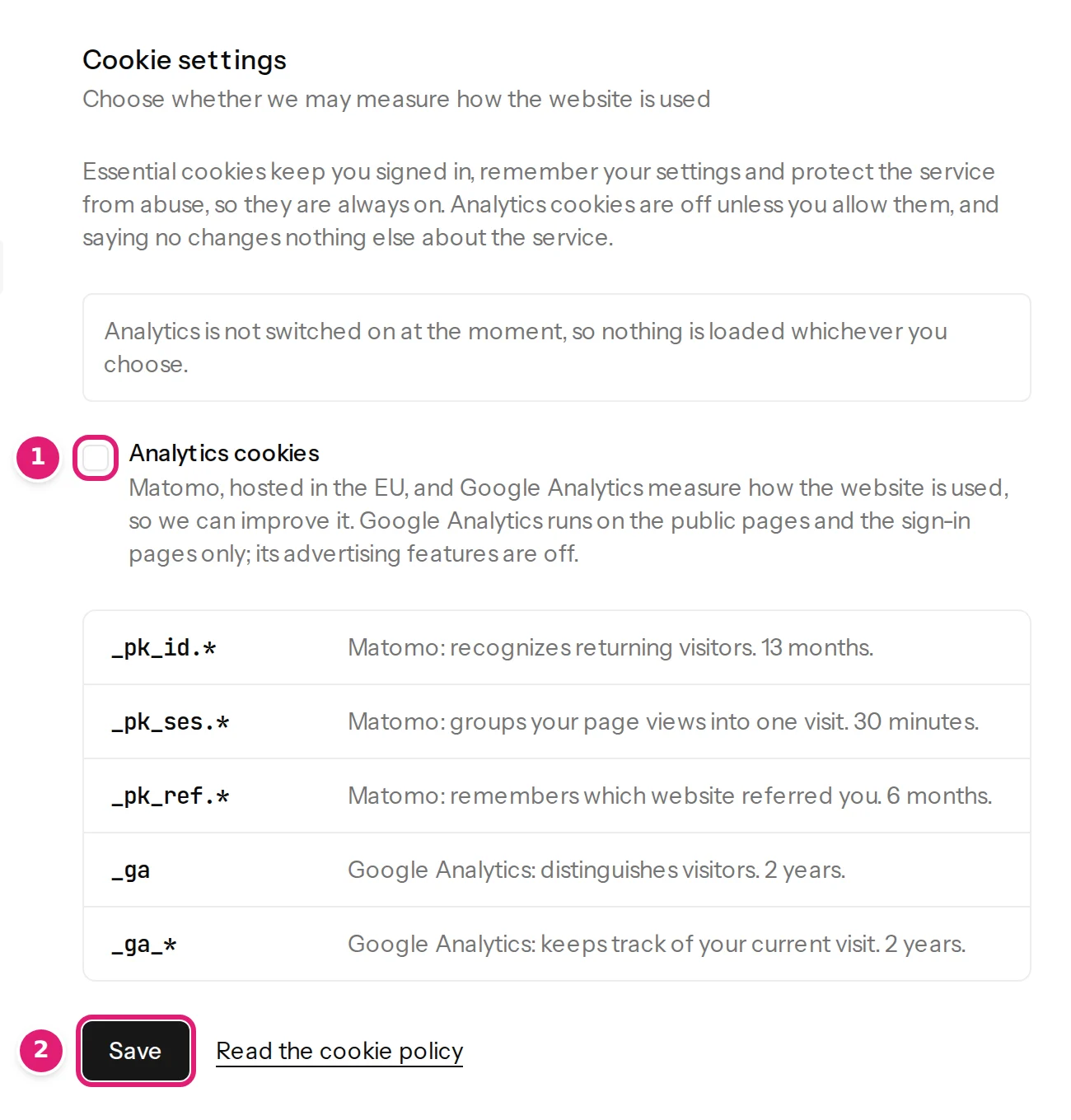
The page lists every analytics cookie by name with its purpose and how long it lasts. If your browser sends a Global Privacy Control signal, analytics stay off until you allow them here. The first time you visit, a cookie banner asks the same question, and you can change your answer here at any time. The privacy policy has the full cookie policy.
Deleting your account#
The bottom of the Profile page has Delete account. You confirm with your password (or your email address, if you signed up with a provider), and the dialog names the workspaces that are deleted with the account because nobody else belongs to them. A workspace you share with other people stays with them.
The button is not offered while your account owns a workspace that other people still use: the page names the workspace instead. Delete your account has the steps, what is deleted, what happens to the plan of a workspace that goes with the account and how to get such a workspace back; data and retention describes what is kept and for how long.
If something does not look right#
- Security asks for your password. That is expected: enter your password and continue. The page needs a confirmed email address.
- The app is in the wrong theme. Open Appearance and choose again: it applies per browser.
- You want to change your workspace's name or plan. Those are not account settings; see workspaces and plans and allowances.
Was this article helpful?
Related articles
- Account and workspaceDelete your accountHow to delete your account, what goes with it, what happens to a workspace only you belong to, and why it is refused while other people use a workspace you own.
- Account and workspacePassword, two-factor authentication and passkeysSign in, reset a forgotten password, change it, turn on two-factor authentication, add a passkey, use Google, GitHub, Microsoft or GitLab, and read your sign-in history.
- Account and workspaceWorkspaces, owners and the workspace switcherWhat a workspace is, what belongs to it, how to move between several workspaces, and what the notices about a paused, suspended, locked or deleted workspace mean.
- Account and workspaceWhat Content Uploader keeps, for how long, and how to export or delete itHow long your uploaded files, run history, account data, invitations and billing records are kept, what stays on your websites, and how to ask for an export of your data.