Update products that are already on your shop
Find the products your shop already has by their SKU, update them from a spreadsheet, and see on the first review only what differs from the shop.
- WordPress
- 4 min read
- Updated October 13, 2026
Content Uploader normally updates only what it published itself: it recognises an item by the record ID it was published under. A shop is different. Its products were made by hand, by an import plugin or by another system long before the first file, and what you want is to keep them up to date, not to make them again. Products can be found by something every shop already has: the SKU.
Turn it on#
In the editor, a section called Products already on the site has one choice:
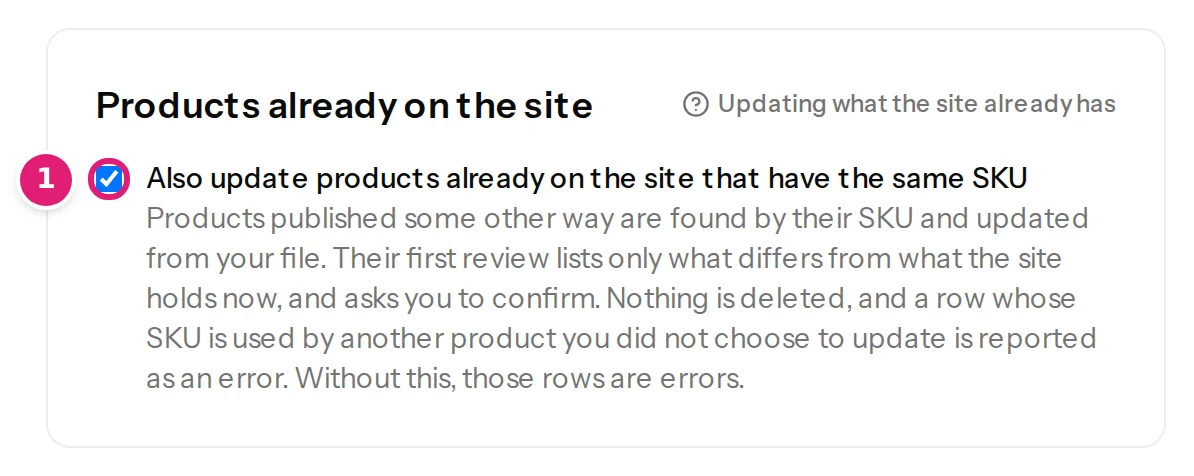
Also update products already on the site that have the same SKU. It starts on when your file has a column named like the SKU and off otherwise (and it waits for a SKU column: Choose where the SKU comes from under Fields first). With it on:
- A row whose SKU belongs to a product that Content Uploader has not touched before updates that product instead of creating a second one.
- A row whose SKU the shop does not have creates a new product, as always.
- A row whose SKU belongs to a product that is in the trash, locked, not editable by the connected account, or of a type Content Uploader cannot update is skipped, and the review says why.
With it off, a row whose SKU belongs to a product on the shop is an error: SKU: “BP-100” is already used by “Day Pack 22 L” (#214) on the site. Turn on “Also update products already on the site” in the configuration to update it, or give this row a different SKU. Nothing is created twice either way.
The first review#
Everything the file sets for a product the shop already has is compared with what the shop holds now, and only what differs is listed:
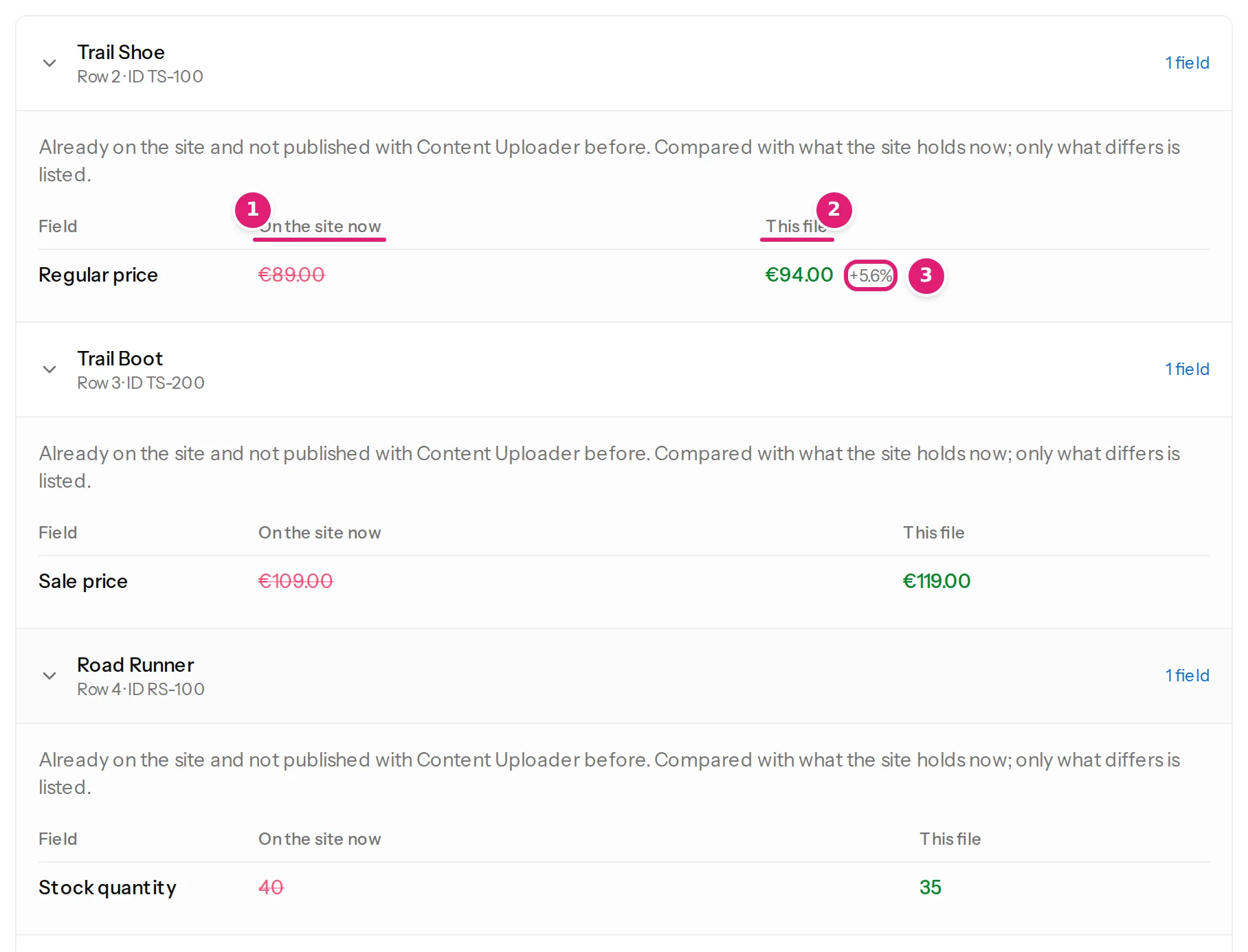
A product that already matches the file in every field the file sets is counted as Unchanged, and nothing is sent for it. The summary above the list says how many products are being updated for the first time:
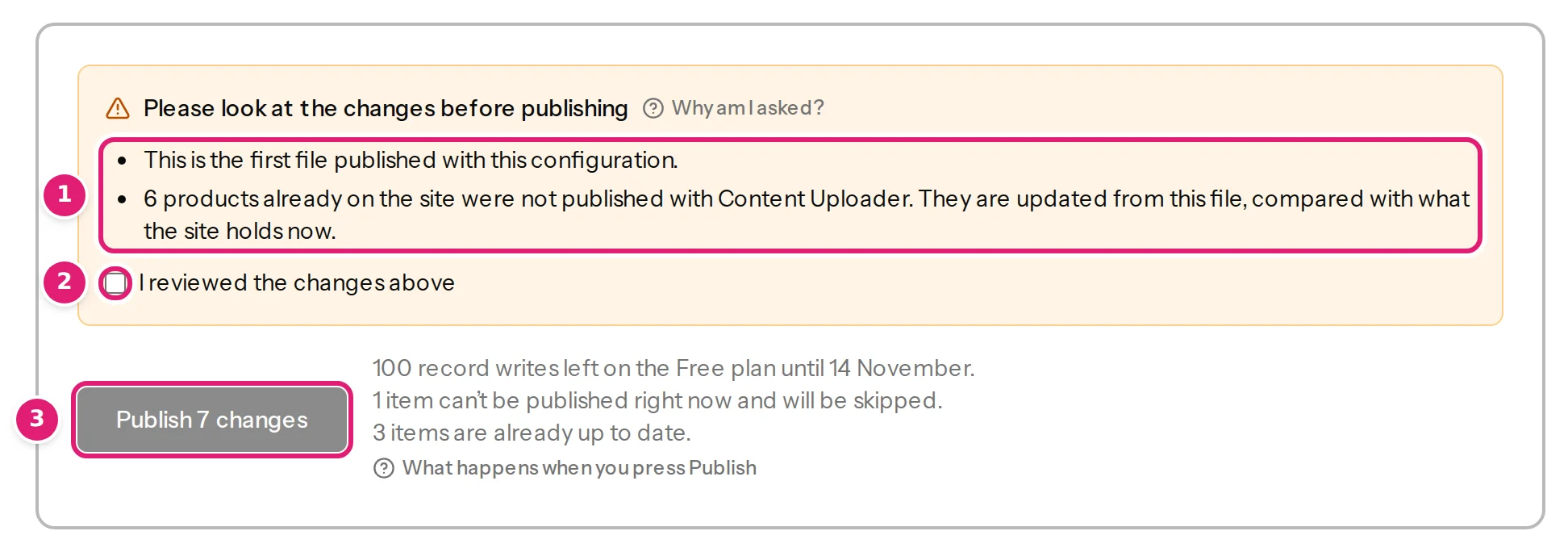
Because this changes products you did not publish with Content Uploader, the review always asks you to confirm (N products already on the site were not published with Content Uploader. They are updated from this file, compared with what the site holds now.), even when the configuration publishes automatically. A configuration that publishes automatically waits at this point, and the email says why (automatic publishing).
What is changed, and what is not#
- Only the fields you map are written. A field left on Keep existing on updates or Use destination default is never sent for a product the shop already has: a published product does not become a draft, and its author stays.
- Nothing is deleted. Products that are not in the file are not touched.
- A product is linked to its row's record ID once it has been written: from the next file on it is an ordinary product of the configuration, and its prices and stock are still compared with the shop each time (review product changes). A product that matched the file and was not written is not linked yet: the first time a file changes it, the review lists it as already on the site again.
- The shop checks again when it is written: if the product no longer has that SKU when it is published (someone changed it in between), that product is not written and the item fails with The product on the site no longer has the identifier it was matched by. Check the file again.
When a SKU cannot be taken over#
| What the review says | What it means and what to do |
|---|---|
| SKU: “…” belongs to “…” (#41), which was published with another record ID (“OLD-ID”). Use that record ID, or give this row a different SKU. | Content Uploader published that product under another record ID. Rows find it by that ID. Use the same ID, or give this row another SKU. |
| SKU: “…” belongs to “…” (#41), which an earlier row of this file already updates. Give this row a different SKU. | Two rows have the same SKU. A SKU is unique on a shop, so one of the rows is a mistake. |
| The product on the site no longer has the identifier it was matched by. | The SKU changed on the shop between the review and publishing. Check the file again. |
Choose the SKU as the record ID too (choosing the record ID): a configuration that starts from a SKU column does this by itself.
Was this article helpful?
Related articles
- WooCommerceReview product changes: the summary, the card and what the shop holdsHow the review shows a shop's products: the price and stock summary, what the shop holds now, the product card, the price check and products that cannot be updated.
- WooCommerceWooCommerce product fields you can mapEvery field Content Uploader offers for a WooCommerce product, in the sections of the editor: what it is, what a cell may hold and what an empty cell does.
- FAQCan I update posts I created by hand?Not directly for posts: Content Uploader only recognises items it published itself. WooCommerce products are the exception: they are found by their SKU.
- Importing dataChoose the record IDThe record ID column lets next week's file update an item instead of creating it twice: what makes a good ID, how matching works without one, and what changing it does.