A deleted workspace: what you see and how to get it back
When a workspace is deleted, the two emails a Free workspace gets first, the page its members see, how an owner restores it, and what is erased after the waiting period.
- 5 min read
- Updated October 14, 2026
A workspace is deleted in two cases, and it is never erased at once. It is locked, nothing runs in it, and for 30 days it can be brought back. This page says when each case happens, what you are told before and after, and how to get a workspace back.
| Why it is deleted | What happens |
|---|---|
| Its last member left or deleted their account (delete your account) | It is locked at once. Write to support and it can be given to the account that should have it. |
| It is a Free workspace nobody has used for 12 months | You get two emails first. Then it is locked, and its owners can restore it themselves. |
A workspace on a paid plan is never deleted for not being used.
When a Free workspace counts as used#
The 12 months count from the latest of these:
- the day the workspace was made;
- the last time a member signed in;
- the last time a file was uploaded;
- the day a paid plan last ran or ended, so that a workspace that has just returned to the Free plan keeps its time;
- the day an owner selected Keep my workspace or restored it.
Signing in, or uploading a file, is enough to keep a workspace. If you stay signed in for months without doing either, the emails below still reach you, and Keep my workspace answers them.
The two emails#
Before a Free workspace is deleted, its owners get two emails: the first about 30 days before, the second about 7 days before. They go to the owners' email addresses, to those you have confirmed first.
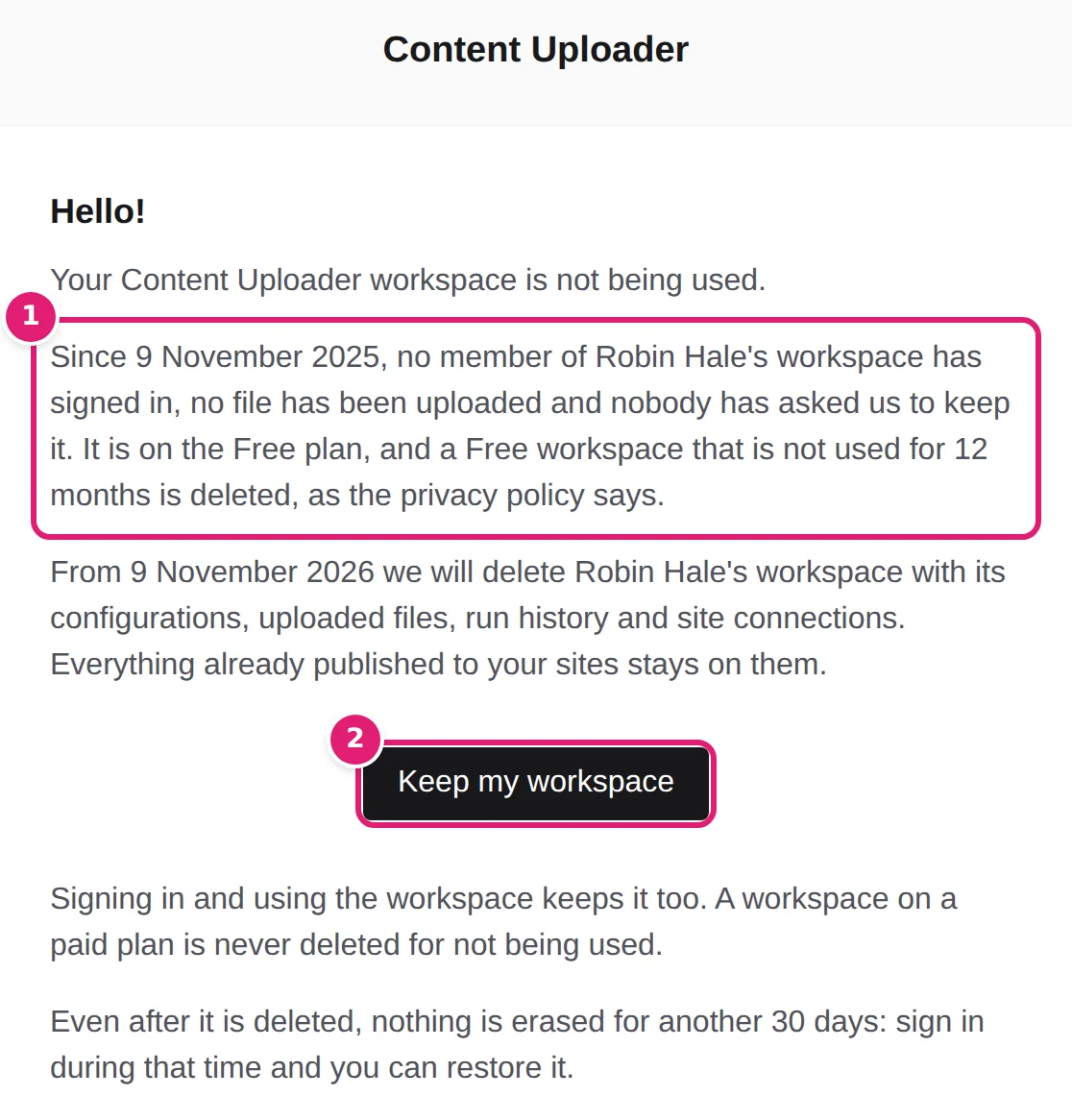
Each email says since when nobody has used the workspace, the earliest day it is deleted, and what is deleted: its configurations, uploaded files, run history and site connections. What you already published to your sites stays on them.
To keep the workspace, select Keep my workspace in the email. If you are not signed in, you sign in first, and you must be an owner of the workspace. Signing in or uploading a file keeps it too. If someone does that after the first email, the emails are forgotten and the 12 months start again.
When it is deleted#
If nobody used the workspace, it is deleted no sooner than a week after the last email. The owners get a third email, for example Alex Morgan's workspace was deleted, with the day after which it cannot be recovered and a Restore it button.
From then on, everyone who belongs to the workspace sees one page instead of it:
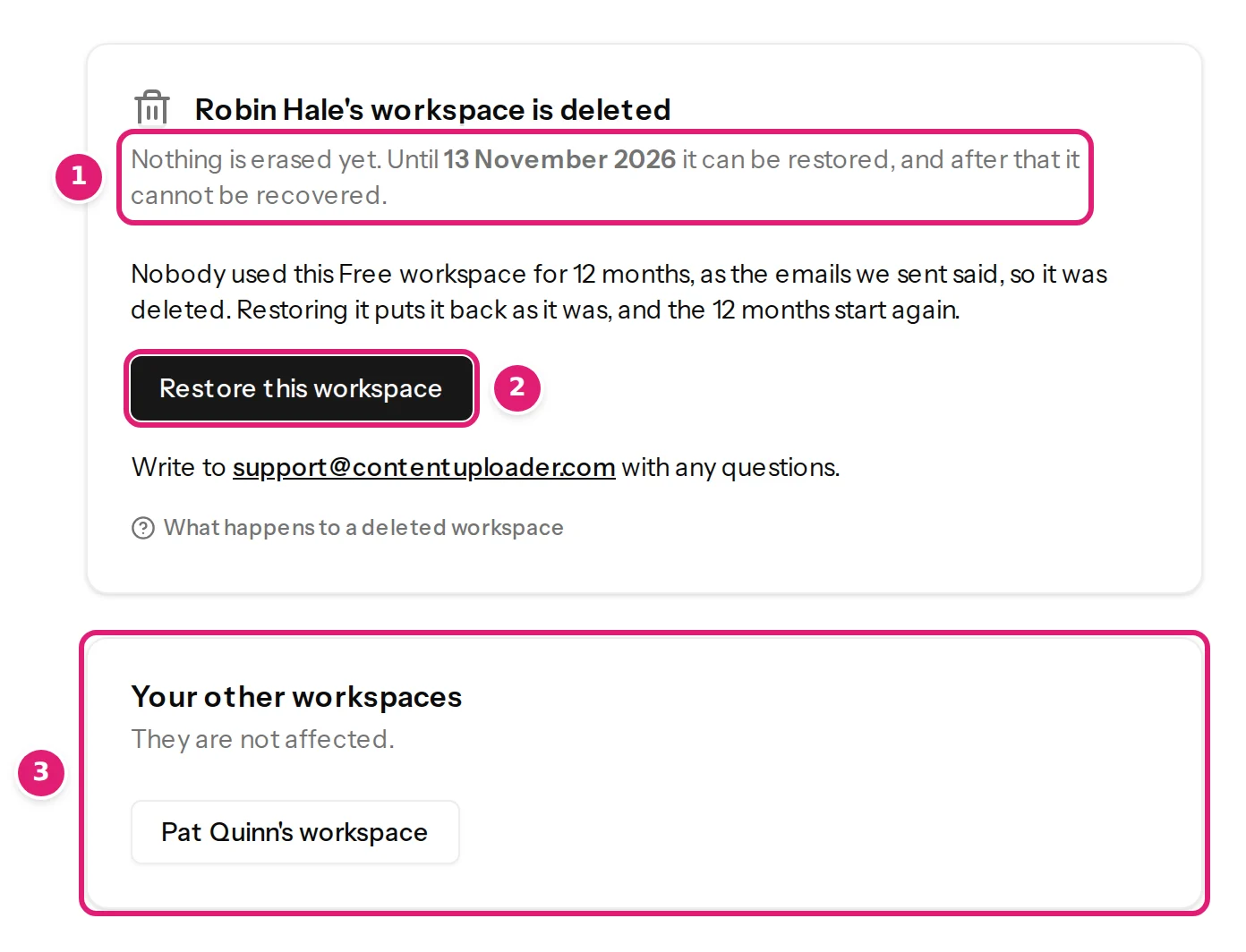
- Owners of an unused Free workspace see Restore this workspace. Restoring puts the workspace back as it was, and the 12 months start again.
- Team members see the same page without the button. They ask an owner.
- For a workspace whose last member left, nobody is left to see the page. You get the email described in delete your account, and support gives the workspace to the account you name.
Your other workspaces are not affected, and the page lists them.
After 30 days#
Everything in the workspace is erased for good: its configurations, the files that were still kept, the history of its runs and its site connections. What stays:
- What you published to your sites. Content Uploader never deletes anything on a site.
- Invoices and payment records, for as long as tax and accounting law require.
- A short record that the workspace was deleted: its number, why and the dates, with no name and no content.
- Backups until they are replaced. What Content Uploader keeps lists this with the other periods.
Your account stays when a Free workspace is erased. If it was your only workspace, the next time you open the app it makes you a new, empty one, as when you signed up.
If something does not look right#
- I did not get the emails. They go to the owners' email addresses: check the address in Settings → Profile and your spam folder. A Free workspace is deleted for not being used only after the emails were sent to someone.
- The page has no Restore button. You are a team member, and only an owner can restore, or the workspace was deleted because its last member left. Write to support from the address of the account that should have it.
- The workspace was on a paid plan. A workspace on a paid plan is deleted only when its last member leaves, and its plan ends with it. If it is restored, the plan is not brought back: choose a plan again on Billing.
- The 30 days are over. Nothing can be recovered. You start again with a new workspace; what you published stays on your sites.
- I want to delete a workspace myself. There is no button for it. If you are its only member, delete your account; otherwise write to support.
Was this article helpful?
Related articles
- Account and workspaceDelete your accountHow to delete your account, what goes with it, what happens to a workspace only you belong to, and why it is refused while other people use a workspace you own.
- Account and workspaceWorkspaces, owners and the workspace switcherWhat a workspace is, what belongs to it, how to move between several workspaces, and what the notices about a paused, suspended, locked or deleted workspace mean.
- Account and workspaceWhat Content Uploader keeps, for how long, and how to export or delete itHow long your uploaded files, run history, account data, invitations and billing records are kept, what stays on your websites, and how to ask for an export of your data.
- Account and workspacePlans, allowances and what happens at a limitWhat each plan includes, what counts as a record write and as image transfer, when allowances renew, and what the review offers when a file needs more than what is left.