Custom fields
Fill the extra values a site stores with each item: post meta, Joomla and Advanced Custom Fields, several values in one cell, fields made of parts, and rows.
- 8 min read
- Updated October 14, 2026
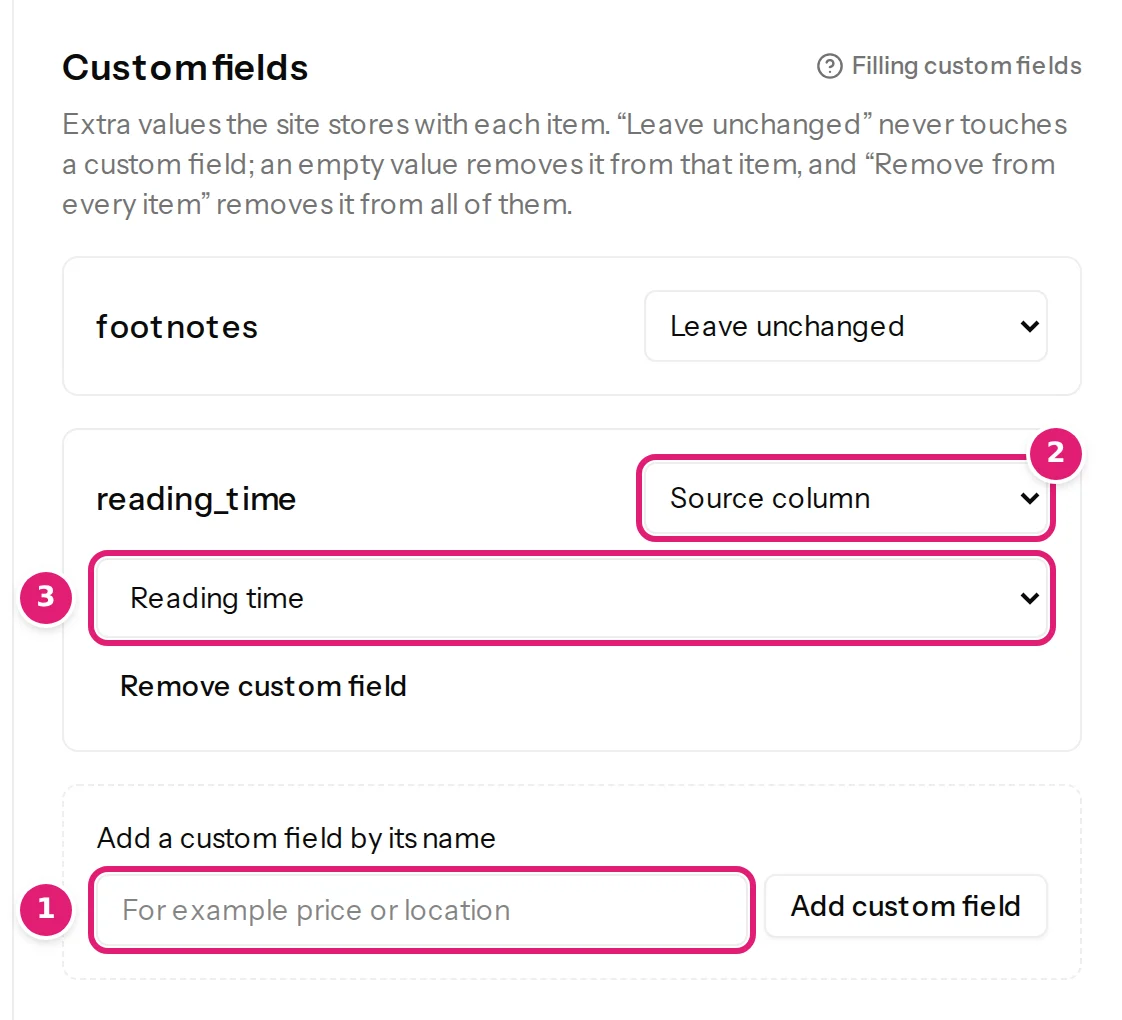
Custom fields are the extra values a site keeps with each item: a reading time, a price, a location, a product code. They are in their own section of the editor, Custom fields: Extra values the site stores with each item.
WordPress#
On WordPress a custom field is post meta: a named value attached to a post.
- The editor lists the meta fields that your theme or plugins registered for the content type and that the connecting account may edit, with their label and type. They appear ready to map.
- To use any other name, type it under Add a custom field by its name (for example
priceorlocation; names already used on the site are suggested as you type) and select Add custom field. Such a value is stored as text, exactly as WordPress's Custom Fields box does. - Names that begin with an underscore (
_price) are WordPress's protected meta and cannot be written. Names must not start or end with a space or contain a line break, and cannot be only digits. - A registered meta field has a type: text, whole number, number or yes/no; the value is checked against it.
Keep in mind that plugins that keep their data somewhere other than post meta (their own tables) cannot be filled this way, and plugins that need more than the plain value (such as a hidden reference to the field's definition) may not display a value written by name. Try one item first.
Joomla#
On Joomla, custom fields are the ones defined under Content → Fields, including those of Advanced Custom Fields (the free version). Every type Joomla brings can be filled: text, lists and checkboxes, numbers, dates, users and user groups, image lists and SQL lists, subforms, and Media, which appears with the images because it takes an image. Joomla custom fields lists every type, what a cell holds for it and the rules for which fields are offered. You cannot add a Joomla custom field by name: it must exist on the site first (then select Refresh fields).
A field assigned to certain categories applies to those categories and their subcategories. For a row whose category it does not apply to, the value is left out and the field is shown as not used in this category; it is not required there.
Modes#
Custom fields use the usual choices (value modes), with these differences:
| Choice | What it does |
|---|---|
| Source column / Fixed value / Template | Sets the value on every item the file publishes. |
| Set from the parts below | For a field made of parts: each part has its own source (see below). |
| Leave unchanged | Never touches the field. This is where a field starts, unless a column has its name. |
| Remove from every item | Deletes the value from every item the file publishes (not for a required field). |
An empty cell in a mapped column removes the value from that item: the field is taken off the item rather than left with an empty value.
Several values in one cell#
Some fields take several values: checkboxes, a list that allows several choices, a list of countries or user groups. One cell holds them all, separated by the character chosen under Values separated by: Comma (the default), Semicolon, Pipe or Line break.
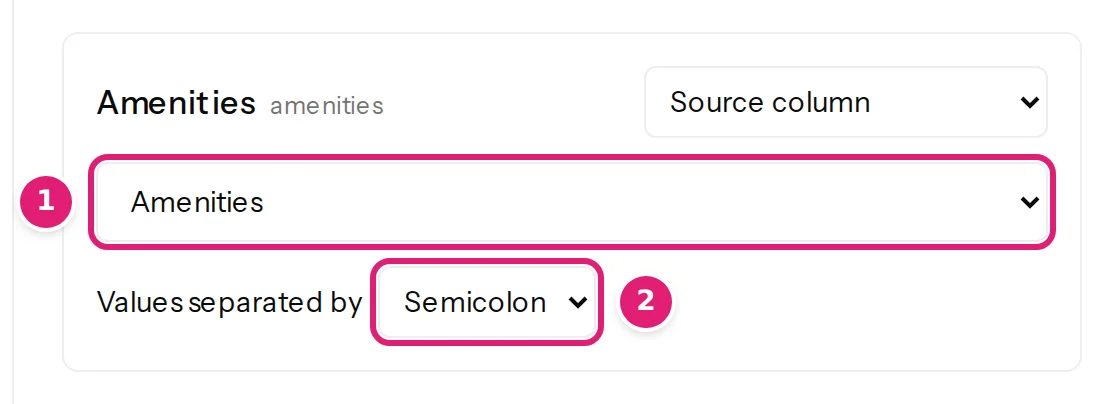
- A cell such as
Wi-Fi, Poolsets two values. A choice can be written as the site shows it (Wi-Fi) or as its key (wifi), in any case. A value that appears twice counts once. - To keep the separator inside one value, put the value in double quotes:
"Smith, John", Doe. - With Fixed value, the choices are checkboxes: tick the ones every item should have.
- Each value is checked on its own: The resolved value is not one of the destination choices. names a value the field does not offer. A field that takes only so many values says This field takes at most 3 values; this row has 4.
Fields made of parts#
Some fields are made of parts: a link has its address, its text and where it opens; a map marker has a latitude and a longitude; a Joomla subform has its own fields. Choose Set from the parts below and give each part a Source column, a Fixed value or a Template, or leave it Not set. A column named after the field and a part, such as Booking page URL for the URL of a field called Booking page, is mapped automatically.
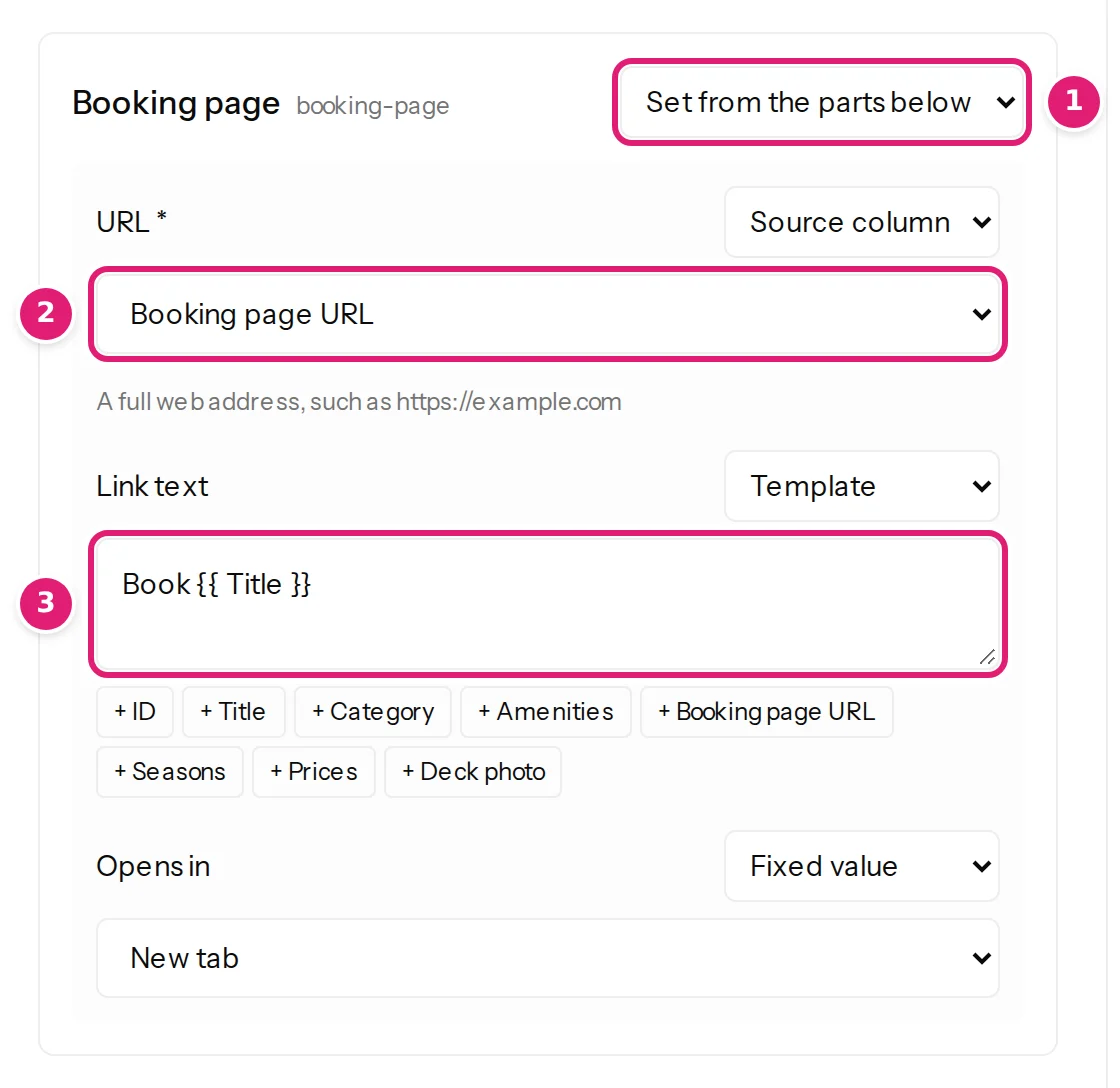
- A part marked with an asterisk is one the field needs: it must be mapped (Choose a value for this part; the field needs it.), and a row that fills other parts from columns must fill it too (This part is empty, but the field needs it.).
- The columns decide whether an item has a value. When every part that comes from a column is empty, the item gets no value, and an existing value is removed: fixed values and templates fill in the rest of a value, but never make one on their own. A link with its text from the template
Book {{ Title }}is therefore removed from the rows whose address cell is empty, instead of being refused for its missing address.
Fields with several rows#
A field made of parts can hold several rows: a repeatable subform (each row a plan with its name and price, say) or a map with several markers. One spreadsheet row fills all of them:
- Each part comes from its own column, and a cell holds one value per row, separated by the character chosen under Rows separated by: Pipe (the default), Comma, Semicolon or Line break.
- Row 1 takes the first value of every part, row 2 the second, and so on.
- A part with a single value, such as a fixed value, gives it to every row.
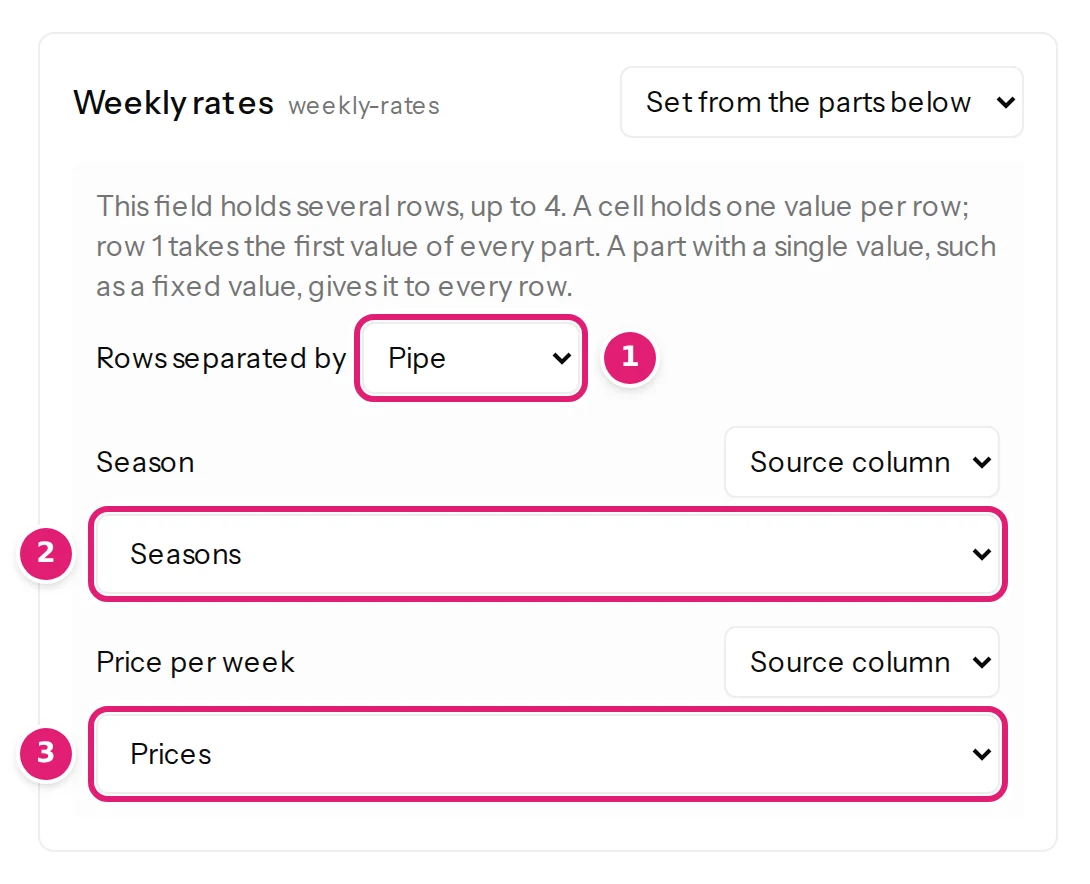
| Plan | Price | Currency (fixed) | Rows on the site |
|---|---|---|---|
Basic | Pro | Team |
9 | 29 | 99 |
EUR |
Basic, 9, EUR · Pro, 29, EUR · Team, 99, EUR |
A part that has values, but not as many as the others, is a row error: Price has 2 values, but another part has 3. Give each part one value per row, or one value for every row. A row whose parts from columns are all empty is left out, and a row that leaves a needed part empty is named: Row 2 is empty here, but every row needs a value. A field limited to so many rows says This field takes at most 3 rows; this row of the file has 4. A part that takes several values itself has its own Values separated by, which must differ from the row separator.
Fields the site can't fill#
Below the custom fields, the editor lists the site's fields that cannot be filled, under One of the site’s fields can’t be filled (or how many). Each says why, for example Content Uploader can’t fill fields of this type yet. or The account Content Uploader publishes as may not edit its value. These fields are not offered; nothing is ever written to them. For Joomla, what is not offered says what to do about each reason, such as giving the publishing account a permission and selecting Refresh fields.
Types and checks#
The value is checked against the field's type: The resolved value must be a whole number., must be a number, such as 12 or 12.5., must be yes or no, such as TRUE, FALSE, 1 or 0., or, for a list, The resolved value is not one of the destination choices. (text, numbers and dates). A field that expects a particular form says so under its source, and its value is checked:
| The field takes | Example | When it does not fit |
|---|---|---|
| An email address | name@example.com |
The resolved value must be an email address, such as name@example.com. |
| A full web address | https://example.com/page |
The resolved value must be a full web address, such as https://example.com/page. |
| A colour | #336699 (the # may be left out) |
The resolved value must be a colour, such as #336699. |
| A time | 14:30 (also 9:30 or 14:30:00) |
The resolved value must be a time, such as 14:30. |
| A number between limits | 70 for 0 to 100 |
The resolved value must be at least 0. or must be at most 100. |
Spaces around such values are removed. A required custom field must be mapped.
If the site refuses a value when publishing, the result says A custom field in this configuration is reserved on the site or expects a different kind of value. Refresh the site's fields and review the configuration's custom fields.; on Joomla, a field the account may not edit is reported before publishing.
Example#
The advanced example (06-advanced-articles.xlsx) has a Reading time column. Mapped to a custom field named reading_time, the published WordPress post has reading_time = 5, which a theme or a plugin can show (example spreadsheets).
Was this article helpful?
Related articles
- JoomlaJoomla custom fields and Advanced Custom Fields: every type you can fillWhich Joomla custom fields Content Uploader fills, what a cell holds for each type, including Advanced Custom Fields, subforms and image fields, and why a field is missing.
- WordPressWordPress content types and fields you can mapWhich WordPress content types Content Uploader can write (posts, pages, products and custom post types), and every field, taxonomy, custom field and featured image it offers.
- JoomlaJoomla article fields you can mapEvery field Content Uploader can write on a Joomla article: text, status, dates, access, language, metadata, article options, links, category, tags, images, custom fields.
- Mapping columnsValue modes: column, fixed value, template, default, keep, removeThe six ways a field gets its value, and what each does when an item is created and when it is updated: column, fixed value, template, default, keep existing, remove.