Tags: several per item, from one or two columns
Map tags from a column of comma, semicolon or pipe separated values, merge two tag columns, add fixed tags and create missing ones. Joomla's nested tags too.
- 3 min read
- Updated October 13, 2026
Tags are the other taxonomy most spreadsheets carry: a list of words per item. They work almost like categories, but an item can have any number of them and they are usually not nested (on Joomla they can be).
The settings#
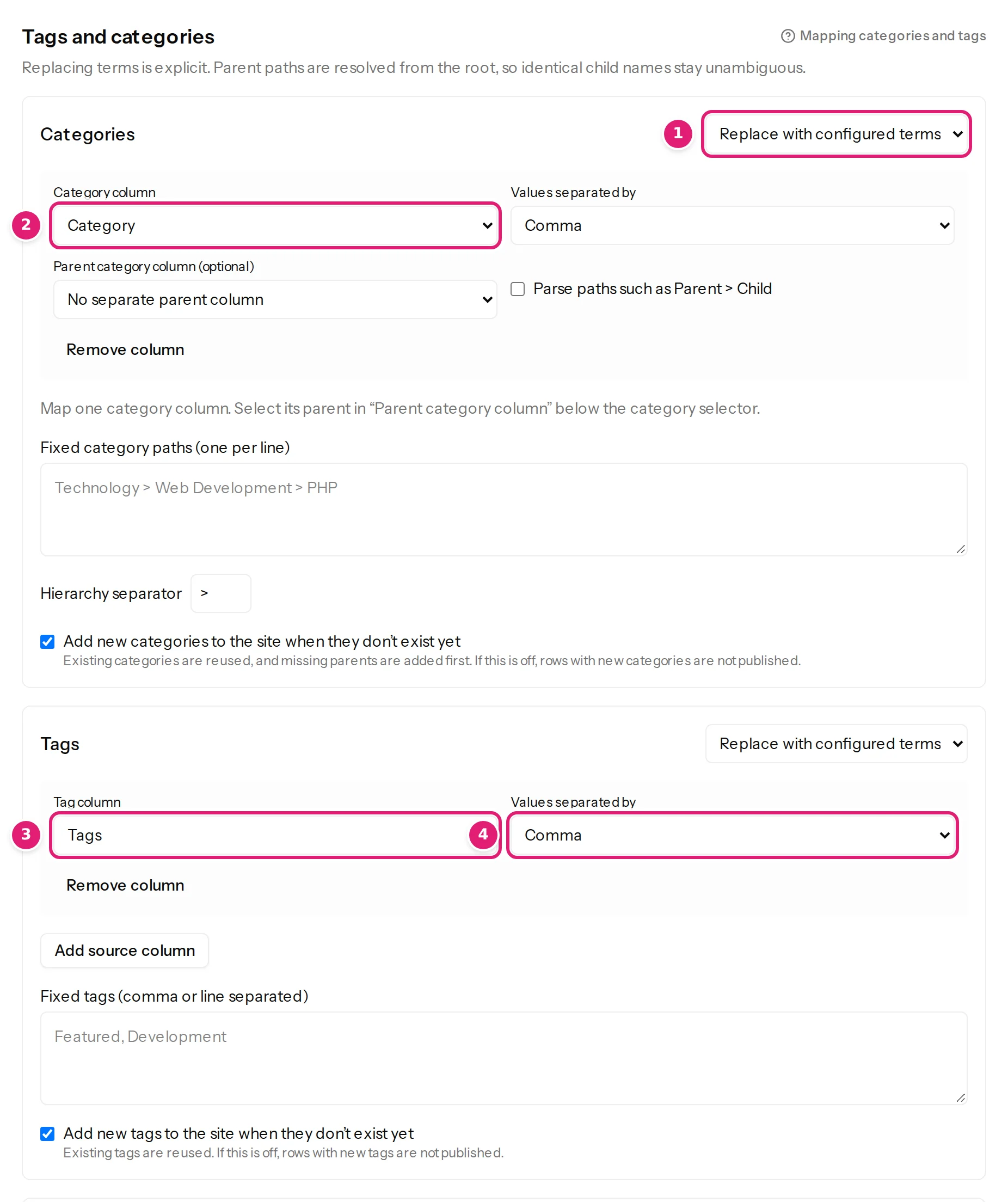
Under Tags and categories, the box for Tags has the same three choices as categories (Keep existing on updates, Replace with configured terms, Remove from every item). With Replace chosen:
- Tag column (WordPress) or Category column (Joomla's nested tags use the same controls as categories): the column that holds the tags.
- Values separated by: how the tags in one cell are separated: Comma, Semicolon or Pipe (
|). The default is a comma. - Add source column: a second (or third) column of tags. The item gets all of them together.
- Fixed tags (comma or line separated): tags given to every item, in addition to the columns.
- Add new tags to the site when they don't exist yet: tick to create the tags that are missing.
One column#
A cell anchoring, malta, summer with the default separator gives the item three tags. Spaces around each tag are removed, empty entries are ignored, and a tag repeated in a cell counts once.
Two columns, two separators#
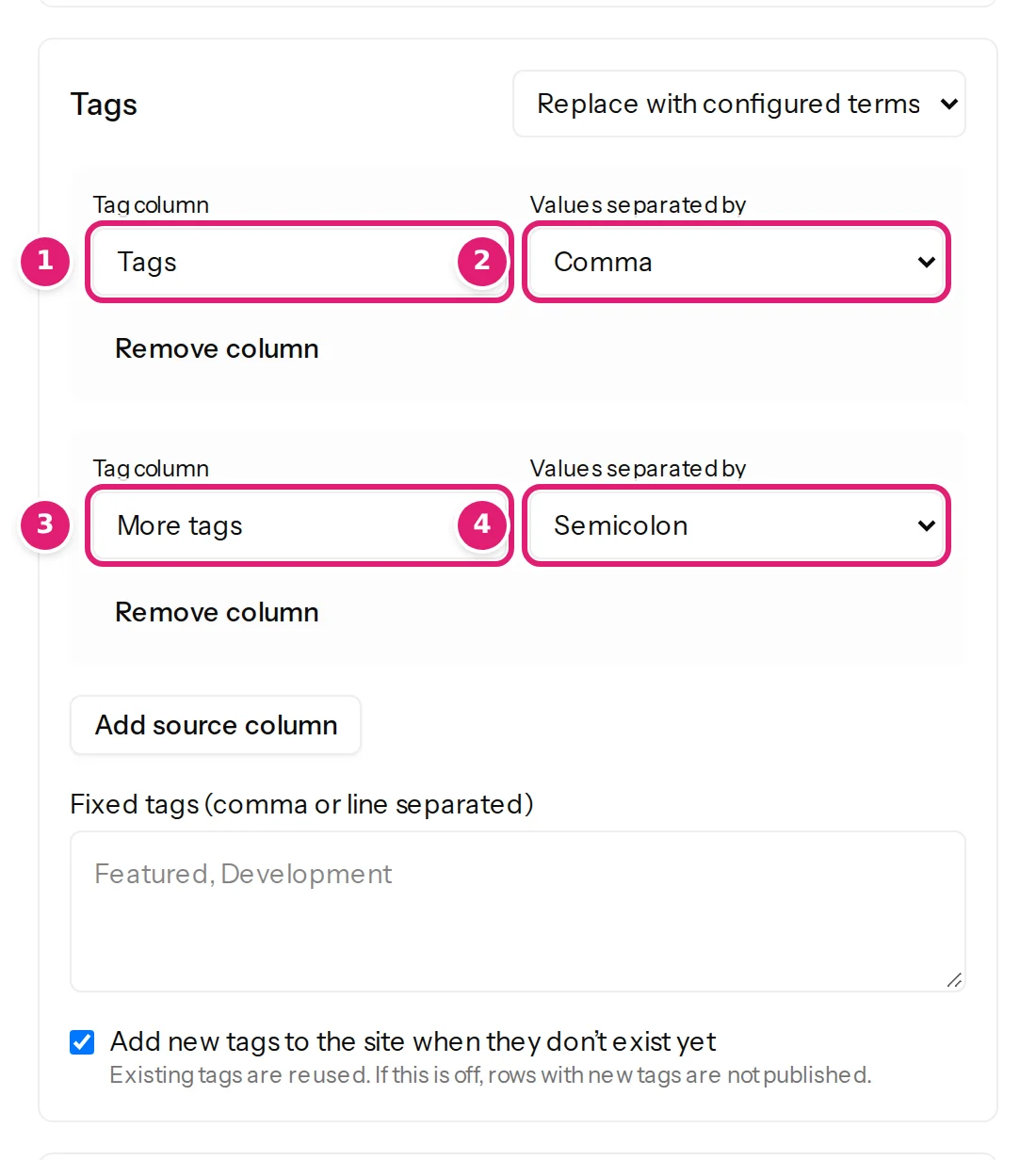
Some sheets keep two kinds of tags in two columns, written differently: anchoring, comino in Tags and summer; crowded in More tags. Select Add source column for the second and set Values separated by on each: the first Comma, the second Semicolon. For the row above the item gets anchoring, comino, summer and crowded.
The Preview shows the merged list for a chosen row, before you save (preview).
Fixed tags#
Type tags in Fixed tags to give them to every row, for example harbor lane journal. They are added to whatever the columns give.
Tags that do not exist yet#
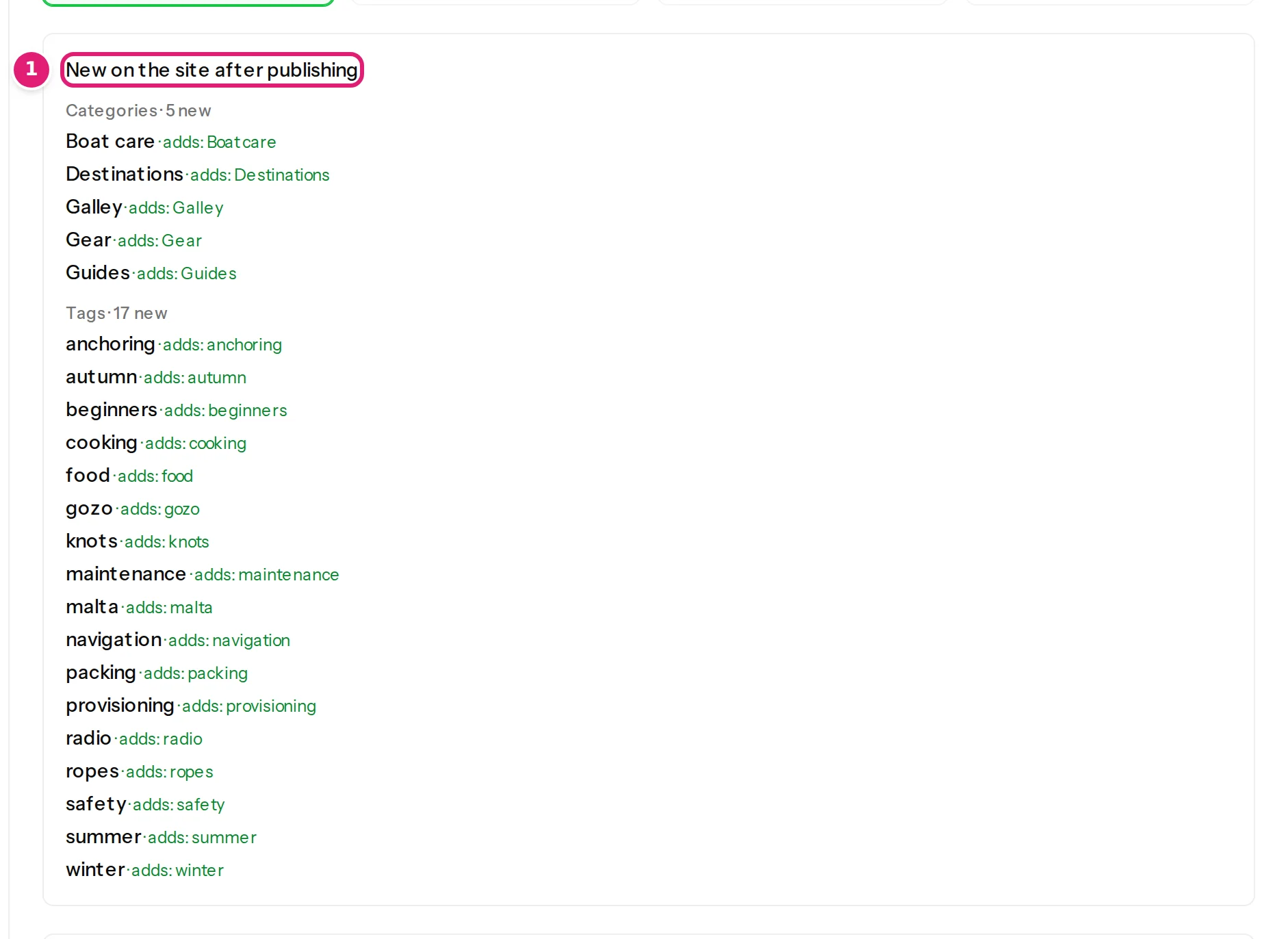
With Add new tags to the site when they don't exist yet ticked, missing tags are created when you publish; existing ones are reused. The review lists them first under New on the site after publishing: Tags · 17 new, each with its name. If the box is not ticked (or the account may not create tags), a row that needs a missing tag is skipped, and the review names the tags: new categories and tags.
Replace means replace#
With Replace with configured terms, an item's tags become exactly the file's tags. A tag that someone added to a published item on the site is removed by the next file that republishes that item. To let people on the site add their own tags, choose Keep existing on updates. An empty tag cell with Replace gives the item no tags (empty cells).
Joomla's nested tags#
Joomla tags can have parents (a tag Boats with a child Sailing). They are mapped with the same controls as categories: a path such as Boats > Sailing with Parse paths, or a Parent category column. A tag is matched by title (ignoring case), then by alias; new tags are created parent first. A new tag whose alias is already used elsewhere gets a number (red-2), because Joomla requires tag aliases to be unique (Joomla specifics). Creating tags needs Create permission in Tags for the publishing account.
WordPress#
Tags are flat. New tags are saved with a slug made from their name. Tag names are matched against the site's existing tags by name.
Was this article helpful?
Related articles
- Mapping columnsCategories: columns, paths and parent categoriesMap categories from a column, a path such as Destinations > Malta > Gozo or a parent column; how missing categories are created, and Joomla's one-category rule.
- Reviewing and publishingNew categories and tags in the reviewThe review lists the categories and tags that publishing will create, and the items skipped because a term is missing. What the lists mean and how to fix them.
- TroubleshootingCategories or tags are wrong, missing or duplicatedWhat to do when categories show a > in their name, tags are glued together, near-identical categories appear, items are skipped or tags disappear from an item.
- JoomlaPublishing to Joomla: categories, aliases, status and checked-out articlesThe rules particular to Joomla: one required category, how categories and tags are matched, unique aliases, status and workflows, articles being edited, and image storage.