Empty cells and clearing a field
What an empty cell does to an item, field by field: which values it removes, which the site decides, which it leaves as they are, and how to clear a field on purpose.
- 6 min read
- Updated October 15, 2026
A mapped column that is empty in a row is a statement: this item has no value here. Content Uploader passes it on, and the result depends on the field. This page lists what each field does, so that an empty cell never surprises you.
Both tables below were checked by publishing a file with one empty cell in each of several rows: the first table to a WordPress site, the Joomla table (Joomla) to a Joomla site.
What an empty cell does#
| Field | On an item that exists | On a new item |
|---|---|---|
| Title | The row is an error (Title: This field resolves to an empty value.) and is skipped. The item stays as it is. | The same. |
| Content | The content is emptied. | Created with no content. |
| Excerpt | The excerpt is emptied. | Created with no excerpt. |
| Slug | WordPress makes a new slug from the title. For a published post, WordPress keeps a redirect from the old address. | WordPress makes the slug from the title when it needs one. |
| Categories, Tags | The terms are removed from the item (the categories and tags themselves stay on the site). | None assigned. |
| Featured image | The image is removed from the item. It stays in the media library. | No image. |
| Image alt text, title, caption | Left unchanged: the text belongs to the image, which other items may share. | None. |
| Custom field | The field is deleted from the item. | Not set. |
| Status | Left as it is. The review lists no change for it. | Created with the site's own default: a draft. |
| Publish date | Left as it is. | The moment of publishing. |
| Author | Left as it is. | The account Content Uploader publishes as. |
The review shows what it will do: an empty cell appears as Empty in the This file column, next to the value it replaces:
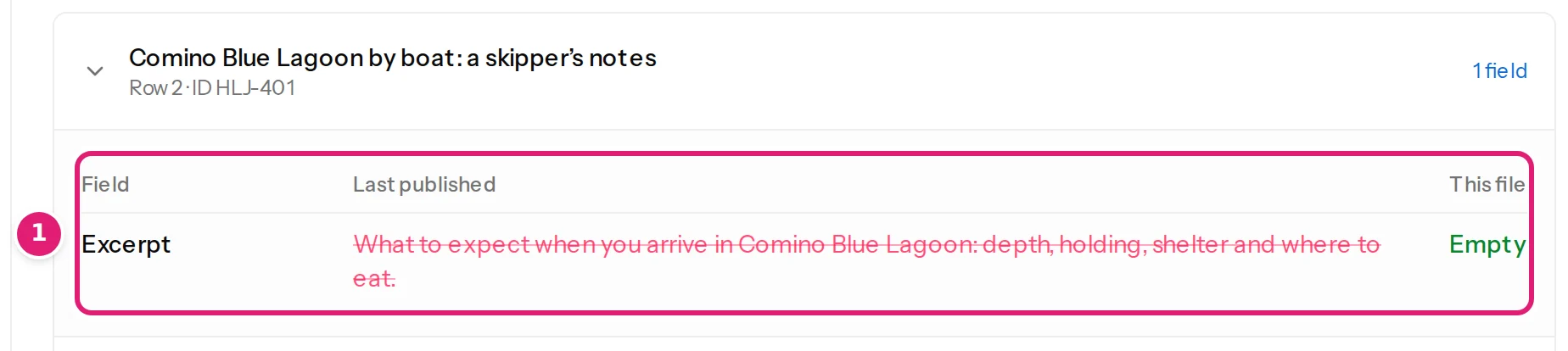
An empty Status, Publish date or Author is not an error and not a change. A choice, a date or a person has no "empty" to send, so the item keeps the value it has, and a new item gets what the site would give an item made by hand. Nothing about the cell appears in the review, and nothing fails when the file is published.
On Joomla#
Joomla articles follow the same rules, with the fields that only Joomla has. We published nine articles, then the same file with one empty cell in each row, and then the same rows again as new articles:
| Field | On an article that exists | On a new article |
|---|---|---|
| Title | The row is an error (Title: This field resolves to an empty value.) and is skipped. | The same. |
| Category | The row is an error (Category: This row has no Category. Every item needs one.) and is skipped: a Joomla article has exactly one category. | The same. |
| Alias | Joomla makes a new alias from the title, as the article form does. | The alias is made from the title. |
| Intro Text, Full Text | The text is emptied. | Created without it. |
| Meta Description, Keywords, Meta Author, Content Rights, Read More Text, Browser Page Title, the links and their texts, the image classes | Emptied. | Created without it. |
| The article options (Show Title, Link Titles, …) and Robots | Back to Use Global, the site's own setting. | Created with Use Global. |
| Start Publishing | Left as it is. | The moment of publishing. |
| Status | Left as it is. | Created unpublished, Joomla's own default. |
As on WordPress, an empty Status or Start Publishing is neither an error nor a change: an article that exists keeps its value, and a new one gets Joomla's own. Tags, custom fields, Access, Language, Featured, Note, Finish Publishing, the article options, the links and the image classes were not part of this test on Joomla.
The three outcomes#
- Cleared. Content, excerpt, categories, tags, the featured image and custom fields lose their value. That is the intended way to remove something from an item, and it is what you want when the source system really no longer has a value.
- Decided by the site. The slug (WordPress) or the alias (Joomla) is made from the title. On a new item, an empty Status, Publish date, Author or Start Publishing gets the site's own default: a draft (WordPress) or unpublished (Joomla), the moment of publishing, and the account Content Uploader publishes as.
- Left as it is. On an item that exists, an empty Status, Publish date or Author (WordPress) or Status or Start Publishing (Joomla) changes nothing. A missing Title or Joomla Category is refused earlier, in the review, as a row error.
Do this#
- Fill the Status, Publish date and Author of the items you are creating, if those columns are mapped. An empty cell gives a draft, the moment of publishing and the publishing account, so a new article you meant to publish waits as a draft (an example file has one of each). To give every item the same Status, use a Fixed value ("Published") (value modes).
- An empty cell cannot clear a Status, Publish date or Author on an item that exists: it leaves it alone. To change one, write the new value in the cell.
- If a column is sometimes empty and you do not want it to clear anything, map the field to Keep existing on updates. The file never touches the field on items that exist.
- To remove a value from every item on purpose, use Remove from every item rather than relying on empty cells.
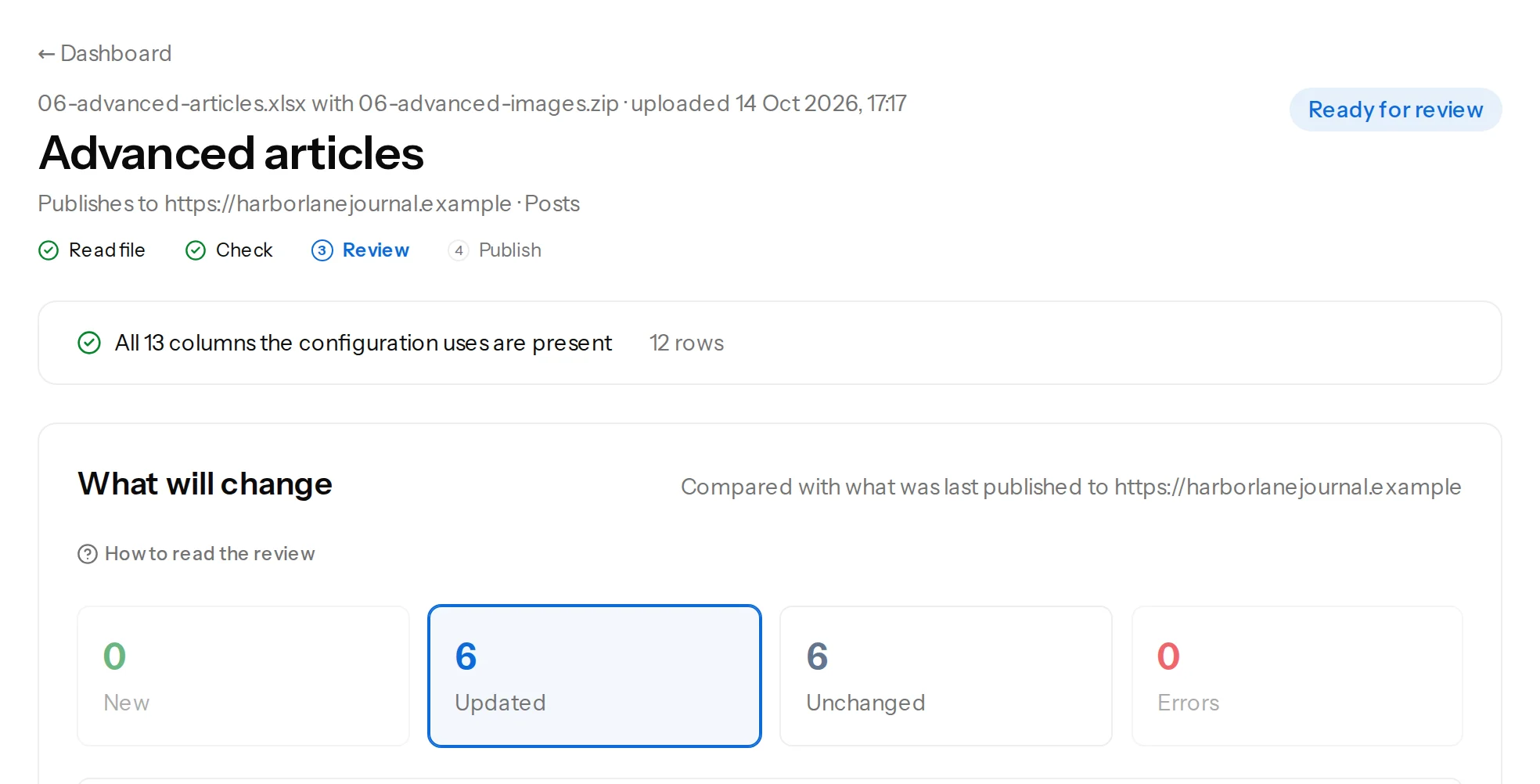
- Check the review for the word Empty: open a few updated items and read the This file column before you press Publish.
Undoing an empty cell#
An empty cell is an ordinary update, so it can be undone the way any update can: upload the file again with the values back in it. The review lists the removed excerpts, tags, categories, images, custom fields and slugs as updated, and publishing puts them back. We checked this end to end: after a file whose empty cells had cleared an excerpt, a list of tags, a category, a featured image, a custom field and a slug, uploading the original file restored every one (the image comes back as the same attachment, and the slug returns to the one in the file).
What an empty cell is not#
- A blank row is skipped entirely.
- A column that is not mapped is ignored, empty or not.
- A missing image (a file name that is not found) is a warning, never a removal (missing images).
Was this article helpful?
Related articles
- Preparing your spreadsheetEmpty cells in your spreadsheet: leave blank or fill?What an empty cell means to Content Uploader, when to leave a cell blank to remove a value, when to fill it, and why NULL, N/A and a dash are not empty cells.
- JoomlaPublishing to Joomla: categories, aliases, status and checked-out articlesThe rules particular to Joomla: one required category, how categories and tags are matched, unique aliases, status and workflows, articles being edited, and image storage.
- Mapping columnsValue modes: column, fixed value, template, default, keep, removeThe six ways a field gets its value, and what each does when an item is created and when it is updated: column, fixed value, template, default, keep existing, remove.
- Mapping columnsUpdating content that is already publishedWhat happens to an item you published earlier when its row changes: the review lists the changed fields, every mapped field is sent, and the address and ID stay.