Skipped items and why they are skipped
Items that cannot be published right now are listed under Skipped with the reason: in the trash, being edited, no permission, missing categories or another upload.
- 3 min read
- Updated October 13, 2026
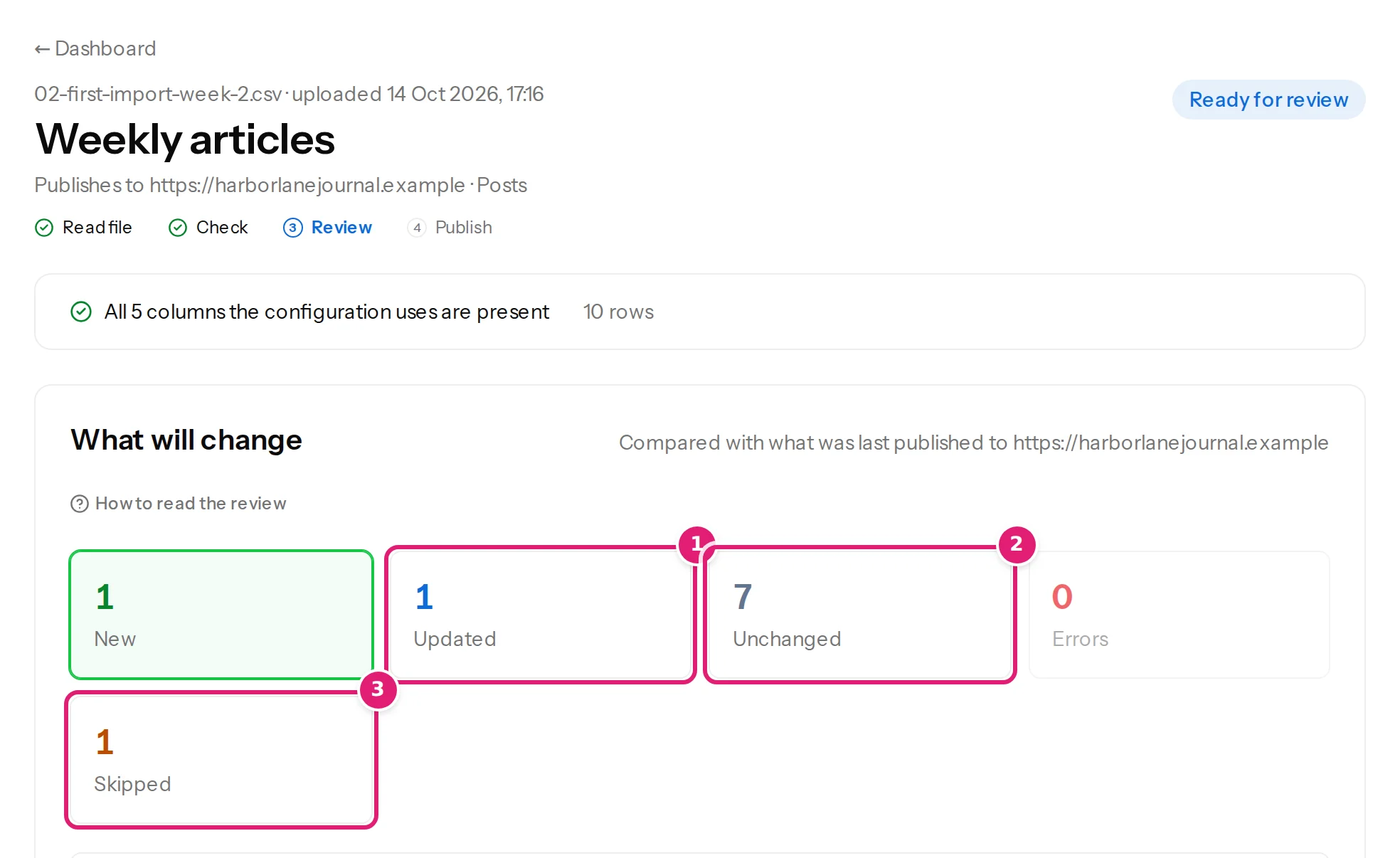
A skipped item is one that Content Uploader chose not to touch in this file, because writing it now would be wrong or impossible. It is not an error in your spreadsheet, nothing is lost, and the next upload looks at it again. The Skipped tile appears only when there is at least one.
Each skipped item shows its reason. They are:
| Reason | What it means | What to do |
|---|---|---|
| In the destination's trash. Restore it or delete it permanently, then check the file again. | Someone moved the item to the site's trash. A trashed item is not updated, because that would be surprising. | Restore it on the site (and it is updated), or delete it permanently (and the next check creates it again), then Check this file again. |
| Being edited on the destination, so it is left as it is. A later upload updates it once it is closed there. | Joomla: another user has the article checked out. | Ask them to close (check in) the article, or use Joomla's Global Check-in; the next upload updates it. |
| Still being published by another upload. | A file you uploaded earlier is sending this item now. | Wait until it finishes, then check this file again. |
| The connected account cannot edit this destination item. | The publishing account lost the right to edit it (WordPress: the user cannot edit that post; Joomla: no Edit or Edit Own permission). | Restore the permission, or choose another account (permissions). |
| Another destination item already uses this record ID. | Two items on the site carry the same ID in Content Uploader's records. | This needs support: contact support with the ID. |
| Uses categories or tags that don't exist on the site yet, and the configuration doesn't add new ones. | The row needs a missing category or tag and the configuration is set not to create them. | Turn on adding new ones in the configuration and check again, or add the terms on the site (new categories and tags). |

The summary at the top of the file counts them apart from the errors:
What skipping means for the rest#
- The item is left exactly as it is on your site. No part of it is written.
- The other items are published normally. The Publish box says N items can't be published right now and will be skipped.
- Skipped items do not use your allowance.
- Automatic publishing waits for you when anything is skipped (automatic publishing).
- The item is not "forgotten": the next file that contains it checks it again, and when the reason is gone, it is updated.
Skipped or an error?#
A row with a mistake in your spreadsheet is an error and needs a fix in the file (row errors). A row that is fine but whose item cannot be written right now is skipped and needs nothing in the file: the cause is on the site, or in a permission, or in what another upload is doing.
An item that was deleted#
An item deleted on the site is not skipped: it is created again, and the review says The destination item was deleted, so it is created again.
Was this article helpful?
Related articles
- Mapping columnsUpdating content that is already publishedWhat happens to an item you published earlier when its row changes: the review lists the changed fields, every mapped field is sent, and the address and ID stay.
- Reviewing and publishingHow the review worksAfter a file is checked, the review shows what will be created, updated, left alone or skipped before anything is sent to your site. How to read each part of the page.
- Reviewing and publishingNew categories and tags in the reviewThe review lists the categories and tags that publishing will create, and the items skipped because a term is missing. What the lists mean and how to fix them.
- JoomlaPublishing to Joomla: categories, aliases, status and checked-out articlesThe rules particular to Joomla: one required category, how categories and tags are matched, unique aliases, status and workflows, articles being edited, and image storage.