Where images come from
A cell can hold a web address or a file name. How Content Uploader finds the image: your ZIP, earlier uploads, the site's media library or the web.
- 4 min read
- Updated October 14, 2026
You do not choose an "image mode". The value in each image cell decides where the image comes from, and Content Uploader works it out for every row.
The two kinds of value#
| The cell holds | It is… | Example |
|---|---|---|
A web address starting with http:// or https:// |
downloaded from that address when the file is checked | https://cdn.example.com/p12.jpg |
| A file name or relative path | looked up, in the order below | p12.jpg, products/p12.jpg |
How a file name is found#
For a file name or path, Content Uploader looks, in this order:
- The ZIP you uploaded with this file. An exact path from the ZIP's top folder first, then relative to the spreadsheet's own folder, then ignoring capital letters, then a file name that appears only once in the ZIP. Backslashes and a leading
./or/are ignored. - Images this configuration sent to the same site before, under the same path. This is why next week's spreadsheet alone, still naming
p12.jpg, does not need the ZIP again. - The site's media library, by file name (WordPress: the media library; Joomla: the images folder). A value that includes a folder, such as
images/products/p12.jpg, is also looked up by that path, and an image at exactly that path wins over others with the same file name.
The first place that has the image wins. If none has it, the image is missing (missing images).
A name that matches several files (two p12.jpg in different folders of the ZIP, or several in the library) is not guessed: it is a missing image whose reason lists the candidates, and the fix is to use the file's path.
What you see#
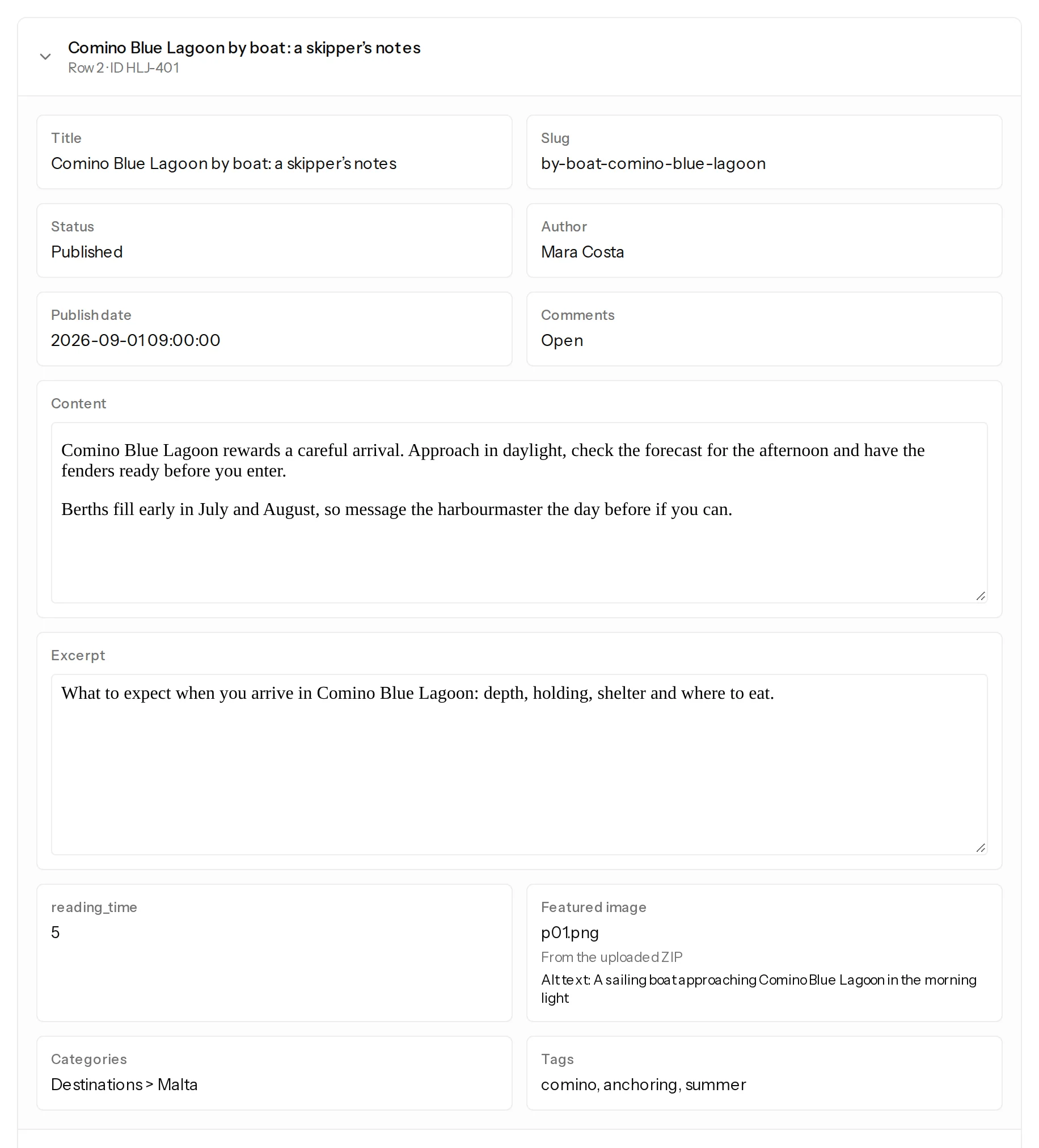
In the preview of the editor, each image shows what it would be: Looked up in the site's media library when the file is checked for a file name (the ZIP only exists once you drop a file), or Web address, downloaded when the file is checked. In the review, an opened item shows the image's real origin: From the uploaded ZIP, From a web address, Sent to the site before; reused, or Already in the site's media library.
Which fields take images#
| Platform | Slots |
|---|---|
| WordPress | Featured image (for post types that support one); on a WooCommerce shop the Product image, which is the product's featured image, and the Gallery images below it, several in one cell (the gallery) |
| Joomla | Intro Image and Full Article Image |
Each slot can also take alt text, a title (WordPress) and a caption, from columns, fixed values or templates. They belong to the image on the site: items that use the same image share its text, and an empty value leaves the image's text as it is. Map an image column shows the settings.
Changing and removing an image#
- A different image in the cell (another file name or a changed file) replaces the item's image on update.
- The same file is recognised by its content, not by where it came from: a new spreadsheet that still names
p12.jpg, with the image unchanged, leaves the item unchanged; a ZIP that contains a differentp12.jpgreplaces it. - An empty cell removes the image from that item. Remove the image from every item removes it from all of them. Keep existing on updates never touches it.
- A missing image never removes an existing one: on an update the site keeps its current image.
- A slot that holds a list of images, such as a product's gallery, takes the images of the cell in order and replaces the whole list (the gallery).
Images in the body text#
An <img> tag inside the text of a body is not downloaded or uploaded: it stays a link to its address (HTML in cells). The image fields above are the way to add images to the media library.
What counts against your plan#
Image delivery counts as image transfer for the items written, once per distinct image per site in a run (plans and allowances).
Was this article helpful?
Related articles
- Images and mediaUpload images in a ZIPPut the images in a ZIP next to your spreadsheet, or the spreadsheet and the images in one ZIP: how names are matched, the limits and what each error means.
- Images and mediaImages from web addressesUse image addresses in your spreadsheet: what is accepted, why Google Drive, Dropbox and OneDrive share links fail, and what each failure message means.
- Images and mediaMissing images: what happens and how to fix themA missing image never blocks its item: it is published without the new image, the review lists each one with its reason, and you can add it later.
- Images and mediaImage types, sizes and how images reach your siteJPEG, PNG, GIF, WebP and AVIF are accepted, SVG is not. The size limits, how your site downloads each image, where it is stored, and the messages when delivery fails.