Import one hundred articles into Joomla from one spreadsheet
Turn a workbook of 100 articles into 100 published Joomla articles with aliases, one category each, tags, dates and HTML text, reading the review before anything is created.
- Joomla
- Difficulty: Beginner
- About 15 minutes
- Updated October 15, 2026
What you will achieve. A workbook of one hundred articles becomes one hundred published Joomla articles: each with its alias, one category under Guides or Destinations, tags, a date and its text. You read the review first, so you know which categories and tags will be created.
You need. A Joomla 5 or 6 site that is connected and a publishing account that may create articles (the publishing account), and the file 08-hundred-articles.xlsx. Difficulty: beginner. Time: about 15 minutes.
The example data#
The same workbook as for WordPress: one sheet, 100 articles, with ID, Title, Alias, Category (a path such as Guides > Malta), Tags (separated by commas), Body (HTML) and Publish date (real date cells).
Joomla differs from WordPress in two ways that matter here: every article needs exactly one category, and its text goes into Intro Text (and optionally Full Text), which is why the editor cannot guess it from the column name Body (WordPress and Joomla compared).
Step 1: create the configuration#
- On the Dashboard, select New configuration, name it One hundred articles (Joomla) and choose the workbook as the sample.
- Choose your Joomla site and Articles. The editor suggests
IDas the record ID and has chosen, from the column names, Title for the title, Alias for the alias and Start Publishing for thePublish datecolumn. - Set Intro Text to Source column and choose
Body. - Optionally set Created Date (in the Publishing section, which is open already because Start Publishing is set) to
Publish dateas well, so that the articles are created on their dates (Joomla's list shows this date).
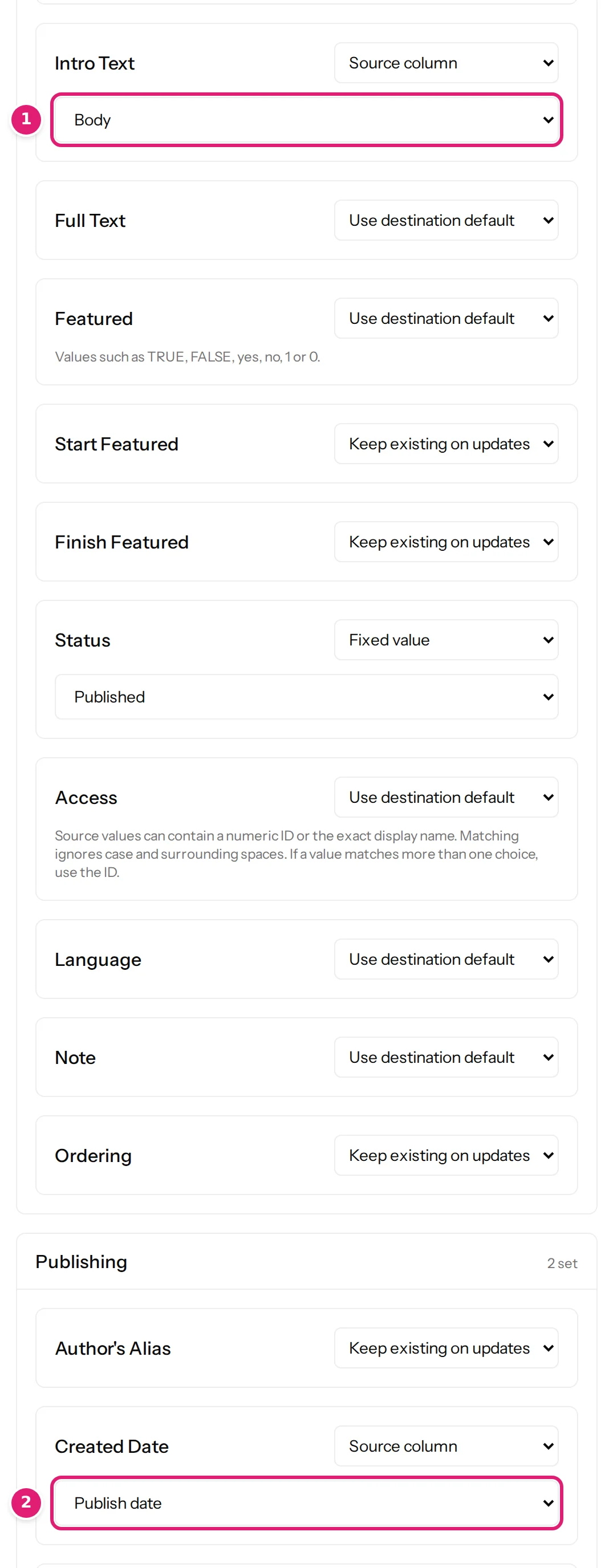
- Set Status to Fixed value → Published. Without a Status column the editor would have set a fixed Unpublished (Joomla's own default); the articles would then wait for you in the administration.
- In Tags and categories, set Category to Replace with configured terms, choose
Categoryas the category column and tick Parse paths such as Parent > Child. Set Tags the same way, withTagsas its column (Joomla's nested tags use the same controls as categories). - Save the configuration.
Step 2: drop the file and read the review#
Drop the workbook on the card. The page reads and checks the hundred rows (four seconds in our test) and says 100 new, 0 errors:
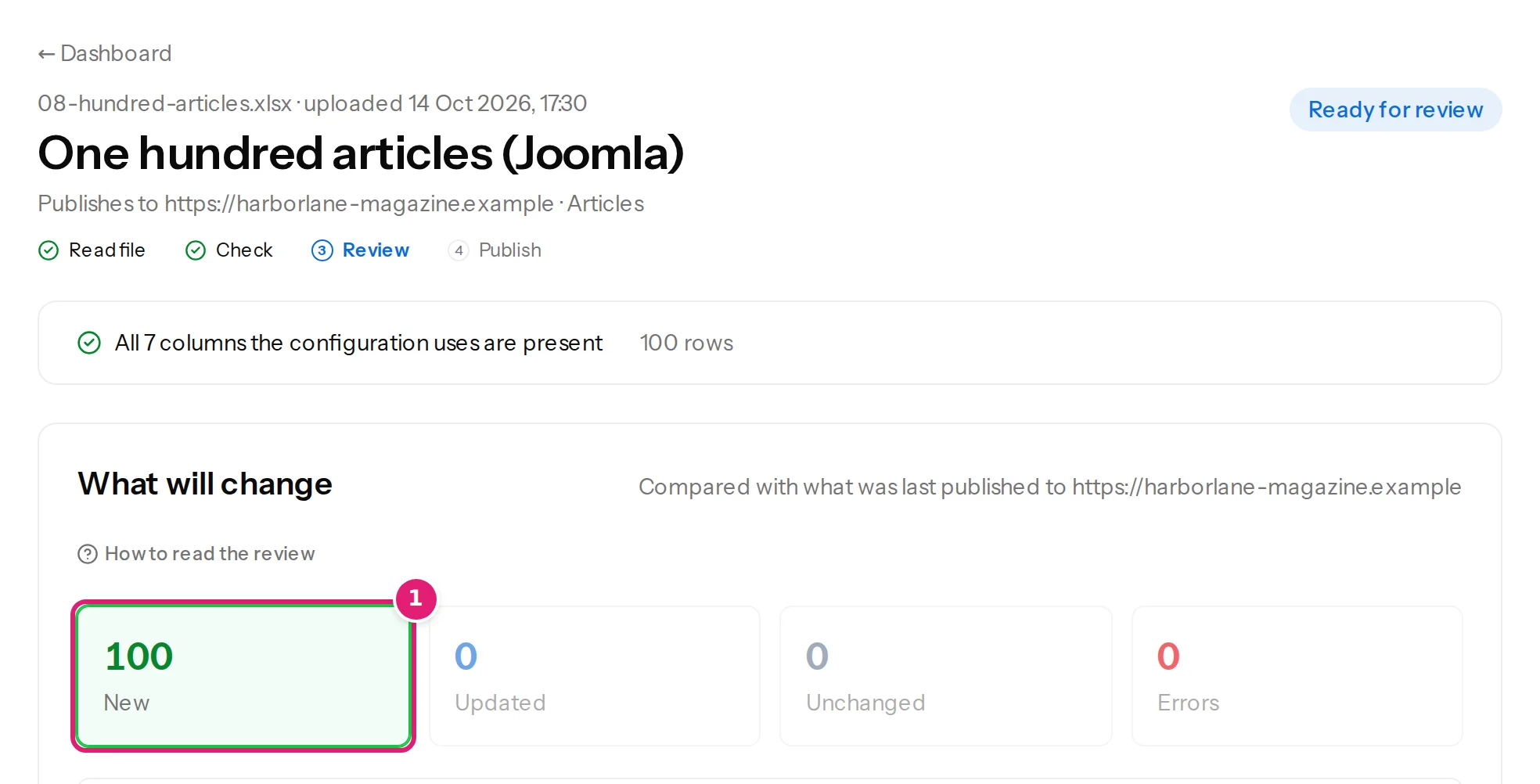
The box New on the site after publishing lists ten new categories (Croatia, Greece, Italy, Malta and Spain, once under Guides and once under Destinations, because the same country name under two parents is two categories) and twenty-seven tags. In our test the site already had the parents Guides and Destinations; on a new site they would be created too, parent first (Joomla specifics).
As this is the first file of this configuration, tick I reviewed the changes above.
Step 3: publish#
Select Publish 100 changes. The progress shows how many are done, and you can leave the page. In our test the hundred articles were written in 51 seconds; your site may be faster or slower, because each article is one save through Joomla's own article model.
Step 4: check Joomla#
Open Content → Articles:
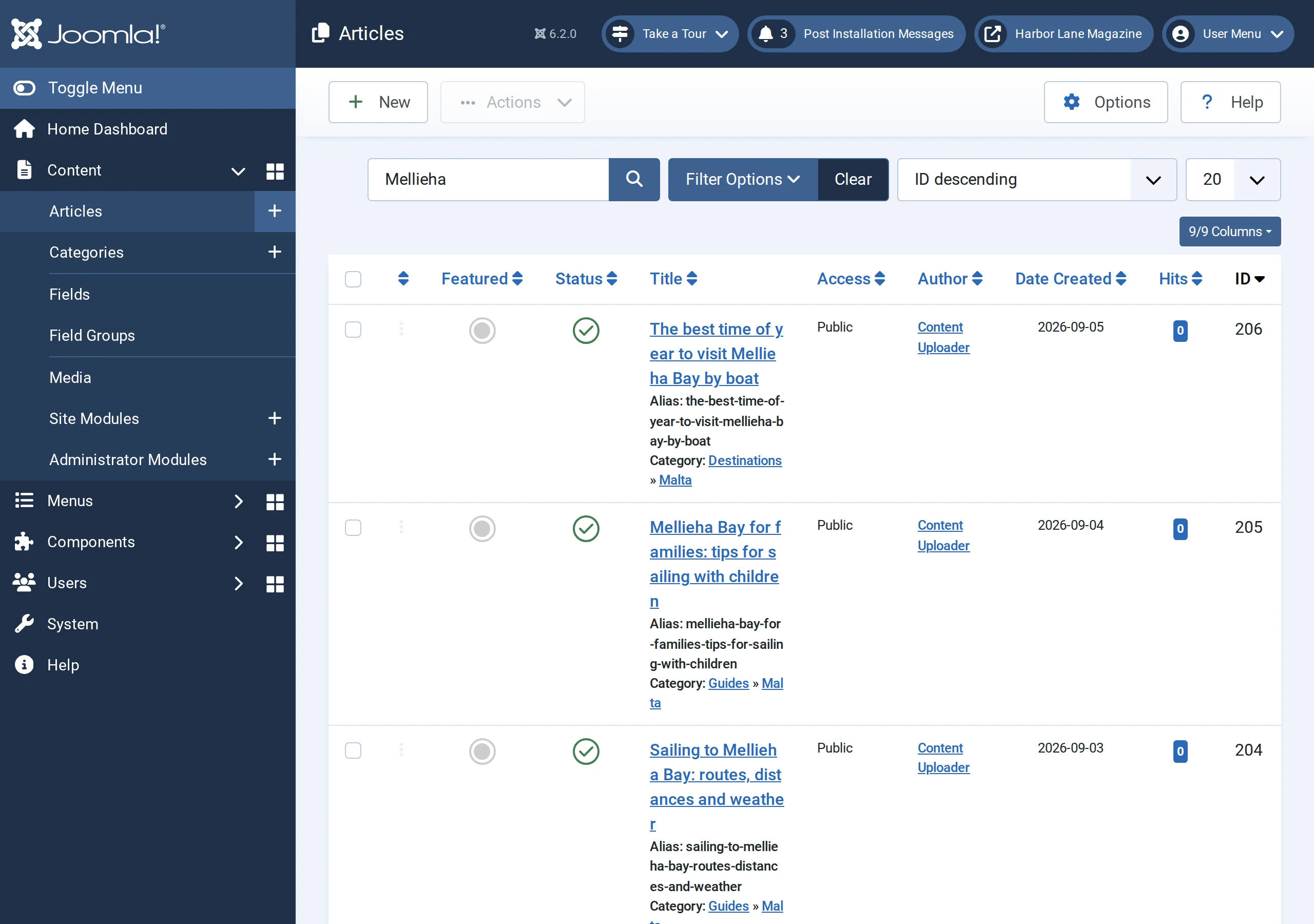
- All one hundred articles have the Published status.
- Each has its alias from the file, its category (Guides » Malta and so on) and the date from the file.
- Content → Categories shows the two trees; Components → Tags lists the new tags.
What can go wrong#
- A row is an error: This row has no Category. Every item needs one. A Joomla article must have a category (categories or tags are wrong).
- Articles are created but unpublished: the Status stayed on the fixed Unpublished (drafts and unpublished items).
- The text is missing: Intro Text was left on the default.
- A category could not be created: the publishing account may not create categories, or two categories on the site share the name (Joomla specifics).
Was this article helpful?
Related articles
- JoomlaJoomla article fields you can mapEvery field Content Uploader can write on a Joomla article: text, status, dates, access, language, metadata, article options, links, category, tags, images, custom fields.
- JoomlaPublishing to Joomla: categories, aliases, status and checked-out articlesThe rules particular to Joomla: one required category, how categories and tags are matched, unique aliases, status and workflows, articles being edited, and image storage.
- Mapping columnsCategories: columns, paths and parent categoriesMap categories from a column, a path such as Destinations > Malta > Gozo or a parent column; how missing categories are created, and Joomla's one-category rule.
- TutorialsCreate one hundred WordPress posts from one spreadsheetTurn a workbook of 100 articles into 100 WordPress posts with slugs, categories, tags, dates and HTML bodies, reading the review before anything is created.