WooCommerce: what you can do from a spreadsheet
Create products and update prices, sales, stock and more on a WooCommerce shop from a spreadsheet, and see every change before it happens.
- WordPress
- 4 min read
- Updated October 14, 2026
A WooCommerce shop is a WordPress site, so it connects like any other (connect your WordPress site). When the Content Uploader plugin finds WooCommerce, Products appears in the Content type list beside Posts and Pages, with the fields of a product instead of the fields of a post.
The point is not to copy a catalogue from one place to another. It is to keep a shop up to date from the files you already have, a price list from a supplier or a stock export from another system, with a look at what will change before it changes: which prices go up and by how much, which products sell out, which sales start, and what your shop holds right now.
What you can do#
- Create products from rows: simple, variable and external (affiliate) products, with a name, descriptions, SKU, price, sale price and sale dates, stock, weight and size, tax settings, categories, tags, attributes, linked products and a product image. Every field.
- Update prices, sales and stock every week from the same configuration. Prices and quantities are read the way your file writes them, with a decimal comma or a decimal point, with or without a currency symbol (prices, stock and sales).
- Update products your shop already has, even when they were made by hand or by another tool: they are found by their SKU (update products already on your shop).
- Set a product's attributes, such as its colours and sizes, with several values in a cell (attributes).
- Fill a product's gallery, several pictures in one cell, in the order you write them (the gallery).
- Make variable products and their variations, from two files: the products with the choices their variations are chosen from, and the variations with their SKU, their choices, price and stock (variable products).
- Update the variations of a variable product, such as the sizes of a shirt: price, sale, stock, status and image, one row for each variation, found by its SKU (update the variations of a variable product).
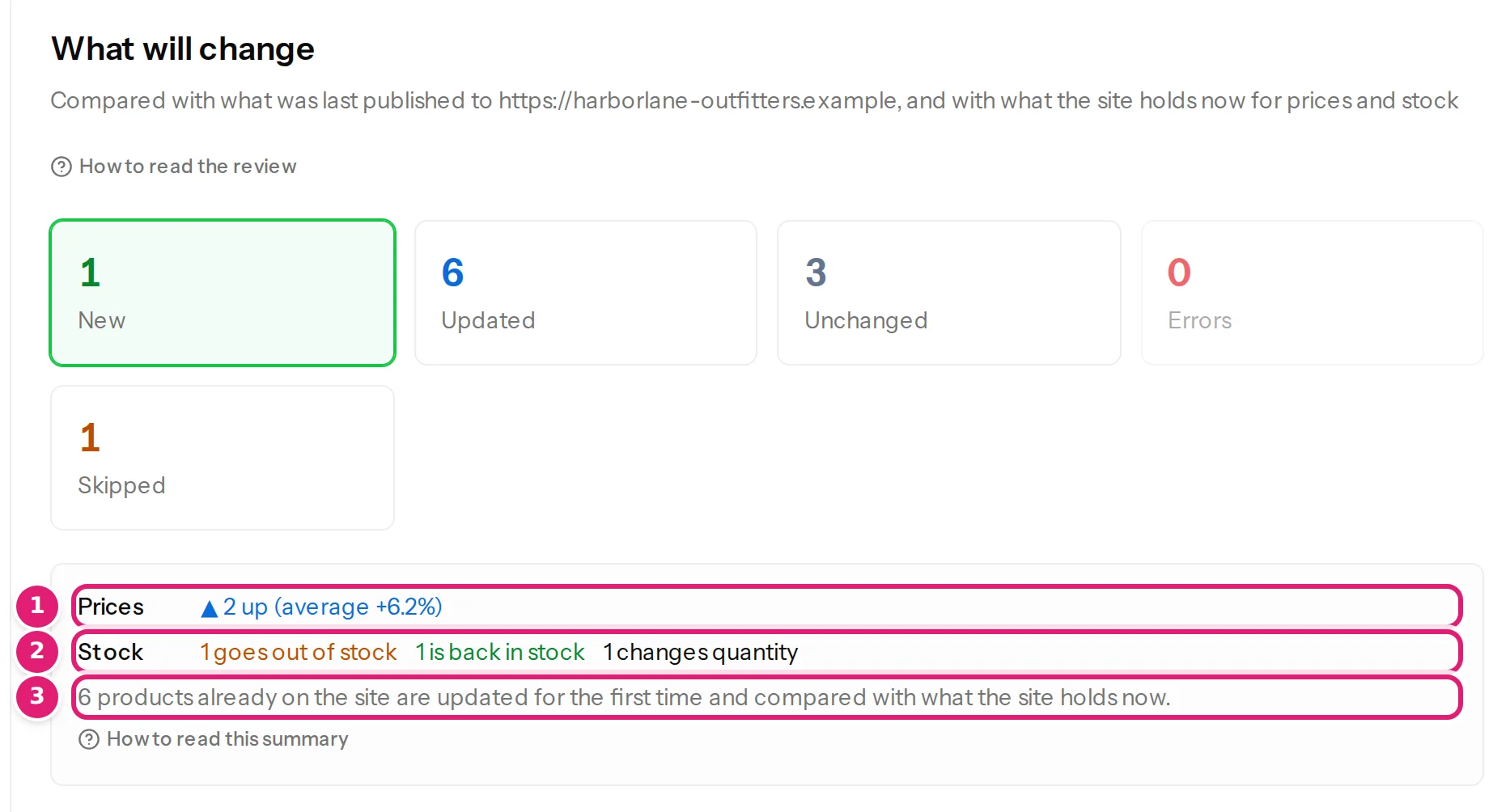
- Review before publishing. The review compares the file with what the shop holds now, not only with the last file, shows the product as the shop would hold it, and flags prices that move a lot (review product changes).
How it writes to your shop#
Products are written through WooCommerce's own functions, the same ones its product screen uses, in one save for each product. That keeps the price, the sale schedule, the stock status and WooCommerce's lookup tables (which its price filters and sorting read) in step. A stock quantity is set to the number in your file, never added to or subtracted from a number read earlier.
Products that are not in a file are left exactly as they are. Content Uploader never deletes a product.
What it does not do#
- Grouped products. A row of Products whose SKU belongs to one is named in the review and skipped, and nothing on it changes.
- Downloadable files.
- Currency conversion. A price is written as the number in your file, in the shop's currency (how a price is read).
- Orders, customers, coupons and reviews.
- What other plugins keep elsewhere. If your shop uses a plugin that prices or translates products outside the product itself (a multi-currency or translation plugin, subscriptions, bundles, product add-ons), the editor and the review say so, and only the product's own values are updated.
Known limitations lists everything Content Uploader does not do, for any platform.
Where to go next#
- Check the requirements and connect your shop.
- Follow the tutorial Update your shop's prices and stock from a weekly spreadsheet, with example files to download.
- Read how the review shows products before you publish for real.
Was this article helpful?
Related articles
- WooCommerceWooCommerce requirements and what to check on your shopThe WooCommerce, WordPress and PHP versions Content Uploader needs, who connects the shop, and which store settings change the fields you are offered.
- WooCommerceWooCommerce product fields you can mapEvery field Content Uploader offers for a WooCommerce product, in the sections of the editor: what it is, what a cell may hold and what an empty cell does.
- WooCommerceSet a product's attributes: colours, sizes, materialsFill a product's attributes from a spreadsheet: the shop's own attributes and ones made on the product, with several values each, shown or hidden on the product page.
- WooCommerceFill a product's gallery from a spreadsheetPut several pictures in one cell to give a product its gallery. They take their places in order and replace the old gallery, and the review shows the list before and after.