Joomla custom fields and Advanced Custom Fields: every type you can fill
Which Joomla custom fields Content Uploader fills, what a cell holds for each type, including Advanced Custom Fields, subforms and image fields, and why a field is missing.
- Joomla
- 7 min read
- Updated October 13, 2026
Joomla's custom fields are defined under Content → Fields. Content Uploader fills every type Joomla brings and the types of Advanced Custom Fields by Tassos (the free version), and understands fields of other extensions when they build on Joomla's own field types. This article lists each type and what a spreadsheet cell holds for it. Custom fields explains how to map them: several values in one cell, fields made of parts, and rows.
Which fields are offered#
A field appears in the editor's Custom fields section when the article form would save its value for the publishing account:
- it is published, belongs to articles, and is in a published group or none;
- the account may see it: its access level, and its group's, are levels the account has;
- it is not marked only use in subform (such a field is filled through its subform);
- its language is All;
- the account may edit its value (Edit Custom Field Value);
- its type is one Content Uploader can fill (below).
After you add or change fields on the site, select Refresh fields on the Sites page (testing the connection). Fields that are not offered are listed below the custom fields, with the reason: see what is not offered.
Joomla's own field types#
| Type | What a cell holds | Notes |
|---|---|---|
| Text, Textarea | Text | A maximum length set on the field is checked. |
| Editor | HTML | Filtered like article text, for the account's groups. |
| URL | A full address, such as https://example.com/page |
A field that allows relative addresses also takes one such as index.php?option=com_content. |
| Color | A colour, such as #336699 |
|
| Integer | A whole number among the field's values | Several numbers when the field allows several. |
| Number | A number between the field's limits | Joomla 6. |
| List, Radio | One of the choices, by its text or its value | A list that allows several choices takes several. |
| Checkboxes | Several choices | Separated by a comma, or the separator you choose. |
| Calendar | A date, or a date and time | In the publishing account's time zone. |
| User | A user's ID, or their name, email address or username | Names and addresses only when the account may manage users; otherwise the ID. |
| User Group List | A group's title or ID | Several when the field allows several. |
| SQL | One of the values the field's query lists | |
| Image List | A file name from the field's folder, such as maple.jpg |
|
| Media | An image | Listed with the images; see image fields. |
| Subform | Its own fields, as parts | A repeatable subform holds several rows; see subforms. |
A Note shows text only and has no value; it is not listed.
Advanced Custom Fields#
With Advanced Custom Fields (the free version) installed and its fields published, these types can be filled:
| Type | What a cell holds | Notes |
|---|---|---|
| Email, Gravatar | An email address | |
| Telephone | A phone number | The country selector of the Pro version is not supported. |
| URL | Parts: URL, Link text, Opens in (Same tab, New tab, Popup) | The URL is needed. |
| Map | Parts: Latitude, Longitude, Address, Marker label, Marker description | One marker, from latitude and longitude. |
| Country | A country, by name or code (Austria, AT) |
Several when the field allows several. |
| Currency | A currency code, such as EUR |
|
| Articles | Published articles, by title or ID | Several, separated by a comma. |
| True/False | Yes or no, such as TRUE, FALSE, 1 or 0 |
|
| Timepicker | A time, such as 14:30 |
|
| Progress Bar | A number from 0 to 100 | |
| Video | The video page's address, such as a YouTube link | A self-hosted video takes its path in the media folder. |
| SoundCloud | Parts: Track or playlist ID, Playlist (yes or no) | |
| Download Button | A file name from the field's folder | |
| IFrame, Facebook | A full web address | |
| Twitter, WhatsApp, QR Code, HTML5 Audio | Text: a handle, a number, the text to encode, a path | |
| Convert Forms | A form | Only when Convert Forms is installed. |
The types of Advanced Custom Fields Pro (Gallery, File Upload, Chained Fields, FAQ, Address Autocomplete, Countdown, PayPal, Module Loader) cannot be filled, and the PHP field never is. They are listed as fields Content Uploader can't fill.
Subforms#
A subform is filled through its fields: choose Set from the parts below and map each of its fields, which appear under their own names.
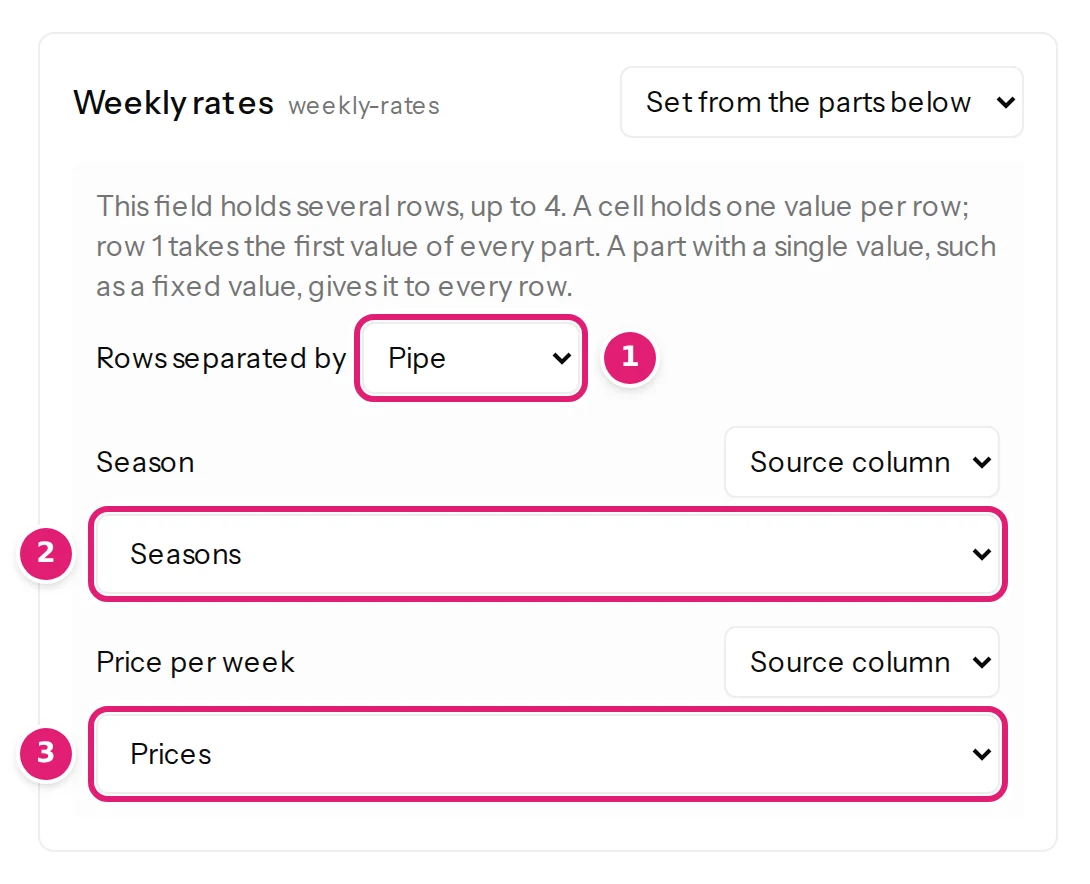 A repeatable subform holds several rows: a cell holds one value per row, separated by a pipe (
|), and row 1 takes the first value of every column. For example, a subform Plans with the fields Plan and Price, filled from a Plan column holding Basic | Pro and a Price column holding 9 | 29, gets two rows. The subform's maximum rows is checked. Fields with several rows explains the rules.
Saving a subform replaces all of its rows. A subform that contains an image field, or a field of a type Content Uploader can't fill, is therefore not offered: filling it would empty that field.
Image fields#
A Media field takes an image, so it is listed in the Images section, under its own name, next to the intro and full article images. Its image comes from the ZIP uploaded with the spreadsheet, a web address, an image sent before, or the site's images folder, as for any image (where images come from), and it keeps alt text. A Media field that is required must be mapped and every row needs an image; one limited to categories is left out for rows in other categories. A missing image never stops an item, so a new article whose required image is missing is refused when it is published: A custom field that Joomla requires has no value for this article, for example because its image could not be used. Fill it in the file, or check the image, then publish again. A Media field that takes only files other than images (videos, documents) is not offered.
What is not offered#
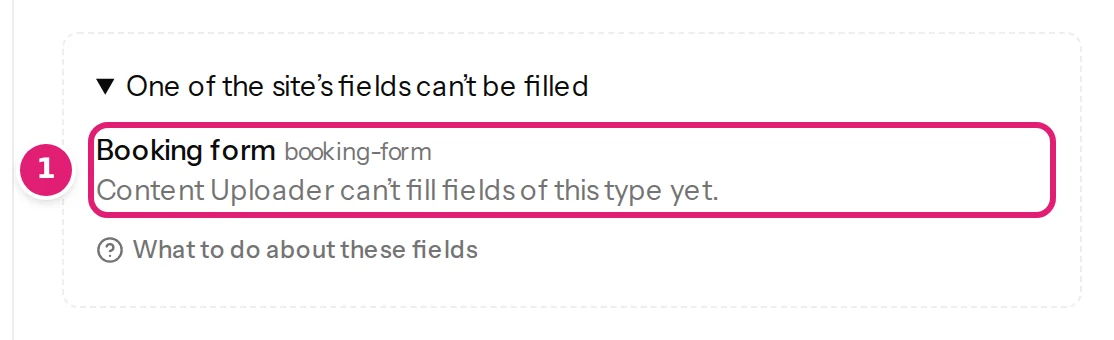
The editor lists the fields that are not offered under One of the site’s fields can’t be filled (or how many), each with the reason:
| Reason | What to do |
|---|---|
| Content Uploader can’t fill fields of this type yet. | Nothing: the type is not supported (for example an Advanced Custom Fields Pro type). |
| It contains a field Content Uploader can’t fill, such as an image. | A subform with such a field: take that field out of the subform to fill the rest. |
| It takes files other than images. | A Media field for videos or documents. |
| The account Content Uploader publishes as may not edit its value. | Give the account's group Edit Custom Field Value (Articles → Options → Permissions, or on the field), then Refresh fields. |
| It is set to one language; Content Uploader fills fields set to all languages. | Set the field's language to All. |
| Its access level hides it from the account Content Uploader publishes as. | Give the field (and its group) an access level the account has, such as Public. |
| It takes an image, and the account Content Uploader publishes as may not add files to the site’s media. | Allow the account's group to create files in Media, then Refresh fields. |
A field the editor does not show at all is unpublished, in an unpublished group, or used only in subforms.
Was this article helpful?
Related articles
- Mapping columnsCustom fieldsFill the extra values a site stores with each item: post meta, Joomla and Advanced Custom Fields, several values in one cell, fields made of parts, and rows.
- JoomlaJoomla article fields you can mapEvery field Content Uploader can write on a Joomla article: text, status, dates, access, language, metadata, article options, links, category, tags, images, custom fields.
- JoomlaThe Joomla publishing account and its permissionsContent Uploader publishes to Joomla as one account you choose: which to pick, the permissions it needs for articles, terms, custom fields, authors and images.
- Mapping columnsMap an image columnChoose the column that names each item's image, add alt text, a title and a caption, or use one image for every item, and see what each choice does on update.