Make a variable product and its variations from a spreadsheet
Make a variable product with the choices its variations are made from, then make the variations from a second file, each with its SKU, choices, price and stock.
- WordPress
- 6 min read
- Updated October 14, 2026
A variable product is one product with several variations, such as a pair of trousers in three sizes and two colours. You make it from two spreadsheets, in this order:
- The variable products, with the sizes and colours their variations will be chosen from.
- Their variations, one row each, with its own SKU, the product it belongs to, the values it chooses, its price and its stock.
The variations file is checked against the shop, so the products have to be there first. Each kind of item has a configuration of its own, because a configuration makes one kind of item. A file that holds both, such as a shop's own export with a Type column, is read by both configurations, each reading only its rows (read only some of the rows).
The variable products#
Make a configuration for Products from the file of products (example file), as for any product (product fields), with two differences.
The product type is Variable product. Set Product type to Fixed value, then Variable product (or take it from a column that says variable). A variable product has no price, sale or stock of its own: the fields that only a simple or an external product has are not used for it, and its card in the review says The price comes from its variations. Its weight, size and virtual flag are what its variations start from.
Its attributes say which of them its variations choose among. Under Attributes set each choice a variation is made from, such as the sizes and the colours, and tick Used for variations for each of them (attributes). The values a cell lists are the values the variations can choose from:
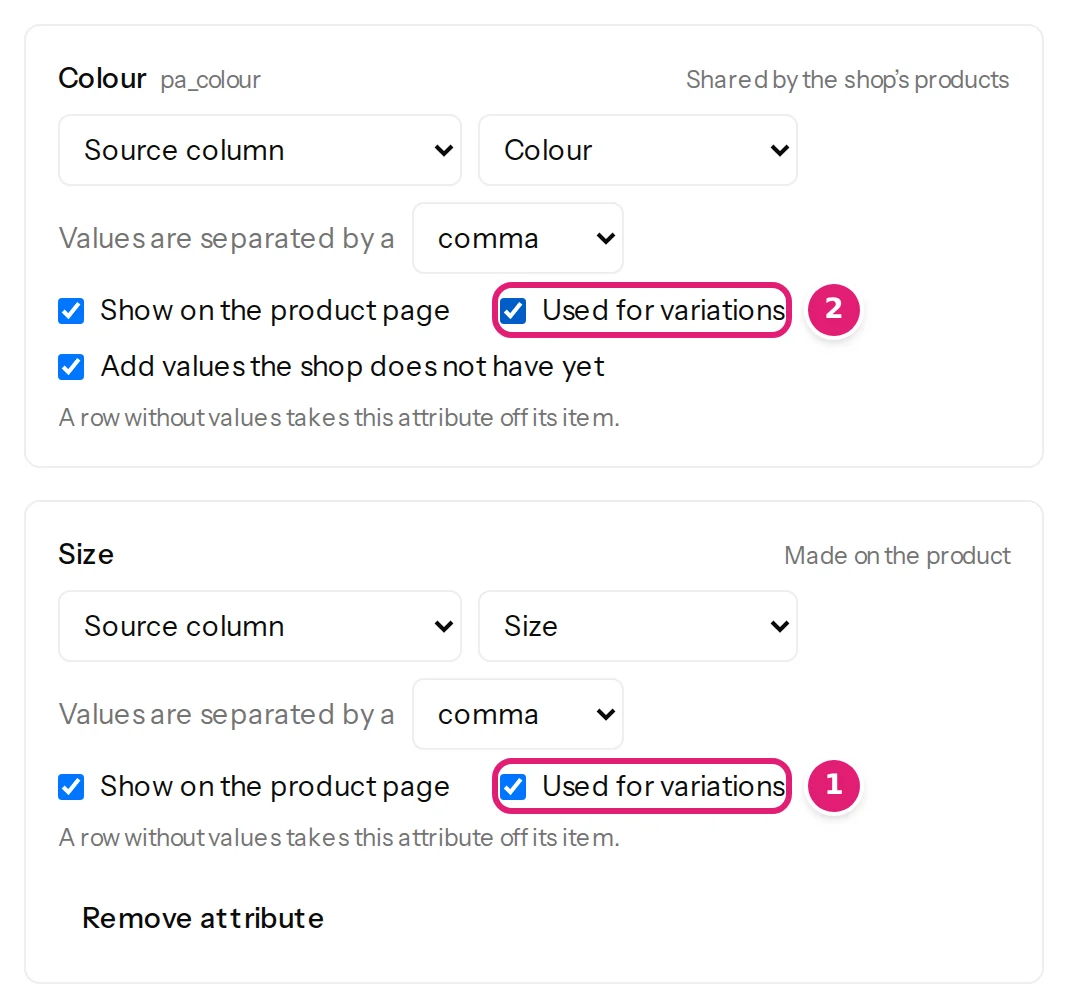
The review shows each new product as a card, with its attributes:
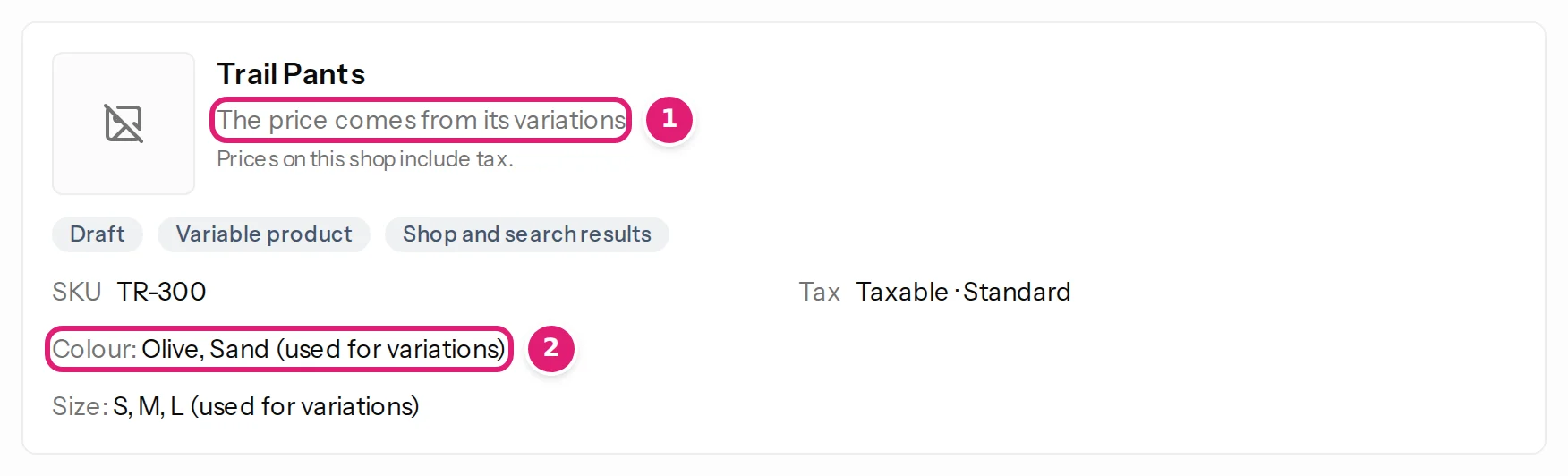
New products are drafts unless Status says otherwise, as for every product. A variable product that has variations cannot be turned into another type of product from a file: This variable product has variations. Delete them in WooCommerce before it becomes another type of product.
The variations#
Make a configuration for Product variations from the file of variations (example file).
| Column | What it holds | Field |
|---|---|---|
| SKU | The variation's own SKU, unique on the shop. | SKU. It is also the record ID. |
| Product | The SKU of the variable product the variation belongs to. | Variable product SKU. Needed to make a variation. |
| Size, Colour | The value the variation chooses. | One entry under Attributes for each. |
| Price, Stock | As for any product. | Regular price, Stock quantity. |
A column called Product, Parent or Product SKU is chosen for the product's SKU for you, and so are columns named after the other fields.
The choices#
A variation chooses one value of each attribute its product uses for its variations. Under Attributes, set each attribute from its column: the shop's own (such as Colour) is listed, and one made on the product (such as Size) is added by its name.
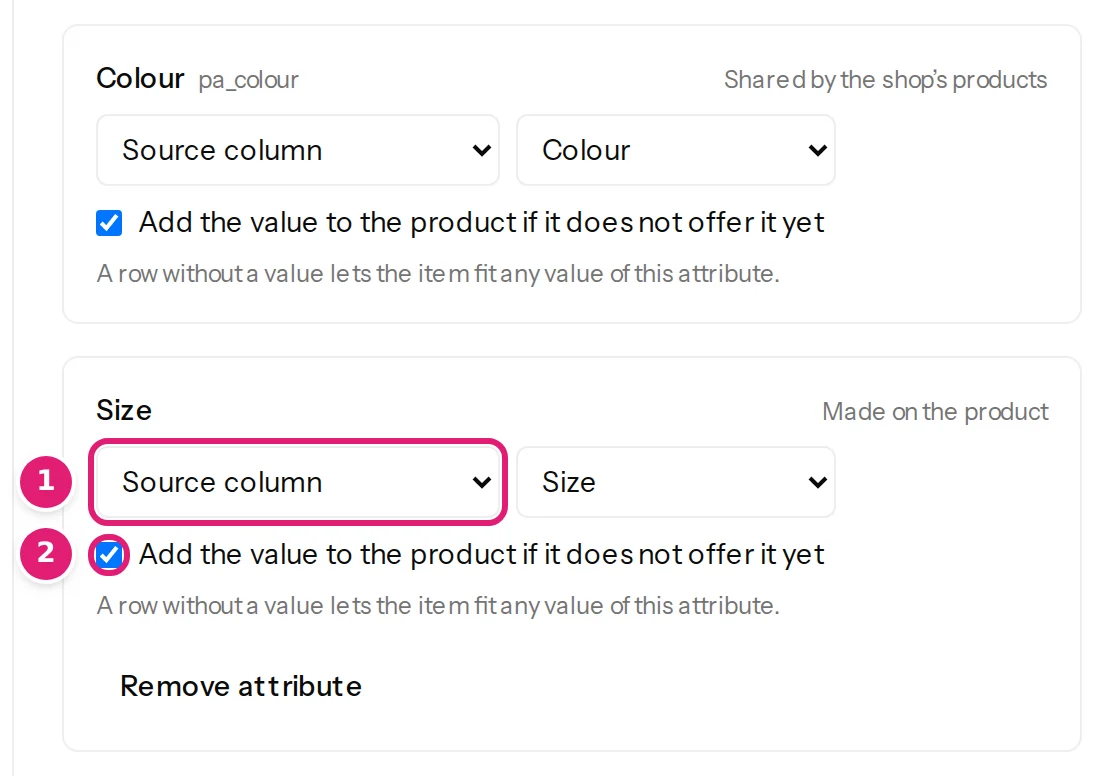
- A value the product's attribute does not list is added to it when the box Add the value to the product if it does not offer it yet is ticked (it is, to start with), so the variation can be chosen on the product page. A value of the shop's own attribute that the shop lacks is made too. With the box off, such a row fails.
- A row without a value for an attribute lets the variation fit any value of it. A row that chooses nothing at all is refused: A variation needs at least one attribute value, such as Size: S.
- A variation chooses only among the attributes its product uses for its variations, and two variations of a product cannot choose the same values.
What the review says#
Before anything is sent, every row is checked against the shop, and each new variation is listed with its SKU and its choices:
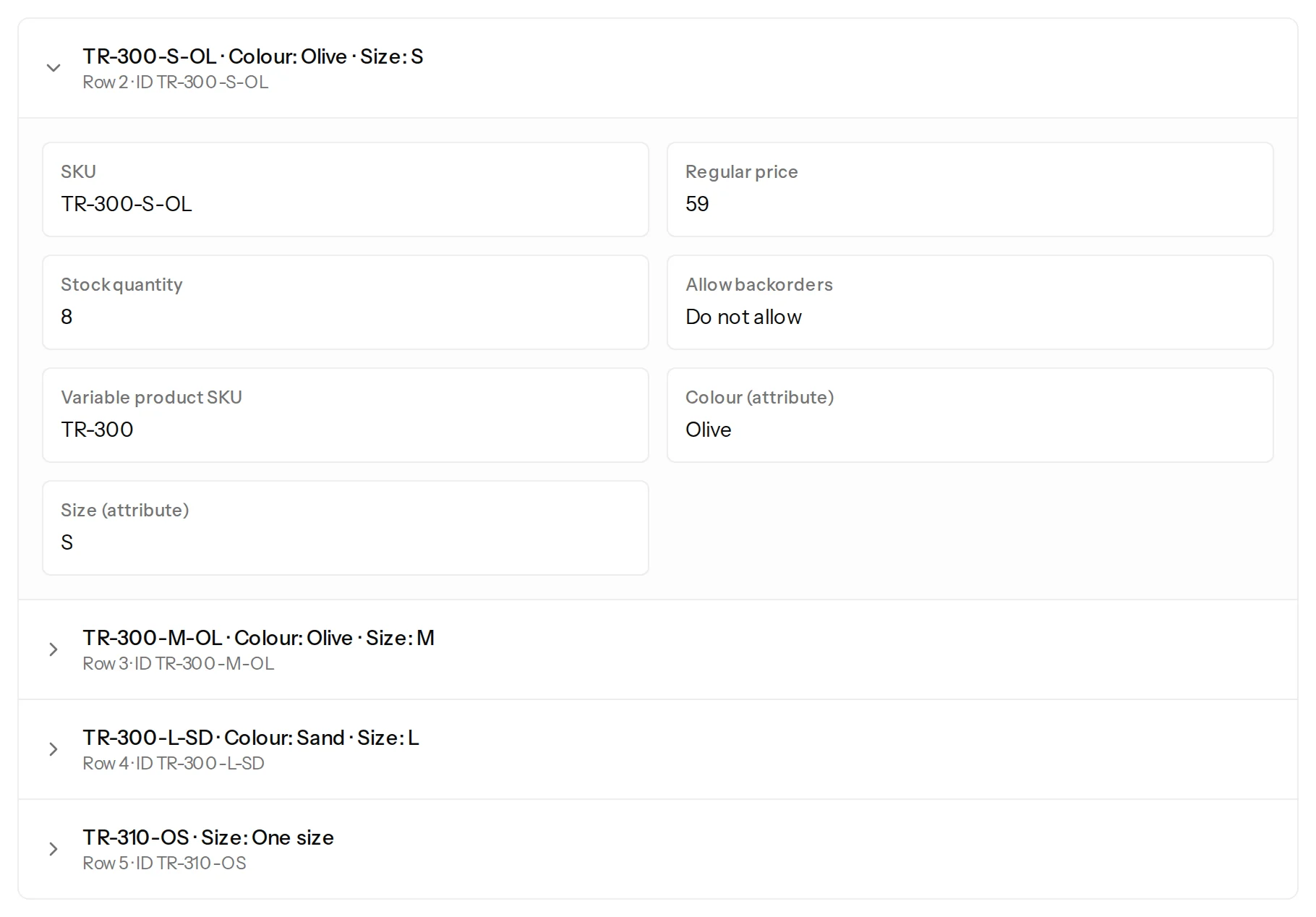
A row whose product the shop does not have is an error, and nothing is made for it:
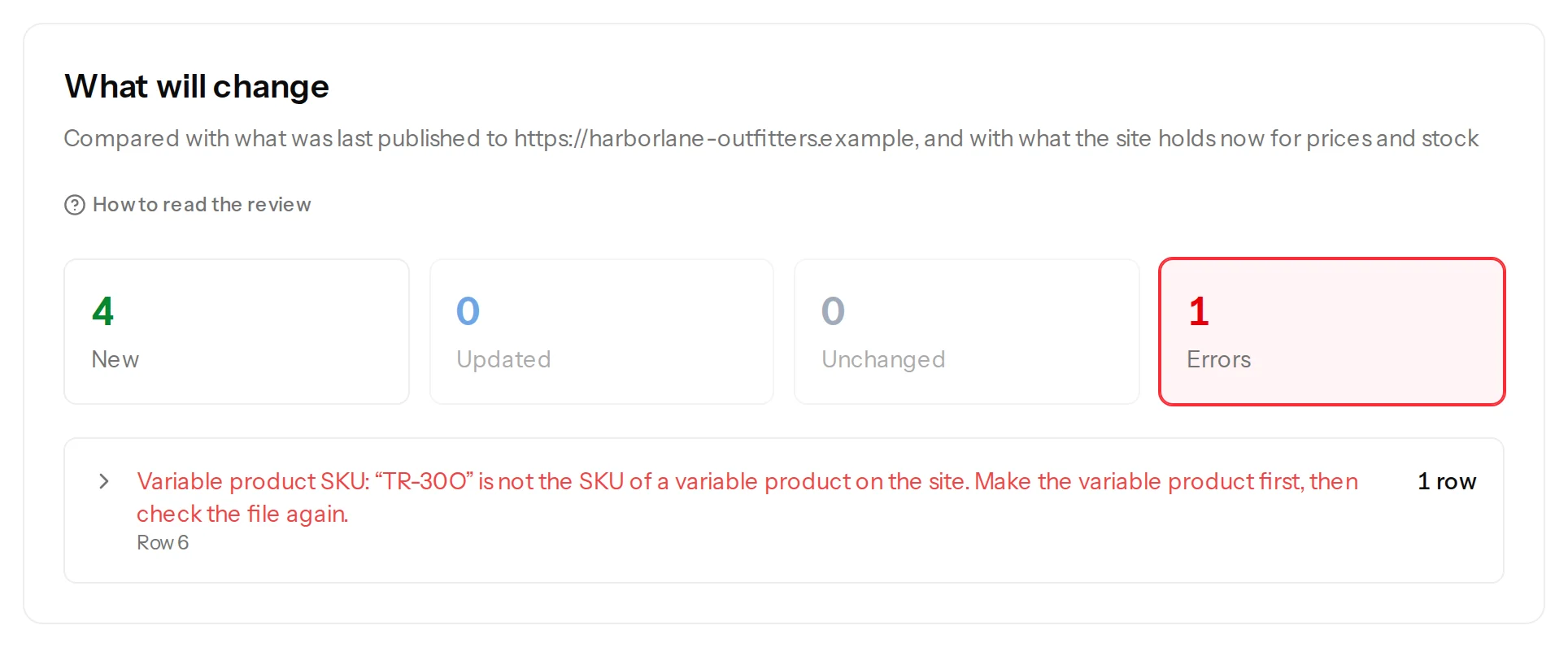
The same checks are made again when each variation is sent, because the shop may have changed since, and a variation that fails says why under Publishing results, without stopping the others.
What is made#
Each new variation is made under its product, enabled unless Status says it is disabled, with its SKU, price, stock and the values it chooses. WooCommerce names it after its product and its choices (Trail Pants - Olive, S). When a variation is made, the product's price range and its stock status are worked out again, so the product page shows the variations at once.
A file whose variations already exist updates them instead: Also update variations already on the site that have the same SKU is ticked to start with, and the first review lists only what differs (update the variations of a variable product). A variation cannot be moved to another product from a file: A variation cannot move to another product.
When something is wrong#
| What you see | What it means and what to do |
|---|---|
| Variable product SKU: “…” is not the SKU of a variable product on the site. Make the variable product first, then check the file again. | The product is not on the shop (or its SKU has a typo). Publish the file of products first, or correct the SKU. |
| Variable product SKU: “…” belongs to “…” (#41), which is not a variable product. | The SKU is that of a simple or an external product. Variations belong to variable products. |
| Variable product SKU: needed for a new item. Give it a value. | The row names no product. Map the column that has the product's SKU. |
| The product “…” does not use “…” for its variations. | Tick Used for variations for that attribute in the configuration of the products, and publish the products again. |
| The product “…” already has a variation for Size: S. | Two variations would choose the same values. Change one row, or update the variation that exists. |
| The product “…” does not offer the value “…” of “…”, and values may not be added. | Tick the box that adds the value, or add the value to the product in WooCommerce. |
Was this article helpful?
Related articles
- WooCommerceSet a product's attributes: colours, sizes, materialsFill a product's attributes from a spreadsheet: the shop's own attributes and ones made on the product, with several values each, shown or hidden on the product page.
- WooCommerceUpdate the prices and stock of a variable product's variationsVariations are found by SKU and updated one row each: price, sale, stock, status and more. A row that names no product makes nothing, and the product's price range follows.
- Mapping columnsRead only some of the rows of a fileA file can hold items of several kinds. Choose the rows a configuration reads, such as the rows where Type is variation, and see how many the review left out.
- WooCommerceWooCommerce product fields you can mapEvery field Content Uploader offers for a WooCommerce product, in the sections of the editor: what it is, what a cell may hold and what an empty cell does.