Delete your account
How to delete your account, what goes with it, what happens to a workspace only you belong to, and why it is refused while other people use a workspace you own.
- 4 min read
- Updated October 14, 2026
You can delete your account yourself, at any time, from Settings → Profile. This page says what the dialog asks, what goes with the account and what you can still get back.
Delete the account#
- Open Settings → Profile and scroll to Delete account.
- Select Delete account. A dialog asks Are you sure you want to delete your account?
- Type your password. If you signed up with a provider such as Google and never set a password, type your email address instead.
- Select Delete account in the dialog.
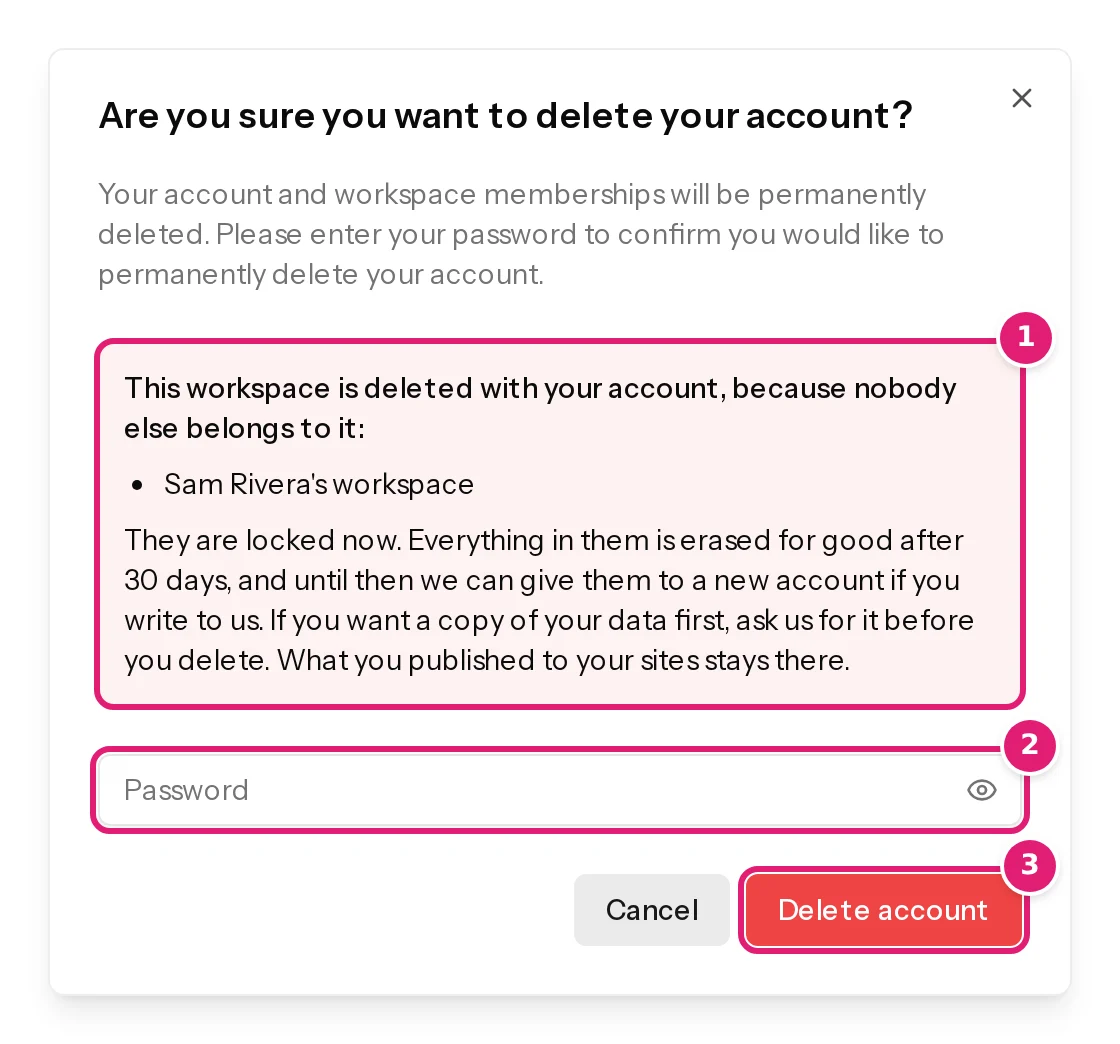
You are signed out and the account is gone. Nothing is deleted if the password is wrong or if something stops the deletion (see when it is refused).
What goes with the account#
- Your own data: your profile, your password, two-factor authentication, passkeys, the sign-in accounts you connected and your security activity.
- Your place in the workspaces you belong to. A workspace you share with other people stays with them. What you did there stays in its history, without your name.
- The workspaces nobody else belongs to. The dialog lists them. They are deleted with your account (see below).
What you published to your websites stays on them. Content Uploader never deletes anything on a site.
A workspace only you belong to#
When you are the only member of a workspace, it is deleted with your account. It is not erased at once:
- It is locked the moment you delete the account: nobody can open it or publish from it.
- Its paid plan, if it has one, ends at once and no more payments are taken. The rest of the period you paid for is not refunded. A consumer's right to withdraw within 14 days is separate: see billing and invoices.
- For 30 days it can still be given back. Write to support from the address of the account that should have it, and we give the workspace to that account.
- After 30 days everything in it is erased for good: its configurations, uploaded files, run history and site connections.
When a workspace goes with the account, you get an email at the address of the deleted account, Your Content Uploader account is deleted, with the date on which everything is erased and where to write. A deleted workspace explains the whole life of a deleted workspace.
When it is refused#
You cannot delete an account that owns a workspace other people still use. The Profile page then names the workspaces instead of offering the button:
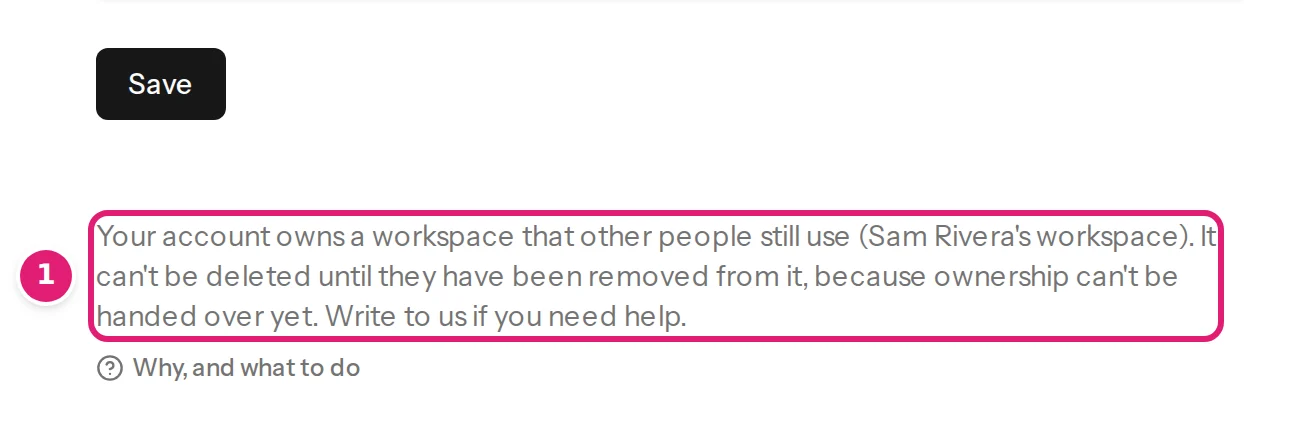
Nobody could be left to own the workspace, and ownership cannot be handed to another person yet. You have two ways forward:
- Remove the other people from the workspace on its Team page (team members). When you are the only member left, the account can be deleted and the workspace goes with it.
- Write to support and say what should happen to the workspace.
A team member who owns no workspace that other people use can delete their account at any time: they leave the workspaces they belong to, and those stay with the others.
If something does not look right#
- There is no Delete account button. The page names a workspace you own that other people use. See above.
- The dialog says it could not cancel the subscription. Nothing was deleted and nothing was charged. Wait a moment and try again; if it keeps failing, write to support.
- You deleted the account by mistake. The account itself is gone and cannot be restored. If a workspace went with it, write to support within 30 days from the address of the account that should have it, and the workspace can be given to that account.
- You want someone else to keep a workspace. Ownership cannot be handed over yet. Write to support and say who should have it.
Was this article helpful?
Related articles
- Account and workspaceA deleted workspace: what you see and how to get it backWhen a workspace is deleted, the two emails a Free workspace gets first, the page its members see, how an owner restores it, and what is erased after the waiting period.
- Account and workspaceYour account settingsWhere to change your name and email address, your password and sign-in methods, the look of the app and your cookie choices, and where to delete your account.
- Account and workspaceWhat Content Uploader keeps, for how long, and how to export or delete itHow long your uploaded files, run history, account data, invitations and billing records are kept, what stays on your websites, and how to ask for an export of your data.
- Account and workspaceInviting team members and choosing their sitesInvite colleagues by email, give each person only the connected sites they should use, change or take that access away, and see what a team member can and cannot do.