Status, dates and authors
Publish items as drafts, published or archived, per row or for all; set publish dates; choose authors by name, ID or email. The choices each platform offers and the errors.
- 5 min read
- Updated October 15, 2026
Status#
The status decides whether an item is live. Both platforms offer a few choices, taken from the site itself:
| WordPress | Joomla |
|---|---|
| Draft, Pending review | Unpublished |
| Published and Private (only when the connecting account may publish) | Published and Archived (only when the publishing account has Edit State) |
Safe by default#
When your file has no Status column, the editor sets Status to a fixed value that publishes nothing live: Draft on WordPress, Unpublished on Joomla. Your first items therefore arrive as drafts for you to read on the site. Change the fixed choice to Published when you want items to go live straight away.

A status for each row#
Map a column to Status to control it per row (see 04-status-per-row-wordpress.csv): the cell may hold a choice's label (Published, Draft, Pending review) or its internal key (publish, draft, pending), in any case. Anything else is a row error: The resolved value is not one of the destination choices. Joomla's equivalent file is 04-status-per-row-joomla.csv (Published, Unpublished, Archived). If a cell text fits more than one choice, use the key (This value matches more than one destination choice. Use the choice's key instead.).
Status on updates#
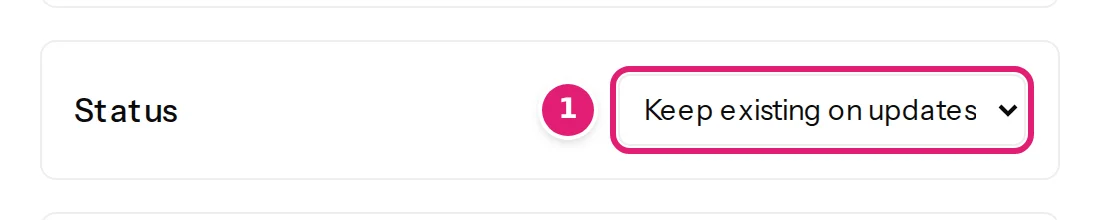
A mapped Status is sent with every update, so what the file says wins over what someone did on the site. To let people on the site own the status after the first publish, set Status to Keep existing on updates (value modes). New items then still start as draft (or unpublished) and updates never change their status.
An empty Status cell#
An empty cell has no status to send. An item that exists keeps the status it has, and the review lists no change for it; a new item gets the site's own default, a draft on WordPress and unpublished on Joomla (empty cells). To change a status, write the new one in the cell.
Rights#
The status choices depend on the publishing account. A WordPress account that may not publish is offered Draft and Pending review only; a Joomla account without Edit State is offered Unpublished only. A file that asks for Published is then caught in the check, not after approval. If workflows are on for Joomla articles, Status is not offered at all (Joomla specifics).
Dates#
| Platform | Field | Meaning |
|---|---|---|
| WordPress | Publish date | The item's date. With status Published, a date in the future schedules the post. |
| Joomla | Created Date | When the article was created. |
| Joomla | Start Publishing and Finish Publishing | The period in which a published article is shown. Empty means no end. Need Edit State. |
| Joomla | Start Featured and Finish Featured | The period in which a featured article is shown as featured. They apply to featured articles only. Need Edit State. |
Dates are text such as 2026-09-27 or 2026-09-27 13:45; Excel date cells work as they are. The accepted formats, the traps around 01/02/2026, and time zones are in text, numbers and dates. A cell that is not a date gives The resolved value must be a valid date.
With Keep existing on updates, a new item gets the moment of publishing (WordPress) and an update leaves its date alone. An empty cell does the same: nothing is sent, so an item that exists keeps its date, and a new one gets the moment of publishing.
Authors#
WordPress#
Author takes the person who owns the item. By default new items get the account Content Uploader publishes as (the administrator who approved the connection), and existing items keep their author until that account changes.
To set authors from your file, map a column. The cell may hold:
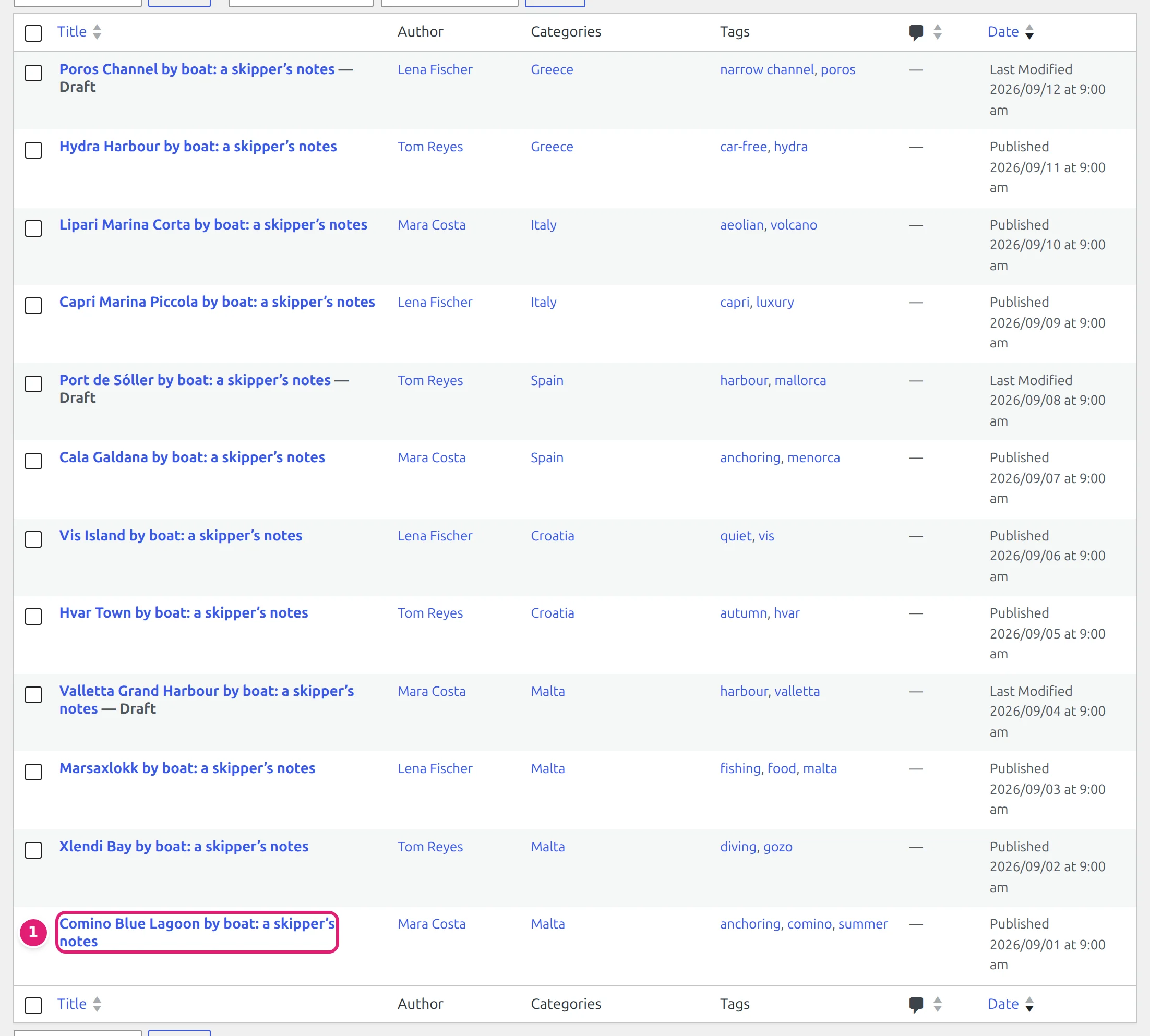
- the author's display name exactly as WordPress shows it (Mara Costa),
- the user's numeric ID,
- and, when the connecting account may list users, the user's username or email address.
An empty cell leaves the author as it is, and a new item gets the account that publishes. Matching ignores case and spaces at the ends. A person who matches no user, or a name shared by two users (use the ID then), is an error: No destination choice matches this ID. Refresh the site fields or correct the value. or This value matches more than one destination choice. Use its numeric ID instead. Only users who can write content (the edit posts capability) are offered. After adding a user on the site, use Refresh fields so that Content Uploader knows about them.
Joomla#
The article's author (Created by) is offered only when the publishing account may manage users; otherwise the publishing account is the author. Author's Alias is free text shown as the author name on the article. See the publishing account.
Other choices#
- WordPress Comments: Open or Closed; the default follows the site's setting for that type.
- Joomla Access: the viewing access level by its title (Public, Registered, Special) or ID.
- Joomla Language: All or a content language the site has.
- Joomla Featured: yes or no (needs Edit State).
Was this article helpful?
Related articles
- Mapping columnsValue modes: column, fixed value, template, default, keep, removeThe six ways a field gets its value, and what each does when an item is created and when it is updated: column, fixed value, template, default, keep existing, remove.
- WordPressWordPress content types and fields you can mapWhich WordPress content types Content Uploader can write (posts, pages, products and custom post types), and every field, taxonomy, custom field and featured image it offers.
- JoomlaJoomla article fields you can mapEvery field Content Uploader can write on a Joomla article: text, status, dates, access, language, metadata, article options, links, category, tags, images, custom fields.
- Preparing your spreadsheetText, numbers, yes/no and dates in a spreadsheetHow cell values are read: workbook numbers and dates, which date formats work, why 01/02/2026 may not mean what you expect, time zones, decimals, formulas and leading zeros.