Read only some of the rows of a file
A file can hold items of several kinds. Choose the rows a configuration reads, such as the rows where Type is variation, and see how many the review left out.
- 4 min read
- Updated October 14, 2026
A file does not always hold one kind of item. A shop's own export has its products and the variations of its variable products in rows of one file, with a column such as Type saying which is which. A configuration reads one kind of item, so it needs to read only the rows of its kind. That is what Rows to read does: the rows that do not meet the condition are left out.
Choose the rows#
In the editor, find the section Rows to read and tick Read only some of the rows of the file. Then say which rows to read, from the cell of one column:
| Condition | A row is read when… |
|---|---|
| is one of | its cell has one of the values you write, such as variation. |
| is none of | its cell has none of the values. |
| is empty | its cell is empty. |
| is not empty | its cell has something in it. |
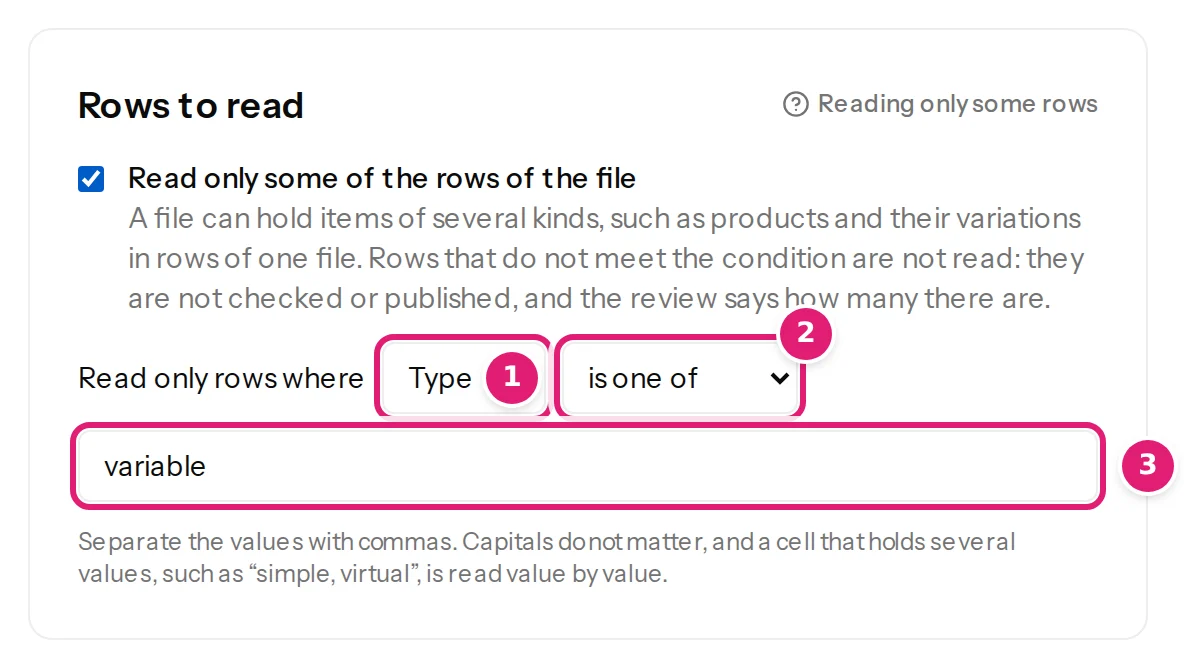
Write several values separated by commas. Capitals and spaces around a value do not matter. A cell that holds several values, such as simple, downloadable, virtual in a WooCommerce export, is read value by value: the row where it is simple, virtual is a row where Type is one of simple.
A column the file does not have counts as empty. The column the condition reads is one the configuration uses, so a later file without it is stopped before anything is checked, as for any other column (when columns change).
One file, two configurations#
The same file can be dropped on two configurations. Say a file has the rows of a variable product and of its sizes:
| SKU | Type | Parent | Name | Size |
|---|---|---|---|---|
| TR-400 | variable | Trail Vest | S, M | |
| TR-400-S | variation | TR-400 | Trail Vest - S | S |
| TR-400-M | variation | TR-400 | Trail Vest - M | M |
- The configuration for Products reads the rows where Type is none of
variation: the vest. - The configuration for Product variations reads the rows where Type is one of
variation: its two sizes.
Each configuration is checked and published on its own, so each has its own review. Publish the products first when the variations belong to products that are new (variable products).
What a row that is left out is#
-
It is not read. It is not checked, so a mistake in it is not an error, and no item is made or changed for it. It does not count as a write.
-
It is not deleted. An item that an earlier file made from a row that is now left out stays exactly as it is on the site.
-
It is counted. The review says what the configuration read and how many rows it left out, next to the number of rows of the file:

1: only the rows where Type is variable are read; the two sizes were left out. -
The file's limits count every row of the file, also those that are left out: at most 10,000 rows (prepare your first spreadsheet).
In the preview#
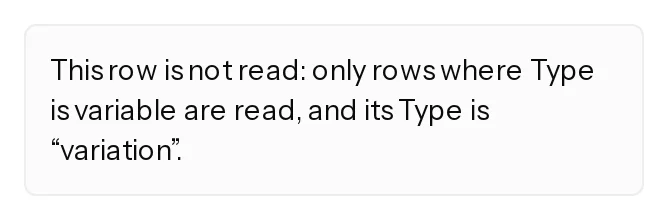
The preview of the editor shows one sample row at a time. When the configuration leaves the row out, the preview says so instead of showing values: This row is not read: only rows where Type is variation are read, and its Type is “variable”. Choose another sample row to see what a row that is read gives.
When something is wrong#
| What you see | What it means and what to do |
|---|---|
| Choose an available source column. | The column of the rows to read is not in the file. Choose another one. |
| Enter at least one value. | The condition is is one of or is none of and has no value. Write at least one. |
| Use at most 50 values of at most 255 characters. | Shorten the list: the condition holds up to 50 values. |
| Every row is left out | The values do not match the cells. Check the spelling and the column in the preview of a sample row. |
Was this article helpful?
Related articles
- Mapping columnsHow mapping worksMapping connects your spreadsheet's columns to the destination's fields, once: the editor's sections, four ways to fill a field, automatic matches and the preview.
- Mapping columnsUpdating content that is already publishedWhat happens to an item you published earlier when its row changes: the review lists the changed fields, every mapped field is sent, and the address and ID stay.
- WooCommerceMake a variable product and its variations from a spreadsheetMake a variable product with the choices its variations are made from, then make the variations from a second file, each with its SKU, choices, price and stock.
- WooCommerceUpdate the prices and stock of a variable product's variationsVariations are found by SKU and updated one row each: price, sale, stock, status and more. A row that names no product makes nothing, and the product's price range follows.