Move articles from an older system with a CSV export
Bring articles exported from another system into WordPress: choose the columns, keep slugs, dates and statuses, add categories and tags, and fix the time-zone shift.
- WordPress
- Difficulty: Intermediate
- About 25 minutes
- Updated October 13, 2026
What you will achieve. An export from an older system, with its own column names, dates without a time zone and status keys, becomes five WordPress posts that keep their web addresses, dates, statuses, categories and tags. On the way you meet the trap of every migration, dates that move by a few hours, and you fix it.
You need. A WordPress site that is connected, and the file 11-migration-export.csv. To see the time shift, your site's time zone must not be UTC: in our test it was set to Malta (Settings → General → Timezone). Difficulty: intermediate. Time: about 25 minutes.
The example data#
The file is what an older system might export: eight columns with that system's own names, and five articles.
| Column | Holds | Example |
|---|---|---|
id |
The old system's article number | 101 |
post_name |
The name used in the web address | welcome-aboard |
post_title |
The title | Welcome aboard |
post_content |
The text, as HTML | <p>Welcome to our little magazine…</p> |
post_date |
When it was published, without a time zone | 2019-05-02 08:15:00 |
post_status |
The old system's status key | publish or draft |
category_name |
One category name | News |
tag_list |
Tags separated by commas | welcome,editorial |
Four articles are publish and one, A draft we never finished, is draft. The categories are News, Stories and Boat care. The dates run from May 2019 to August 2020, in summer and in winter time.
Step 1: create the configuration#
- On the Dashboard, select New configuration, name it Migration and choose the file as the sample (create a configuration).
- Choose your WordPress site and Posts.
- Record ID column: the editor suggests
id. Keep it. The old numbers identify the articles from now on, and that is what lets step 5 update the posts instead of creating them twice (choose the record ID). - The column names are the old system's, not Content Uploader's, so choose the columns yourself: set Title to the Source column
post_title, Slug topost_name, Content topost_content, Publish date topost_dateand Status topost_status.
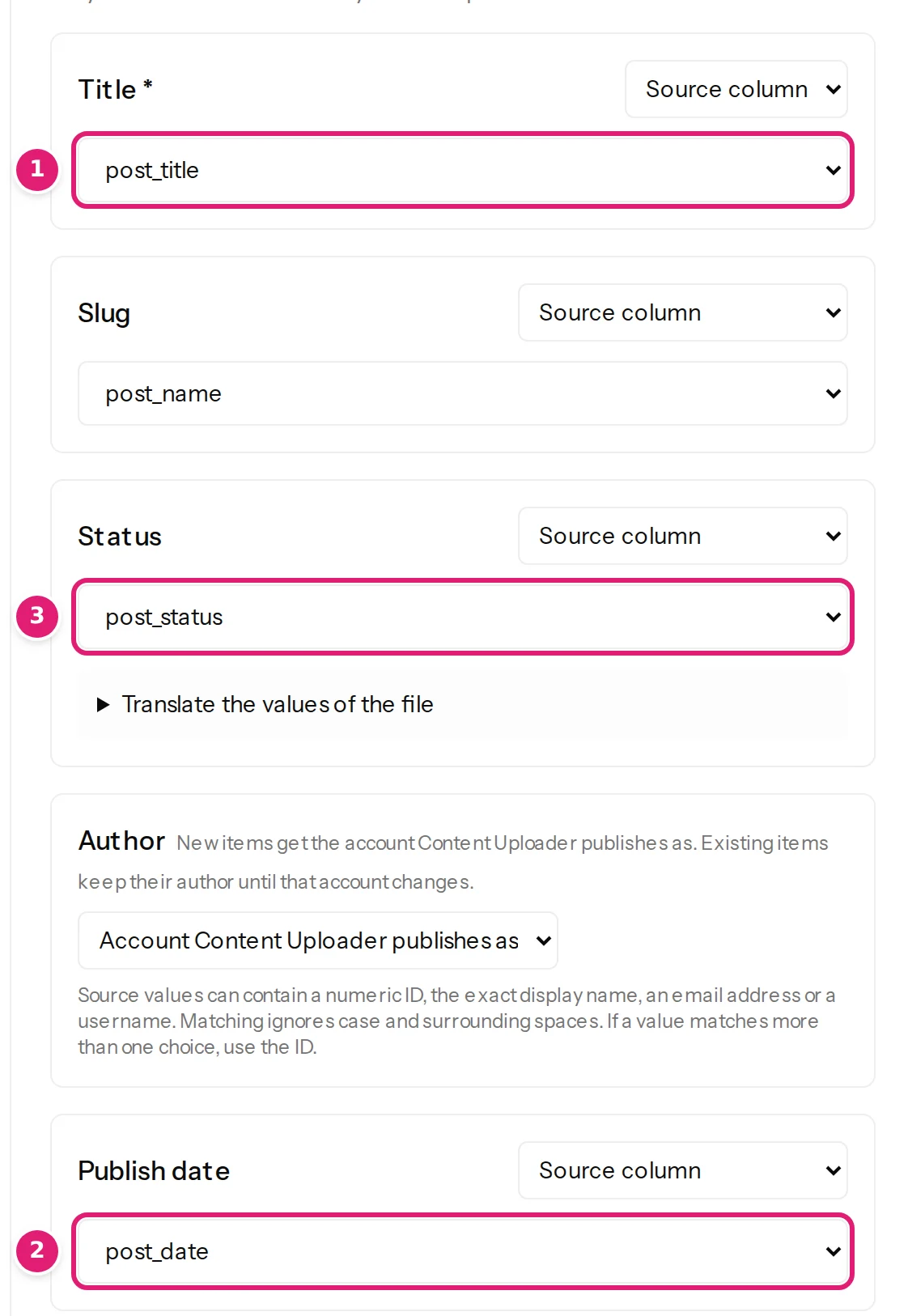
- In Tags and categories, set Categories to Replace with configured terms and choose
category_nameas the category column. Set Tags the same way with the columntag_list. - Save the configuration.
The status keys need no translating: publish and draft are what WordPress calls its statuses, and the cell is read as that status (status, dates and authors).
Step 2: drop the file and read the review#
Drop the file on the new card. The review says 5 new, 0 errors. Above the list, New on the site after publishing names the categories and tags your site does not have yet; the others already exist and will be reused (new categories and tags).
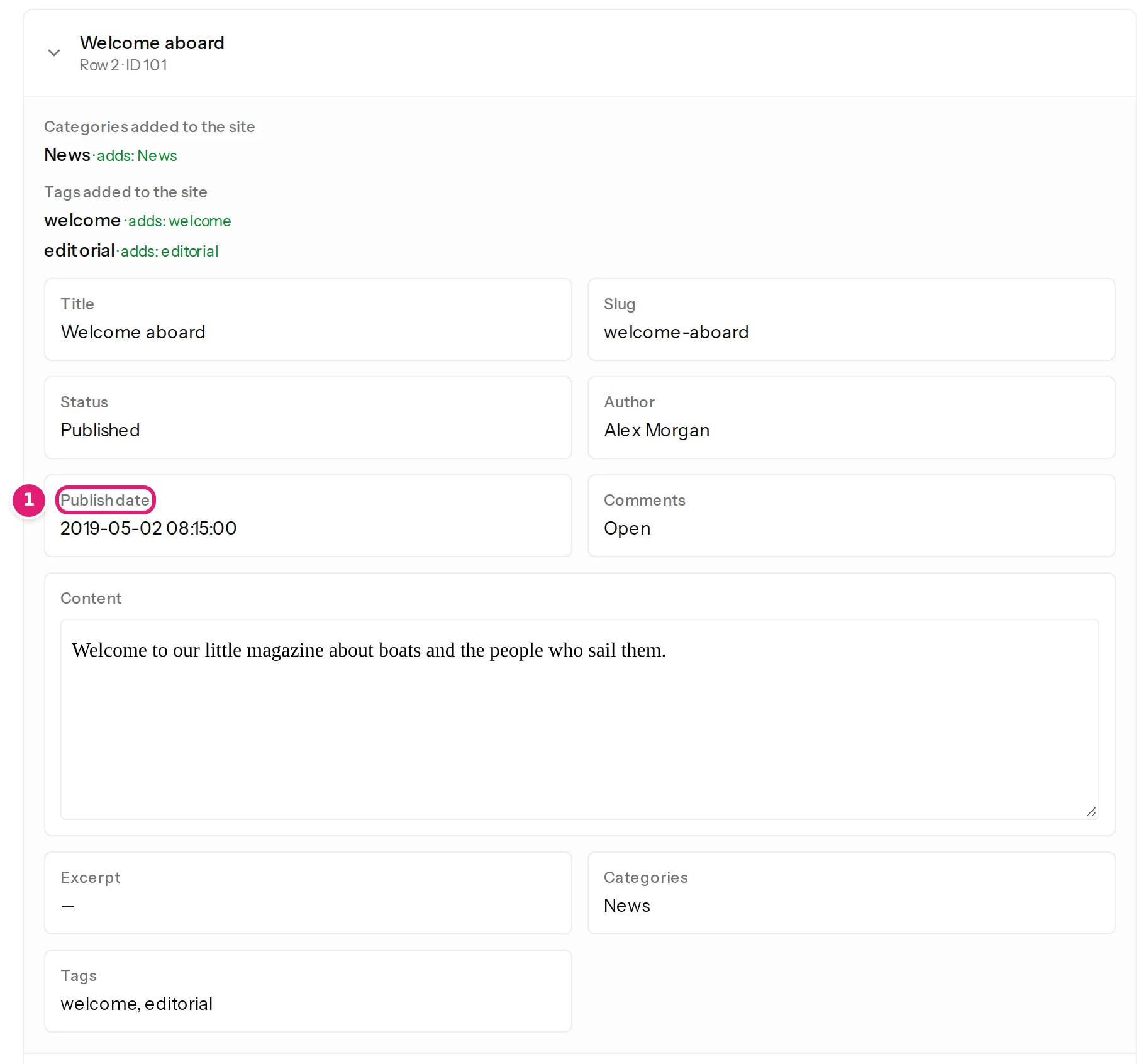
Open Welcome aboard. The item shows the Slug welcome-aboard, the Status Published and the Publish date 2019-05-02 08:15:00, which is the date as read from your file, before your site applies its time zone.
Step 3: publish#
Tick I reviewed the changes above (the first file of a configuration always asks) and select Publish 5 changes. Publishing runs in the background (publish your changes).
Step 4: check WordPress, and see the shift#
On the site, Posts → All Posts has the five posts: four published and one draft, each with the address from post_name (the slug of Winter in the boatyard is winter-in-the-yard, as in the file, not made from the title), with the category from category_name and its tags.
Now look at the dates. A date without a time zone is read as UTC and WordPress shows it in the site's own zone. With the site on Malta time, which is two hours ahead of UTC in summer and one hour in winter, our five posts show:
| Article | In the file | On the site |
|---|---|---|
| Welcome aboard | 2019-05-02 08:15 | 2019-05-02 10:15 |
| Our first passage to Gozo | 2019-06-14 17:40 | 2019-06-14 19:40 |
| Winter in the boatyard | 2019-12-03 10:05 | 2019-12-03 11:05 |
| A draft we never finished | 2020-01-09 12:00 | 2020-01-09 13:00 |
| Lessons from a bad forecast | 2020-08-21 06:30 | 2020-08-21 08:30 |

If the times in your export are the times on your site, this is wrong by the offset. If they are UTC, it is right.
Step 5: correct the dates#
Add the site's offset to each date in the file, so that the cell says which time it means: 2019-05-02 08:15:00+02:00. The offset belongs to the date, not to the site: Malta is +02:00 in summer and +01:00 in winter, so our file uses +02:00 for May, June and August and +01:00 for December and January. In a spreadsheet, add the text to the date column and save as CSV again; the other columns stay as they are (dates are wrong).
Drop the corrected file on the same card. The review now says 5 updated, 0 new: the numbers in id match the posts you published, and only the dates differ. Publish them. The posts list shows Welcome aboard at 8:15 am, the time in the file.

Nothing was created twice, because the record ID id matched each article (how rows are matched).
If it does not match#
| What you see | Why | What to do |
|---|---|---|
| The dates are a few hours off | The cells have no time zone and the site is not on UTC | Add the offset, as in step 5, or enter the times as UTC |
| Every post has today's date | Publish date is not mapped | Choose the column in the editor (status, dates and authors) |
| The posts exist twice | The file was uploaded with another record ID column, or the first upload used another configuration | Two copies of the same article |
| A status is refused | The cell holds a word WordPress does not know | Row errors |
Was this article helpful?
Related articles
- TroubleshootingDates are wrong, shifted or refusedWhat to do when a row says the date is not valid, day and month are swapped, a date is a few hours off, or every post shows today's date, with the cause and the fix for each.
- Mapping columnsStatus, dates and authorsPublish items as drafts, published or archived, per row or for all; set publish dates; choose authors by name, ID or email. The choices each platform offers and the errors.
- Mapping columnsTitle, slug and aliasThe title is required; the slug (WordPress) or alias (Joomla) is the item's web address. How each is saved, the length limits, and why you may want to keep the slug.
- Importing dataChoose the record IDThe record ID column lets next week's file update an item instead of creating it twice: what makes a good ID, how matching works without one, and what changing it does.