Review first or publish automatically
Choose whether a new file waits for your one-click review or is published at once when nothing needs attention, when automatic publishing still waits, and who gets the emails.
- 3 min read
- Updated October 13, 2026
At the bottom of the configuration editor, When a new file is uploaded decides what happens after a file has been read, checked and compared. There are two choices.
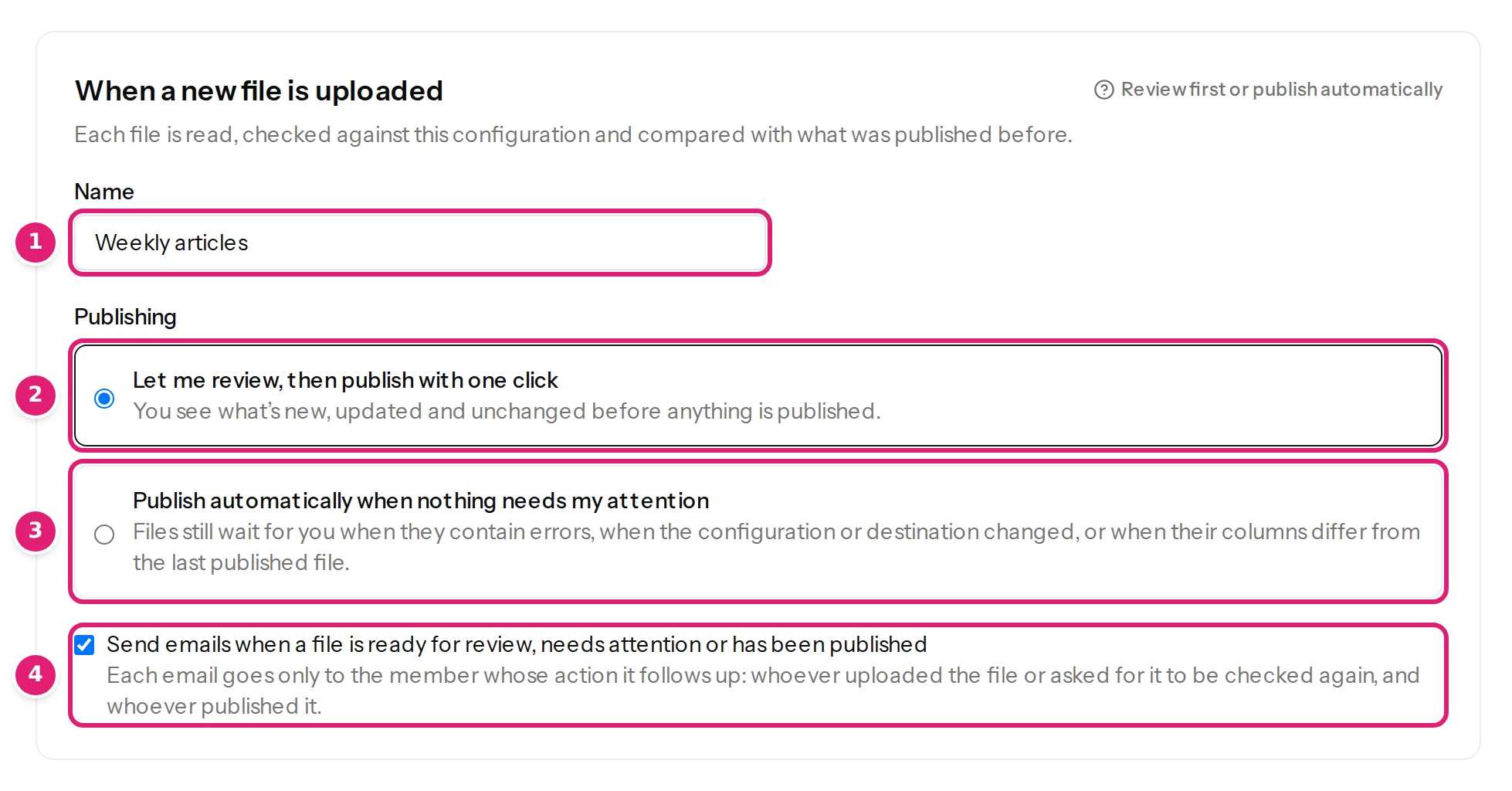
Let me review, then publish with one click (the default)#
You see what's new, updated and unchanged before anything is published. Every file stops at the review, shows what will change, and waits for you to press Publish N changes. Use this when a mistake would be costly, when files differ from week to week, or until you trust the configuration. It is also the choice that is always safe.
Publish automatically when nothing needs my attention#
Files still wait for you when they contain errors, when the configuration or destination changed, or when their columns differ from the last published file. A file is published without anyone pressing a button only when all of these are true:
- the file has no row errors and no skipped items, and the site could be reached for the comparison (no warning);
- there is something to publish (a file with nothing to do just completes);
- nothing needs confirming: this configuration version has been used to publish before, the site's fields have not changed since it was saved, and the file's columns are the same as the last published file's (what needs your attention);
- the plan's allowance covers the whole file, and the workspace is not suspended or paused;
- the configuration has not been deleted.
Otherwise the file waits at the review like any other, and the people responsible are emailed. The first file after any change is therefore always reviewed by a person, which is the point: automatic publishing is for a steady, repeating file. When a file is published automatically, its page says Published automatically because nothing needed your review., and the Uploads list marks it.
Automatic publishing is off by default. Turn it on for a configuration only after a few reviewed files have behaved.
Emails#
The tick box Send emails when a file is ready for review, needs attention or has been published controls the configuration's emails. Each email goes only to the member whose action it follows up:
- the person who uploaded the file (or asked for it to be checked again) is emailed when the file is ready for review, when it needs attention, and, for automatic publishing, when it was published;
- the person who published is emailed when publishing has finished.
Nobody else on the team receives them, and a team member who loses access to the site stops receiving them. The run page says, while it works, whether you will be emailed (You can leave this page; we'll email you when it needs you or is done. or …processing continues in the background.).
Changing the setting#
Open the editor, change the choice and select Save changes. This does not create a new version of the mapping and does not apply retroactively to files that are waiting.
Was this article helpful?
Related articles
- Reviewing and publishingWhat needs your attention before you publishThe review asks you to tick "I reviewed the changes above" for a new version, changed fields or columns, a doubtful first row, products taken over or a large price change.
- Reviewing and publishingAutomatic publishing: when a file is published without youWhat automatic publishing does, the exact conditions for a file to be published on its own, why the first file always waits, and how to turn it on or off.
- Importing dataCreate a configurationA configuration remembers a destination, a record ID column and how each column maps to fields: how to create one, what the editor's parts do and how versions work.
- Reviewing and publishingHow the review worksAfter a file is checked, the review shows what will be created, updated, left alone or skipped before anything is sent to your site. How to read each part of the page.