Review product changes: the summary, the card and what the shop holds
How the review shows a shop's products: the price and stock summary, what the shop holds now, the product card, the price check and products that cannot be updated.
- WordPress
- 6 min read
- Updated October 14, 2026
The review of a shop's products shows what every review shows (new, updated, unchanged, errors and skipped) and four things more: what a file does to prices and stock in one glance, what the shop holds now, each new product as the shop would hold it, and the prices that move a lot.
The summary#
Above the list a box counts the changes by kind:
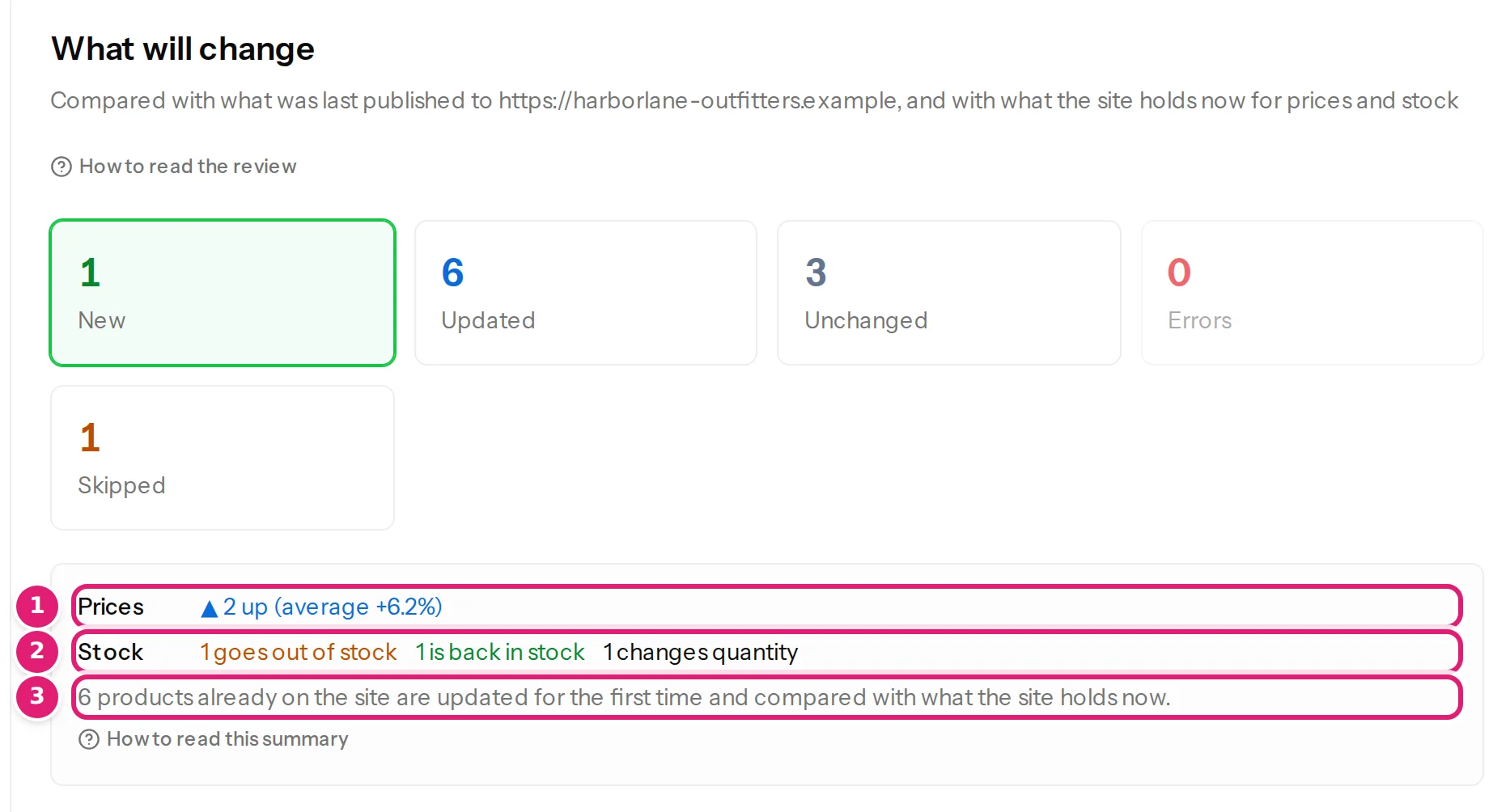
| Line | What it counts |
|---|---|
| Prices | How many regular prices go up and down, and the average move of each. |
| Stock | How many products go out of stock (a quantity of 0, or a status of out of stock), are back in stock, change quantity, or stop tracking stock. |
| Sales | How many sales start (a sale price is added) and end (it is removed). |
| N prices move more than 30% | How many prices cross the price check, and how far the largest one goes. |
A line is a button: select Prices, Stock or Sales, or the price check, and the list shows only the products with that kind of change. Select it again to see them all. A box is shown only when the file changes something it counts.
What the shop holds now#
For every product whose price or stock the file sets, the review reads the shop. The table of an updated product has the shop's value in the middle column:
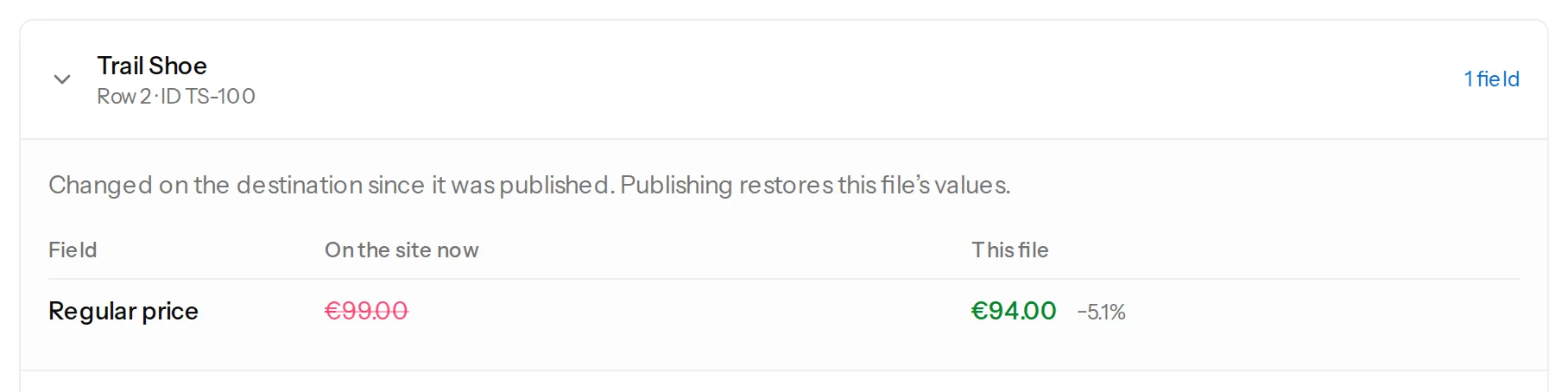
- On the site now is what the shop holds. This file is what the file says. A price shows how far it moves, such as −5.1%.
- When the value in the middle column comes from the last file and not from the shop (a field you set to update it when the file changed since the last file), the column is called Last published.
- Changed on the destination since it was published. Publishing restores this file’s values. appears when the file has not changed since you last published it but the shop has: a colleague edited the price, or an order took a unit. By default the file wins, and what would be put back is shown to you first. What the shop's value is compared with explains how to change that for a field, and the tutorial shows both.
The first time a product the shop already had is updated, the table lists only what differs from the shop: update products already on your shop.
The product card#
A new product is shown as a card, the way a shop holds it, instead of a list of fields:
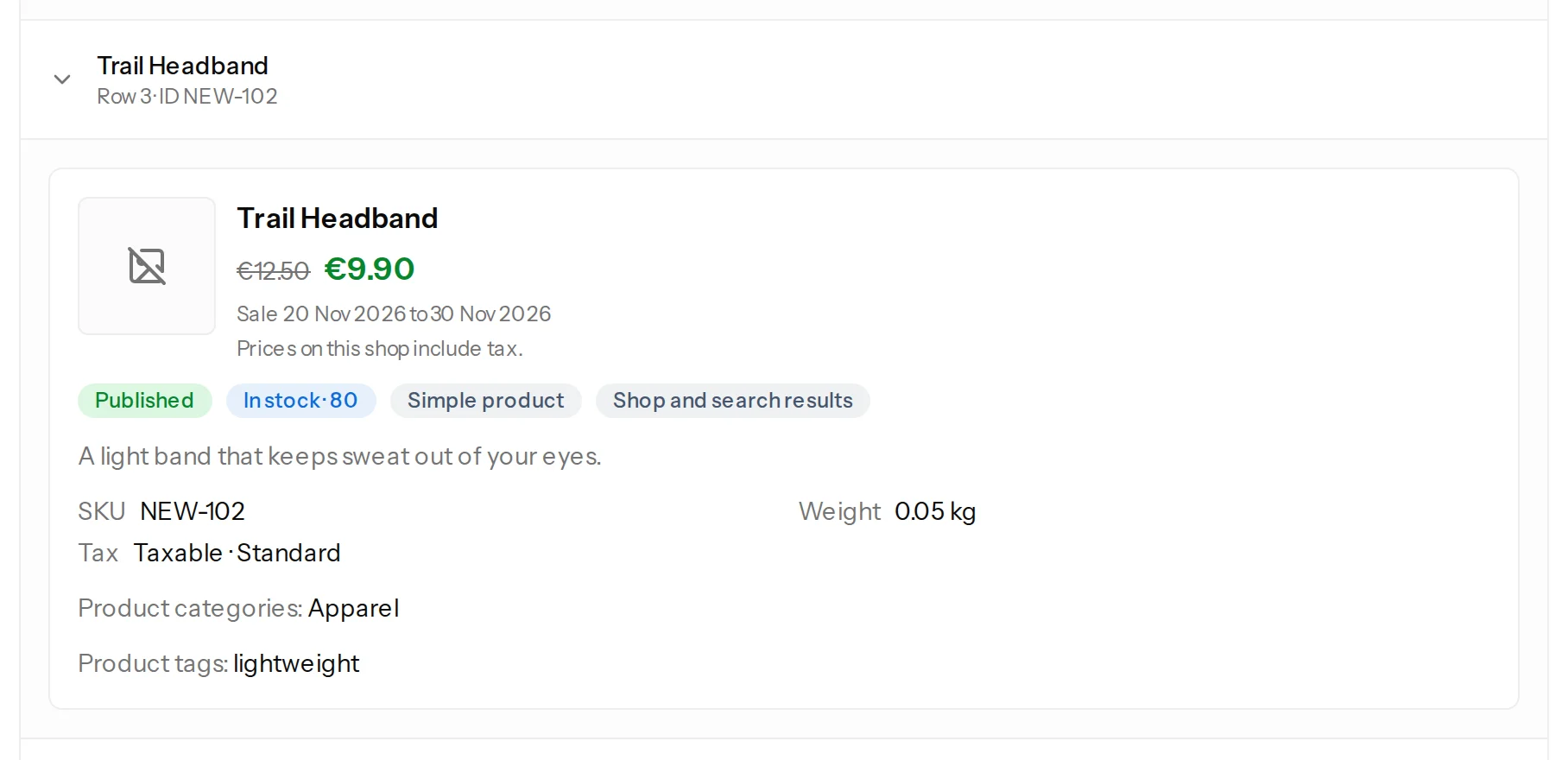
The card shows the product's price (a struck-through price and the sale price while a sale is set, with the dates), its status, its stock, its type and visibility, the SKU, GTIN, weight, size and tax, the short description, its categories and tags, and the name of its image, with the shop's currency and whether its prices include tax. It is a card in WooCommerce's own terms, not your theme: how a product looks on your shop depends on the theme.
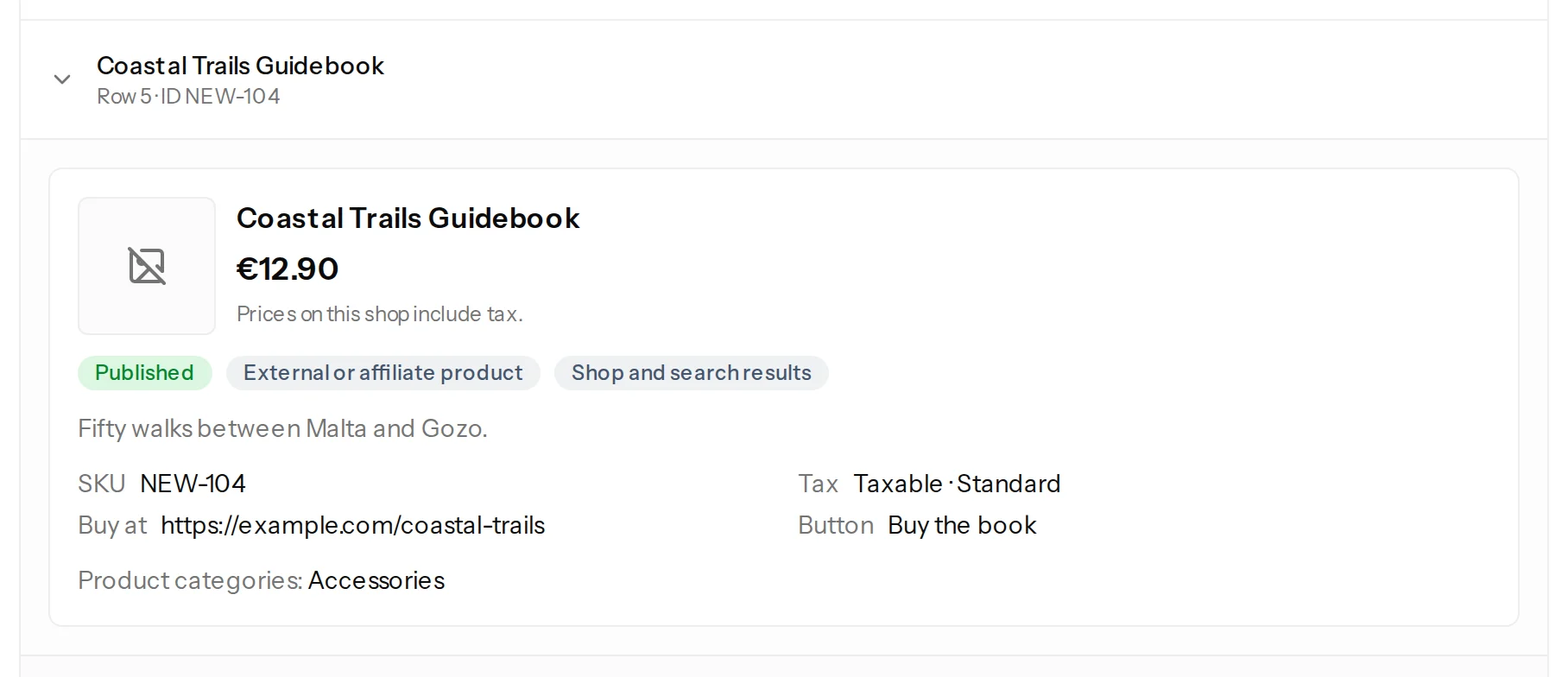
The same card is shown in the editor for each row of the sample file, next to the fields, before anything is saved or sent.
The price check#
A price that moves a lot is more often a typo than a decision: a decimal point in the wrong place, a price in cents, a column shifted by one. A configuration therefore asks you to confirm when a price moves by more than a limit. The limit is 30% to start with, and you set it in the configuration, under Large price changes:
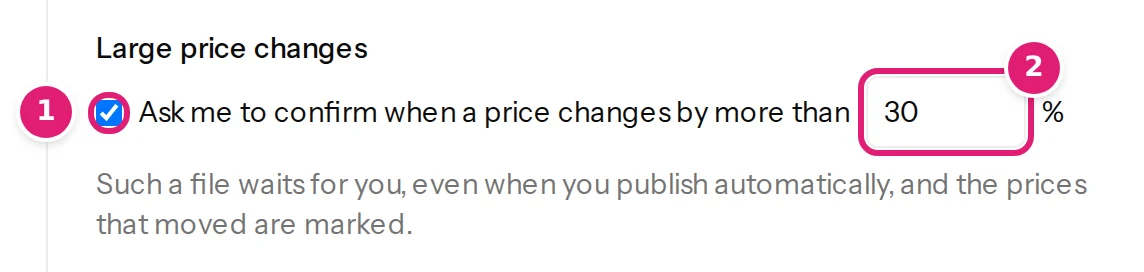
What happens when a price crosses the limit:
- The product is marked A large move: look at this one, next to its price.
- The box above the publish button says 1 price changes by more than 30%, and the button waits until you tick I reviewed the changes above.
- A configuration that publishes automatically waits too, however it is set, and you are emailed that the file needs you.
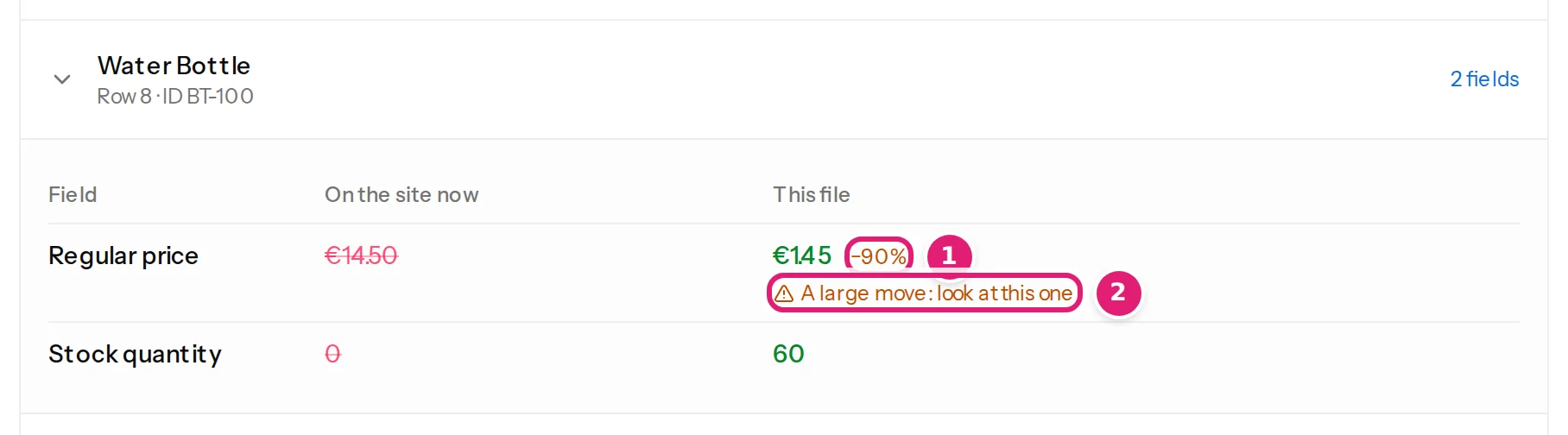
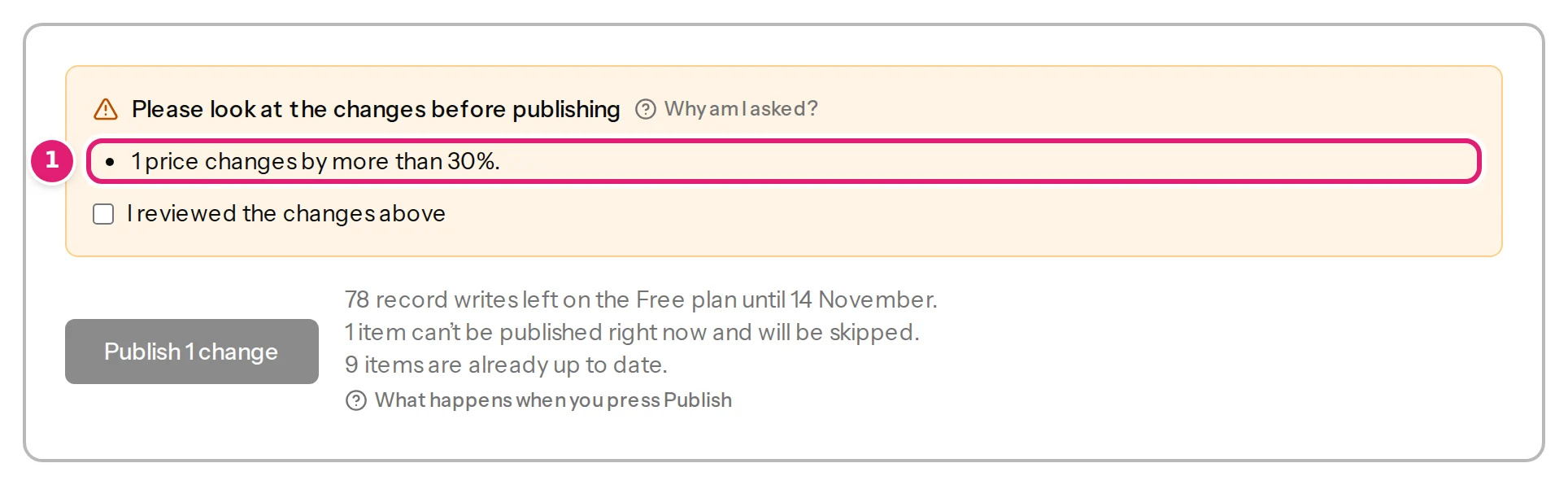
The check looks at regular prices that already had a value. It is a net under a mistake, not a rule about your prices: turn it off, or raise the limit, when large moves are normal for you. Correct the file and upload it again if the move is a mistake: the next review has the correct price.
Products that cannot be updated#
A row whose SKU belongs to a product that Content Uploader cannot update is skipped, with the reason the shop gave:

Grouped products are not written. The SKU of a variation is not a product's either: the review says This identifier belongs to a product variation. for it, and a variation is made and updated with the content type Product variations (variable products, update the variations). Products in the shop's trash, products being edited by someone right now, and products the connected account may not edit are skipped too, each with its own reason. A skipped product is never changed.
A product the shop cannot update does not hold a file back: a configuration that publishes automatically still publishes the rest, and a file in which everything else is up to date is complete. A product in the trash, locked or protected is something you can fix, so a file with one waits for you.
Other plugins#
If the shop uses a plugin that prices, stocks or translates products outside the product itself, the review begins with a note that names it, and what that plugin keeps is not part of the review (requirements).
Was this article helpful?
Related articles
- Reviewing and publishingHow the review worksAfter a file is checked, the review shows what will be created, updated, left alone or skipped before anything is sent to your site. How to read each part of the page.
- Reviewing and publishingWhat needs your attention before you publishThe review asks you to tick "I reviewed the changes above" for a new version, changed fields or columns, a doubtful first row, products taken over or a large price change.
- WooCommercePrices, stock and sales: how numbers and dates are readHow Content Uploader reads prices, quantities and sale dates from your file, what an empty cell does, and what the shop's value is compared with.
- WooCommerceUpdate products that are already on your shopFind the products your shop already has by their SKU, update them from a spreadsheet, and see on the first review only what differs from the shop.