Automatic publishing: when a file is published without you
What automatic publishing does, the exact conditions for a file to be published on its own, why the first file always waits, and how to turn it on or off.
- 4 min read
- Updated October 14, 2026
Automatic publishing is for the file that comes back every week and looks the same: when nothing in it needs a person's eyes, you upload it, and it is checked and published without a second click. When anything does need a person, the file stops at the review exactly as usual and the right person is emailed.
It is off by default and is set per configuration. Reviewing before publishing is always available and always safe; automatic publishing is the step you take after a few reviewed files have behaved.
The conditions#
A file is published on its own only when all of these are true:
| Condition | Why |
|---|---|
| The configuration is set to Publish automatically when nothing needs my attention and has not been deleted. | Your explicit choice. |
| The file has no row errors and no skipped items, except products the shop cannot update at all (a grouped product, for example), which are named in the review and left as they are whatever the file says. | Something would be left out; a person should decide. |
| The comparison with your site worked: there is no warning such as The destination could not be reached to check categories and tags… | The review could not be trusted completely. |
| There is something to publish. | A file with nothing to do simply completes (Everything is up to date). |
| Nothing needs confirming (what needs your attention): this version of the configuration has already been used to publish, the site's fields have not changed since the configuration was saved, the file's columns are the same as in the last published file, it does not update products that Content Uploader has not touched before, and no price moves further than the configuration's limit (review product changes). | The first file after any change is always looked at by a person. |
| Your plan's allowance covers the whole file, the site is not paused by your plan and the workspace is not suspended. | The same rules as a manual publish (plans and allowances). |
If one of these fails, the file waits at the review, a message says why, and the person who uploaded it gets the email … is ready for review (or … does not match the configuration, … could not be processed).
The first file always waits#
The first file published with a configuration always stops for review, because the configuration version has not published anything yet (This is the first file published with this configuration.). The same happens after every change to the mapping, as a new version (Configuration version 4 has not been used to publish yet.), after the site's fields change, or when the file's columns change. That is the design: you check the first file of every new setup, and automatic publishing only takes over once the same setup has been approved by a person.
Changing only the When a new file is uploaded setting, or the configuration's name, does not create a new version and does not make the next file wait.
What you see#
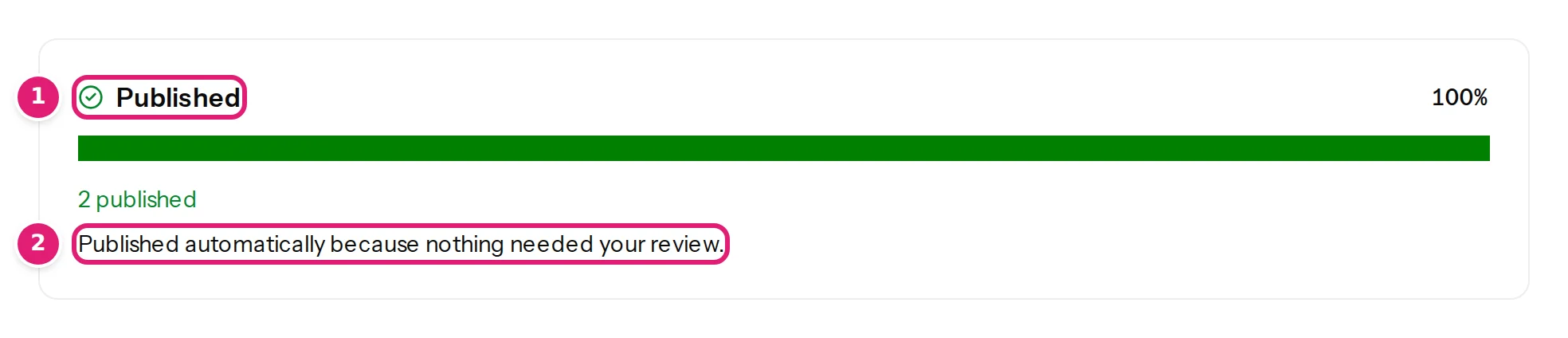
- The file goes straight from Checking to Publishing to Done. Its page says Published automatically because nothing needed your review.
- The Uploads list marks it Published automatically.
- The uploader gets the email … was published with the line N items published automatically. (or … finished with errors when some items failed; retry them).
- If nothing needed publishing, the file simply completes, and the email says … is up to date.
When automatic publishing stops#
A file that would qualify but does not fit your plan waits with the reason, for example Automatic publishing stopped: These changes need 20 record writes (12 left) on the Free plan until the allowance resets on 3 November. or Automatic publishing stopped: This site is paused because your plan allows 1 active site. Choose which sites stay active on the Sites page, or upgrade your plan. Open the file: the review is complete, and Publish the first N changes, the next allowance period or an upgrade lets you continue (plans and allowances).
While your workspace is suspended, files are checked and wait for review like any other; once it is released, a member approves them.
Turn it on or off#
- Open the configuration (Edit configuration).
- At the bottom, under When a new file is uploaded, choose Publish automatically when nothing needs my attention, or Let me review, then publish with one click.
- Select Save changes.
The change applies to the next file; files that are already waiting stay waiting (review first or publish automatically).
Good practice#
- Use it only for a steady, repeating file, such as a weekly export from another system, whose columns do not change.
- Run two or three reviewed files first and read the updated details, so you know what a normal week looks like.
- Keep the emails on. They are how you hear about a file that stopped for review. See notification emails.
- Remember that automatic publishing changes your site without anyone watching. If a mistake would be costly, keep the review.
Was this article helpful?
Related articles
- Importing dataReview first or publish automaticallyChoose whether a new file waits for your one-click review or is published at once when nothing needs attention, when automatic publishing still waits, and who gets the emails.
- Reviewing and publishingWhat needs your attention before you publishThe review asks you to tick "I reviewed the changes above" for a new version, changed fields or columns, a doubtful first row, products taken over or a large price change.
- Reviewing and publishingEmails about your files: which, when and to whomThe emails Content Uploader sends about an upload (ready for review, published, finished with errors, up to date), who receives each, and how to switch them off.
- Reviewing and publishingPublish your changes: exactly when and how your site is changedWhat happens when you press Publish: the checks made at that moment, the background publishing, the progress and the result, and what can and cannot be undone.